error while running mvn clean install | Community
Skip to main content
This post is no longer active and is closed to new replies. Need help? Start a new post to ask your question.
Best answer by abhishekanand_

can you check your port number in pom and what is the port that your instance is running on, they should be similar 


i can see that in your pom it's 4502 which means your instance must be running on something else check that it should be http://localhost:4502/ or check 4502 value in parent pom to the value on which your instance is running 

4 replies

Sady_Rifat
Community Advisor
Community Advisor
September 25, 2024

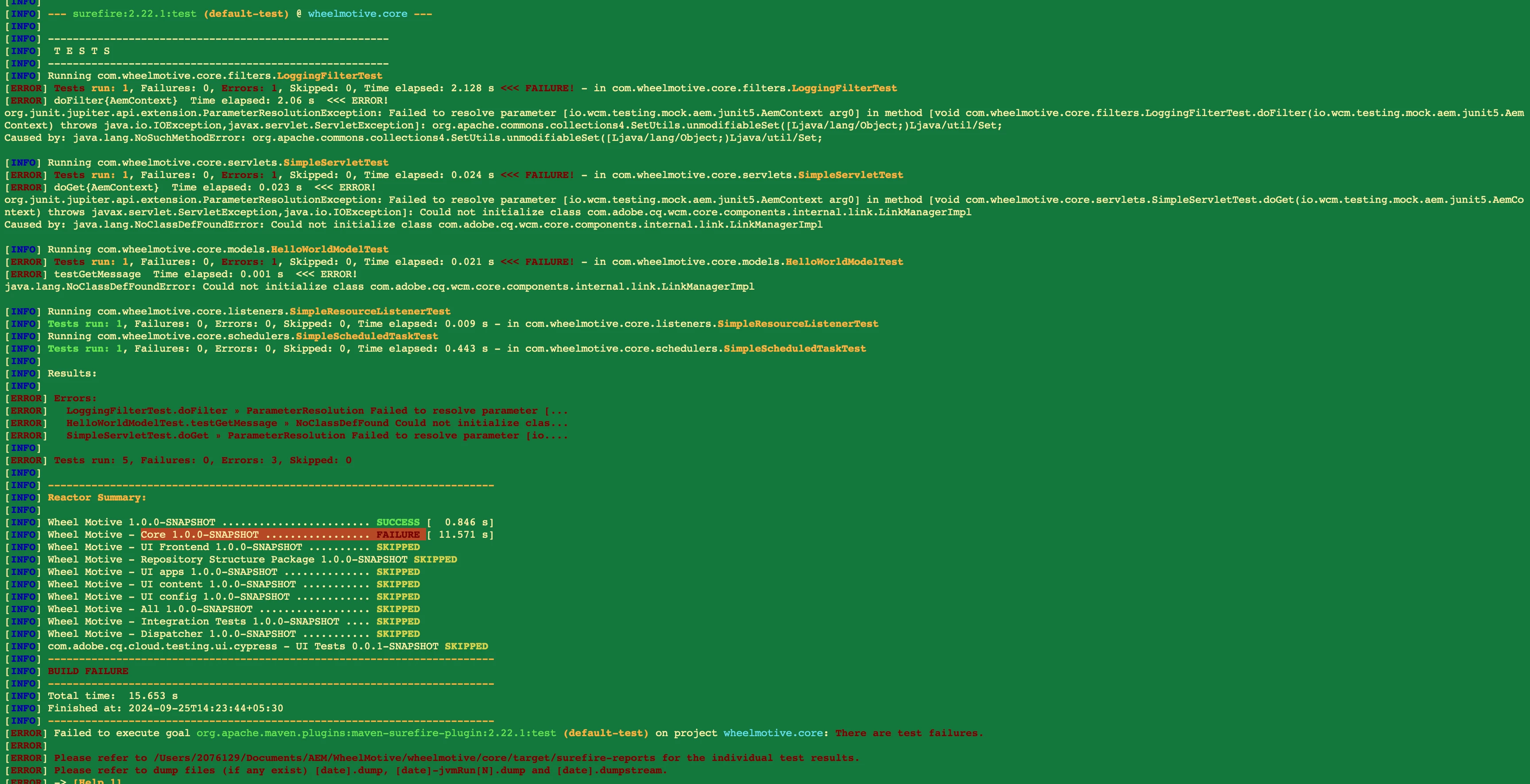
There is a unit test failure. Have you tried running the unit test individually?

NikhilGaAuthor
Level 2
September 25, 2024

no i haven't tried any unit test 

Sady_Rifat
Community Advisor
Community Advisor
September 25, 2024

Then try to successfully run the unit tests. Hopefully, it will solve the issue then

abhishekanand_
Community Advisor
Community Advisor
September 25, 2024


as @sady_rifat mentioned try to run the unit test individually or you can skip the test cases as well using below command

mvn clean install -PautoInstallPackage -DskipTests

Abhishek Anand
NikhilGaAuthor
Level 2
September 25, 2024


The command you have given worked really good later on i got up with this error

Could you please help out here?


abhishekanand_
Community Advisor
abhishekanand_Community AdvisorAccepted solution
Community Advisor
September 25, 2024

can you check your port number in pom and what is the port that your instance is running on, they should be similar 


i can see that in your pom it's 4502 which means your instance must be running on something else check that it should be http://localhost:4502/ or check 4502 value in parent pom to the value on which your instance is running 

Abhishek Anand
EstebanBustamante
Community Advisor and Adobe Champion
September 25, 2024

Hi,


The error indicates that some unit tests are failing. This is the default behavior: the build fails if any test fails. Unless you fix the tests, you will continue to encounter this error. If this is a development (local) environment, you can temporarily skip or disable the tests(https://blog.marcnuri.com/junit5-how-to-disable-tests), as previously suggested, to continue working. However, this is not a definitive solution. Also, make sure the AEM instance is running while using the deploy command; otherwise, you will receive the "connection refused" error.


Hope this helps!

Esteban Bustamante
narendiran_ravi
Level 6
September 25, 2024

Your core pom is missing some dependencies needed to execute the test. Can you include this in your pom and try? The version will picked from the parent pom.

<dependency> <groupId>com.adobe.cq</groupId> <artifactId>core.wcm.components.core</artifactId> <scope>test</scope> </dependency>