Error while importing mvn build project | Community
Skip to main content
Level 2
September 5, 2018
Solved

Error while importing mvn build project

  • September 5, 2018
  • 6 replies
  • 17413 views

Hi,

I have built a maven project using the following:

mvn org.apache.maven.plugins:maven-archetype-plugin:2.4:generate \
-DarchetypeGroupId=com.adobe.granite.archetypes \
-DarchetypeArtifactId=aem-project-archetype \
-DarchetypeVersion=14 \

-DarchetypeCatalog=https://repo.adobe.com/nexus/content/groups/public/

Build is done successfully but, when I import the project into eclipse, I get the below error:

Could not calculate build plan: Plugin org.apache.maven.plugins:maven-resources-plugin:3.0.2 or one of its dependencies could not be resolved: Failed to read artifact descriptor for org.apache.maven.plugins:maven-resources-plugin:jar:3.0.2

Plugin org.apache.maven.plugins:maven-resources-plugin:3.0.2 or one of its dependencies could not be resolved: Failed to read artifact descriptor for org.apache.maven.plugins:maven-resources-plugin:jar:3.0.2

How do I solve this issue?

Thanks,

Aj
This post is no longer active and is closed to new replies. Need help? Start a new post to ask your question.
Best answer by Ratna_Kumar

Hi,

Please look into the HELPX article where Scott provided.

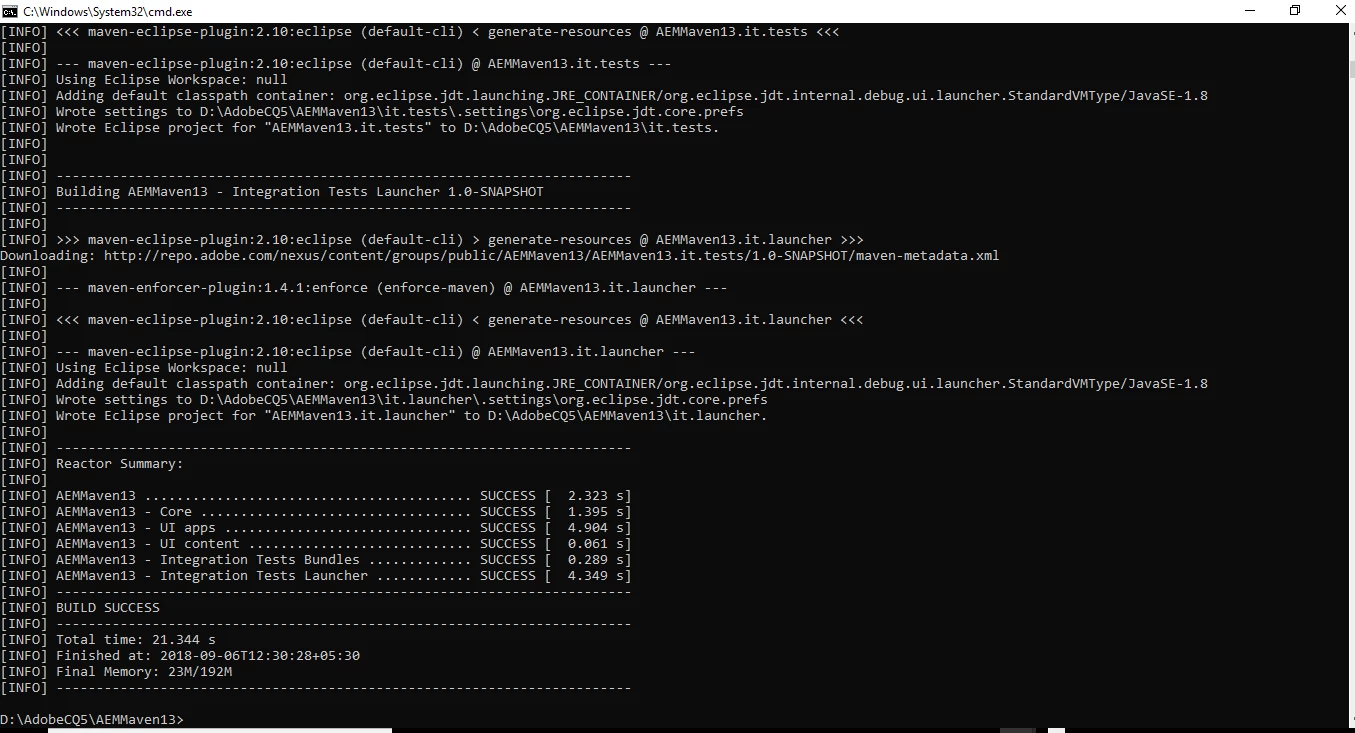
Also, I just now checked from my end. It works fine. Please find the below screenshot.

Also, there would be something wrong with your maven M2 repository and might be it is corrupted. Delete M2 repo and follow the article. It will work!!

Hope this helps!!

Thanks,

Ratna Kumar.

6 replies

smacdonald2008
Level 10
September 5, 2018
Level 2
September 5, 2018

Nope, I get the following:

[INFO] --- maven-archetype-plugin:2.4:generate (default-cli) @ standalone-pom ---

[INFO] Generating project in Interactive mode

[INFO] Archetype repository not defined. Using the one from [com.adobe.granite.archetypes:aem-project-archetype:9 -> https://repo.adobe.com/nexus/content/groups/public] found in catalog https://repo.adobe.com/nexus/content/groups/public/

Downloading from aem-project-archetype-repo: https://repo.adobe.com/nexus/content/groups/public/com/adobe/granite/archetypes/aem-project-archetype/13/aem-project-archetype-13.jar

Downloading from adobe-public-releases: https://repo.adobe.com/nexus/content/groups/public/com/adobe/granite/archetypes/aem-project-archetype/13/aem-project-archetype-13.jar

Downloading from central: https://repo.maven.apache.org/maven2/com/adobe/granite/archetypes/aem-project-archetype/13/aem-project-archetype-13.jar

[INFO] ------------------------------------------------------------------------

[INFO] BUILD FAILURE

[INFO] ------------------------------------------------------------------------

[INFO] Total time: 1.987 s

[INFO] Finished at: 2018-09-05T16:05:17-04:00

[INFO] ------------------------------------------------------------------------

[ERROR] Failed to execute goal org.apache.maven.plugins:maven-archetype-plugin:2.4:generate (default-cli) on project standalone-pom: The desired archetype does not exist (com.adobe.granite.archetypes:aem-project-archetype:13) -> [Help 1]

[ERROR]

[ERROR] To see the full stack trace of the errors, re-run Maven with the -e switch.

[ERROR] Re-run Maven using the -X switch to enable full debug logging.

[ERROR]

[ERROR] For more information about the errors and possible solutions, please read the following articles:

[ERROR] [Help 1] http://cwiki.apache.org/confluence/display/MAVEN/MojoFailureException

smacdonald2008
Level 10
September 5, 2018

Watch this video that was just created - its working fine.

If you are not getting this - there could be something wrong with your Maven (.m2) on your local DEV environment.

Ratna_Kumar
Ratna_KumarAccepted solution
Level 10
September 6, 2018

Hi,

Please look into the HELPX article where Scott provided.

Also, I just now checked from my end. It works fine. Please find the below screenshot.

Also, there would be something wrong with your maven M2 repository and might be it is corrupted. Delete M2 repo and follow the article. It will work!!

Hope this helps!!

Thanks,

Ratna Kumar.

Level 2
September 6, 2018

Thanks guys, it worked. My .m2 profile settings.xml file was the issue. Deleted and followed the article. It worked!

September 10, 2021

can you share the article link pls

smacdonald2008
Level 10
September 6, 2018

This is the exact reason why Experience League exists. I am glad you got it working.