Level 3
September 29, 2023

Error while Exporting Experience Fragment to Adobe Target

  • September 29, 2023
  • 7 답변들
  • 1415 조회

Hi Everyone,

We are using AEM as Clouse service for our website and I have integrated Adobe Target and Adobe Launch as Cloud Service. I configure A/B Testing and it works fine, so the configuration is done correctly.

However, when I am trying to export Experience Fragment to Adobe Target, it throws error like this -
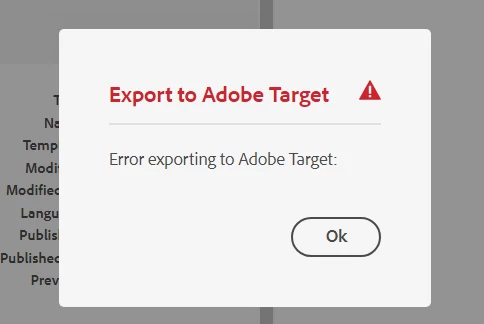
 

Error log shows this message -

02.10.2023 00:09:56.537 [cm-p91922-e816739-aem-author-748f7d7ff5-bj77q] *WARN* [sling-cq-polling-importer-10-/conf/<my-app>/settings/cloudconfigs/target] com.day.cq.polling.importer.impl.PollingImporterImpl importData: Failed to import PollConfig(/conf/<my-app>/settings/cloudconfigs/target/jcr:content/segmentsPollConfig): scheme=adobe-target-segments,source=/conf/<my-app>/settings/cloudconfigs/target,target=/etc/segmentation/adobe-target/<client-code>,interval=1200s,enabled=true
java.lang.NullPointerException: null
at com.day.cq.analytics.testandtarget.impl.SegmentImporter.importData(SegmentImporter.java:159) [com.adobe.cq.cq-target-integration:1.4.46]
at com.day.cq.polling.importer.impl.PollingImporterImpl.importData(PollingImporterImpl.java:561) [com.day.cq.cq-polling-importer:5.12.6]
at com.day.cq.polling.importer.impl.PollingImporterImpl.access$000(PollingImporterImpl.java:72) [com.day.cq.cq-polling-importer:5.12.6]
at com.day.cq.polling.importer.impl.PollingImporterImpl$1.run(PollingImporterImpl.java:463) [com.day.cq.cq-polling-importer:5.12.6]
at org.apache.sling.commons.scheduler.impl.QuartzJobExecutor.execute(QuartzJobExecutor.java:349) [org.apache.sling.commons.scheduler:2.7.12]
at org.quartz.core.JobRunShell.run(JobRunShell.java:202) [org.apache.sling.commons.scheduler:2.7.12]


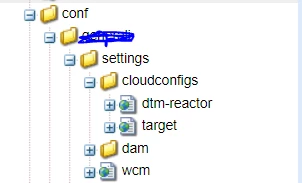
After some research, I tried multiple things. I have tried with both Editor and Approver access on API credentials. I checked that cloud configs are created in this path : apps/conf/<my-app>/settings/cloudconfigs/target , as shown below :


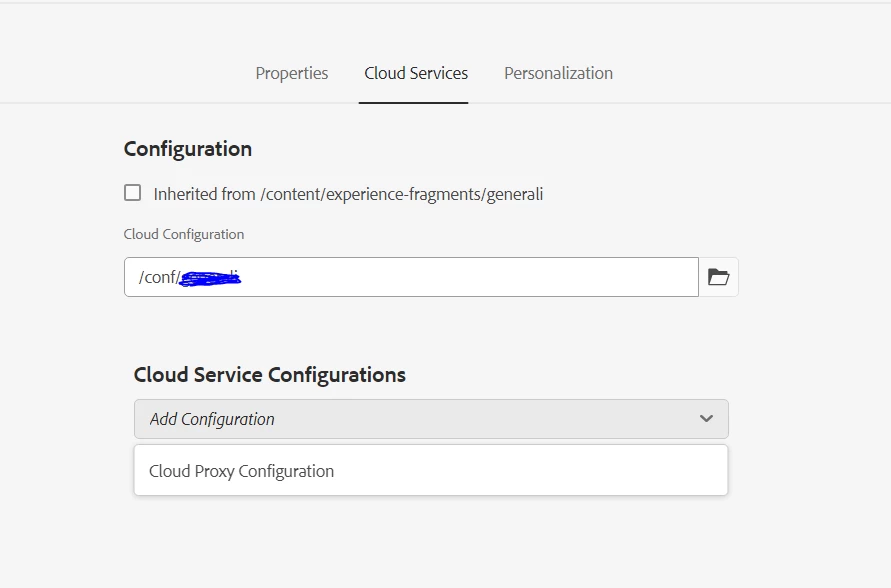
One thing that I figured out might be causing it is, that I cannot see Target Workspace under Cloud Configurations in Folder properties (as described here in Step 4 - https://experienceleague.adobe.com/docs/experience-manager-65/administering/integration/experience-fragments-target.html?lang=en) : 
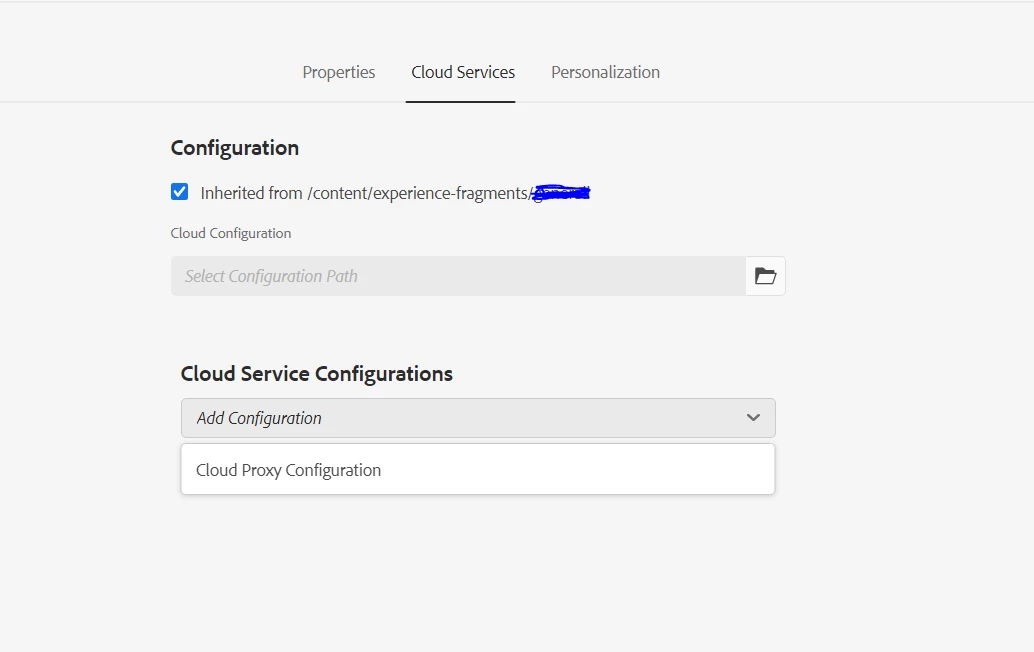


Please let me know if I am missing anything here. 


Many thanks in advance !


Best Regards,

Rupal


이 주제는 답변이 닫혔습니다.

7 답변

Ravi_Pampana
Community Advisor
Community Advisor
October 2, 2023

Hi ,

Did you create Adobe target configuration as mentioned in below doc? 

https://experienceleague.adobe.com/docs/experience-manager-cloud-service/content/sites/integrations/integrating-adobe-target.html?lang=en

What is the error throwing in log file ? 

Ravi Pampana
jainrupal2408작성자
Level 3
October 2, 2023

Hi Ravi, 

Yes, I have configured Adobe Target as per Experience League documentation. 
Below is the error log :

02.10.2023 00:09:56.537 [cm-p91922-e816739-aem-author-748f7d7ff5-bj77q] *WARN* [sling-cq-polling-importer-10-/conf/<my-app>/settings/cloudconfigs/target] com.day.cq.polling.importer.impl.PollingImporterImpl importData: Failed to import PollConfig(/conf/<my-app>/settings/cloudconfigs/target/jcr:content/segmentsPollConfig): scheme=adobe-target-segments,source=/conf/<my-app>/settings/cloudconfigs/target,target=/etc/segmentation/adobe-target/<client-code>,interval=1200s,enabled=true
java.lang.NullPointerException: null
at com.day.cq.analytics.testandtarget.impl.SegmentImporter.importData(SegmentImporter.java:159) [com.adobe.cq.cq-target-integration:1.4.46]
at com.day.cq.polling.importer.impl.PollingImporterImpl.importData(PollingImporterImpl.java:561) [com.day.cq.cq-polling-importer:5.12.6]
at com.day.cq.polling.importer.impl.PollingImporterImpl.access$000(PollingImporterImpl.java:72) [com.day.cq.cq-polling-importer:5.12.6]
at com.day.cq.polling.importer.impl.PollingImporterImpl$1.run(PollingImporterImpl.java:463) [com.day.cq.cq-polling-importer:5.12.6]
at org.apache.sling.commons.scheduler.impl.QuartzJobExecutor.execute(QuartzJobExecutor.java:349) [org.apache.sling.commons.scheduler:2.7.12]
at org.quartz.core.JobRunShell.run(JobRunShell.java:202) [org.apache.sling.commons.scheduler:2.7.12]
at java.base/java.util.concurrent.ThreadPoolExecutor.runWorker(ThreadPoolExecutor.java:1128)
at java.base/java.util.concurrent.ThreadPoolExecutor$Worker.run(ThreadPoolExecutor.java:628)
at java.base/java.lang.Thread.run(Thread.java:834)

Saravanan_Dharmaraj
Community Advisor
Community Advisor
October 3, 2023

@jainrupal2408 We recently had similar issue.Our integration is through IMS Config. Our password got reset automatically for some reason. We reconfigured the IMS config and it connected again to Target and we are able to export the exp fragments again. Just FYI. 


EstebanBustamante
Adobe Champion and Community Advisor
December 12, 2023

@jainrupal2408 


I found the reason for this, if you want to export XF to Target you must enable a Legacy Cloud Service config for Target, once you enable that you will be able to export the XF without a problem. This was documented here: https://experienceleague.adobe.com/docs/experience-manager-cloud-service/content/sites/integrations/experience-fragments-target.html?lang=en#add-the-legacy-configuration 


Esteban Bustamante
jainrupal2408작성자
Level 3
December 13, 2023

Hi @estebanbustamante , 

Yes, in the end I found this out and then it was successful. Thank you for replying to my question 🙂

Its weird that Adobe documentation is not clear enough for this. 


Best,

Rupal