Error while adding payload | Community
Skip to main content
Level 6
October 4, 2024

Error while adding payload

  • October 4, 2024
  • 2 replies
  • 1904 views

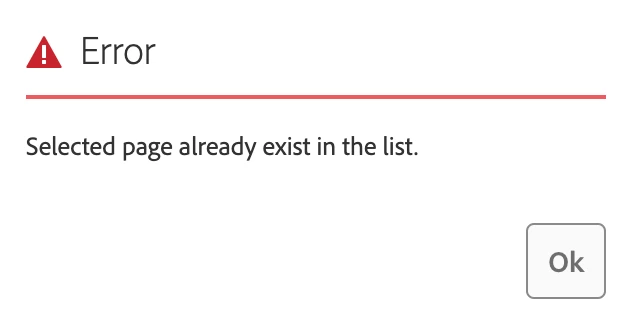
Hello team, we have a custom workflow in which we are trying to add some assets to the payload, and we are getting this error even though the assets are not referenced in the pages. (For example, if page-a.html is added to the workflow and we try to add the image test.jpg, we are getting this error even though test.jpg is not referenced in page-a.html.) Can someone tell me what could be the issue? Thank you!
 

This post is no longer active and is closed to new replies. Need help? Start a new post to ask your question.

2 replies

EstebanBustamante
Community Advisor and Adobe Champion
October 4, 2024

Hi, 


Which version of AEM are you using? Are you sure this is not referenced on the page? How are you checking this? Can you provide more details about how you are selecting multiple assets and which UI you are using?

Esteban Bustamante
Level 6
October 4, 2024


We're using AEM 6.5. I'm sure that the asset is not referenced in the page. I'm adding the multiple assets using the below option(Add Content).


EstebanBustamante
Community Advisor and Adobe Champion
October 4, 2024

Hi,

I’m using AEM 6.5.17, and the only way to encounter the error you’re seeing is if the asset or page is already in the payload list. This prevents you from adding the same asset or page twice. For example:


  1. Added the asset: /content/dam/demo/icon.png


2. If I try to add the same asset again: /content/dam/demo/icon.png, I encounter the error, which make sense.

Although the error message refers to "pages," it actually pertains to assets when you’re attempting to drop the same asset multiple times. That said, I’ve tested assets that are referenced on a page, and there’s no issue in those cases.


Could you please double-check that the asset you are trying to add is not already part of the payload, as shown in the screenshot above? (Please verify by inspecting HTML that the asset is not present to make sure this is not hidden).

Esteban Bustamante
MukeshYadav_
Community Advisor
Community Advisor
October 7, 2024

Hi,

I am able to reproduce in service pack 17,21 & AEM Cloud all local env when I start workflow from create button. I tried with Publish example workflow.

Not sure if it is supposed to add images as it is not working with images even though if image is not in the payload or referenced on page or it might be workflow specific.

However able to add content fragment & other type of content

Thanks

Level 6
October 10, 2024

Thanks for checking the issue. Adding images are allowed in managepublication workflow. Do we need to add any custom property to support of images as well ?