aliaksandr_hvoz
Level 2
Mar 5, 2020 9:14 AM UTC

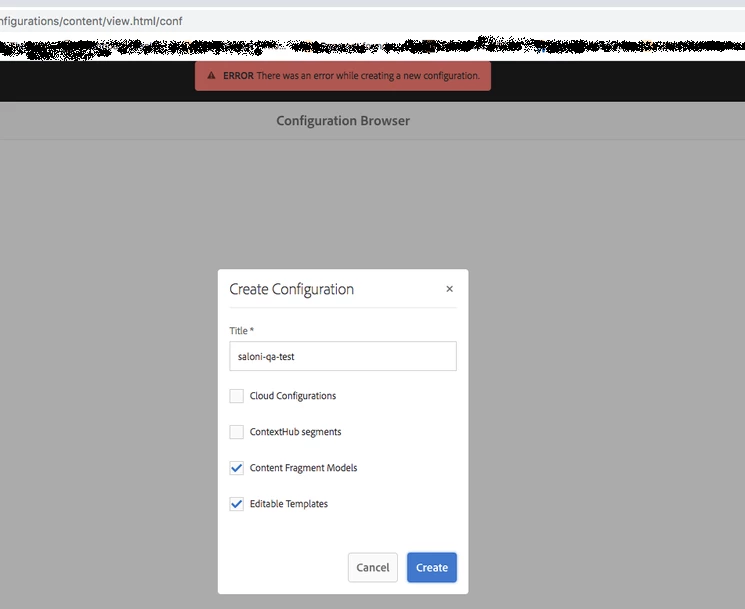
Error "There was an error while creating a new configuration"

Hi.

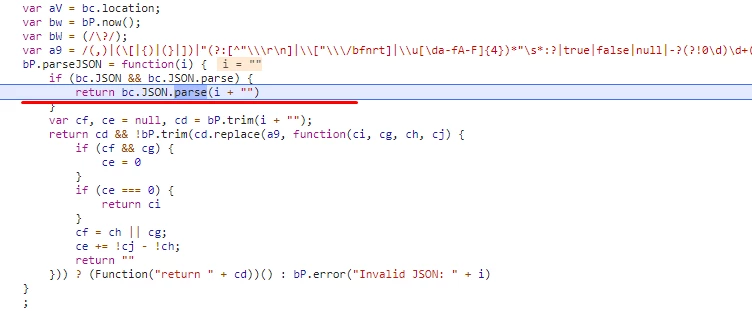
When creating a new configuration, I get an error like in the picture. After looking at the errors, I found that there was an error in the JS code. Advise me on why this may occur. I get a response status 200 but JS crashed. JS files along the way /libs/granite/configurations/clientlibs/confbrowser not changed and not overlaid. Also, this error occurs when I edit configuration properties, and delete the configuration.


Thank you very much in advance.

This post is no longer active and is closed to new replies. Need help? Start a new post to ask your question.

7 replies

arunpatidar
Community Advisor
Community Advisor
Mar 5, 2020 11:43 AM UTC

Hi,

Could you please check permissions? Try with the admin user?
Please share the AEM version number as well so I can try to replicate at my end.

Translate
Arun Patidar
aliaksandr_hvoz
Level 2
Mar 5, 2020 11:59 AM UTC

I'm trying to create a configuration with the admin user. I use Product : AEM (6.2.1.20160414) and Installed Products Adobe Experience Manager (6.4.6.0).

Translate
nishant_kumar_
New Member
Jun 29, 2020 7:10 AM UTC

Did you find any solution to this? I'm facing the same issue. 

Translate
New Member
Jan 17, 2024 8:31 PM UTC

Where you able to fix this issue? We are facing the same issue as well. 

Translate
Adobe Employee
Jan 17, 2024 8:53 PM UTC

We had a similar issue when attempting to create or delete a new configuration in the configuration browser, and going through Author dispatcher URL.
We had to add the below line to the Author dispatcher's /clientheaders section:

X-HTTP-Method-Override


Translate