This post is no longer active and is closed to new replies. Need help? Start a new post to ask your question.
ZellmanAtAdobeAccepted solution
Adobe Employee
Jan 3, 2017 11:51 PM UTC

You should choose the iPhone Distribution certificate for App Store distribution.

You should not have to recreate the provision files.

6 replies

Adobe Employee
Jan 3, 2017 8:56 PM UTC

Hi lkjdfaslkdfas,

Please make sure that you are using Application Loader included with Xcode 8. The version of Application Loader should be 3.6 or higher.

Translate
lkjdfaslkdfas
Level 3
Jan 3, 2017 10:32 PM UTC

Hello,

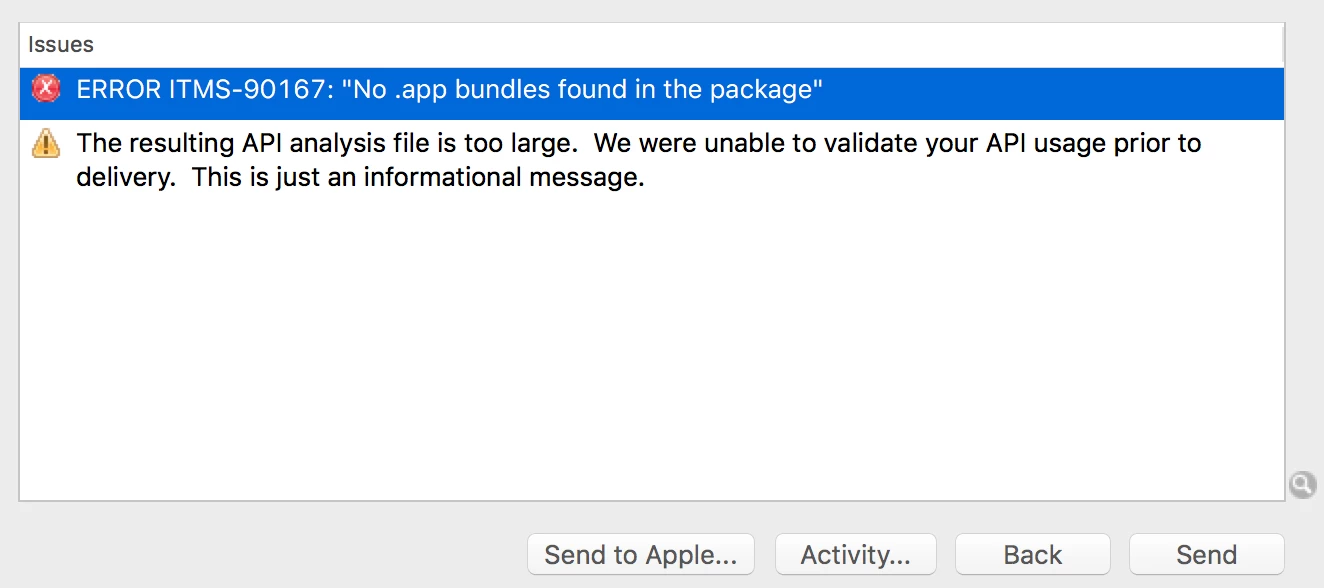
Since i've updated to the latest application loader I now get these errors

Translate
Adobe Employee
Jan 3, 2017 10:54 PM UTC

Please make sure you have "release.2016.14" or later of the AEM Mobile Signing Tool. To download the latest signing tool, you may follow directions here: Signing iOS and Android apps for AEM Mobile​.

Then, use the AEM Mobile Signing Tool to sign the application you downloaded from the Apps section of the On-Demand Portal. Be sure that the Certificate you choose matches the Mobile Provision you choose. This relationship was established when you generated the mobile provision in the Certificates, Identifiers & Profiles page on developer.apple.com.

Translate
lkjdfaslkdfas
Level 3
Jan 3, 2017 11:17 PM UTC

Hi,

I am still getting the same error.

When I use the signing tool I have (2) certificates: iPhone Developer and iPhone Distribution.

does this make sense?

I already have my app on the app store, but made a tweak to it for notifications.

So trying to get this uploaded to the store again.

Do i need to recreate the provision files?

Translate
ZellmanAtAdobeAdobe EmployeeAccepted solution
Adobe Employee
Jan 3, 2017 11:51 PM UTC

You should choose the iPhone Distribution certificate for App Store distribution.

You should not have to recreate the provision files.

Translate
lkjdfaslkdfas
Level 3
Jan 4, 2017 12:17 AM UTC

thank you! no more errors!

Translate