Error in project build | Community
Skip to main content
November 24, 2022
Solved

Error in project build

  • November 24, 2022
  • 1 reply
  • 559 views

Hi All,
I'm trying to build a sample project using maven archetype, 

mvn -B archetype:generate -D archetypeGroupId=com.adobe.aem -D archetypeArtifactId=aem-project-archetype -D archetypeVersion=24 -D aemVersion=6.5.0 -D appTitle="My Site" -D appId="mysite" -D groupId="com.mysite" -D frontendModule=general -D includeExamples=n

 but facing some error, as below
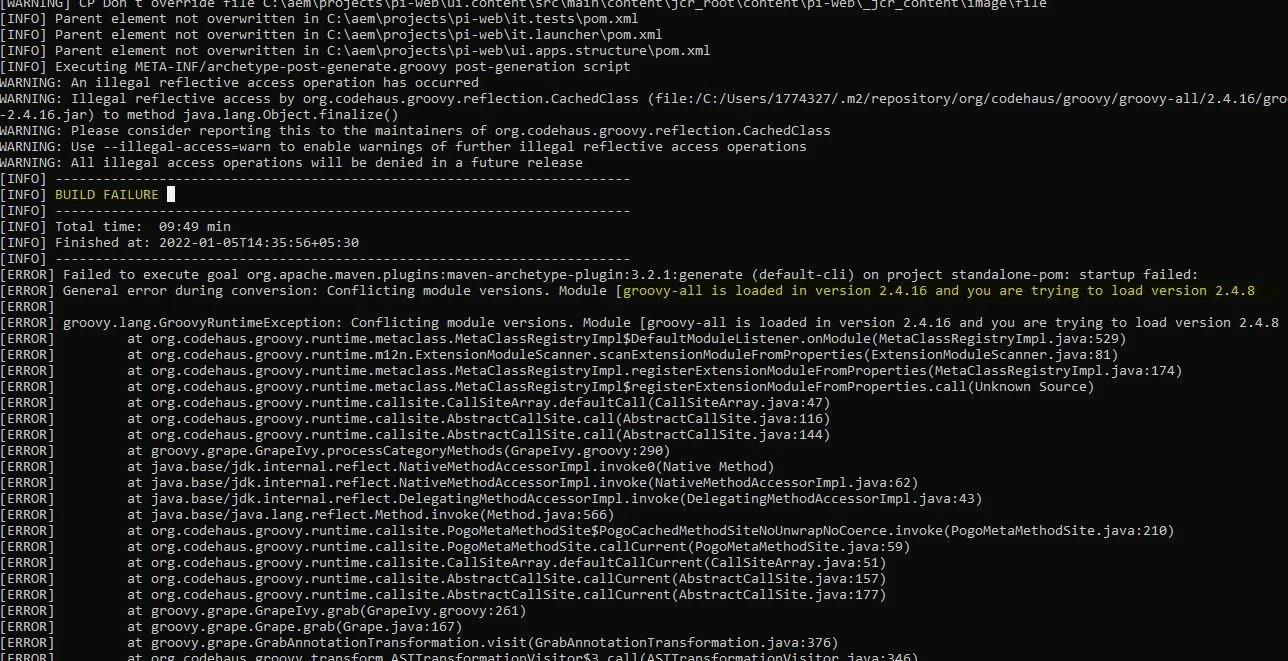
Even after deleting .m2 still facing the same problem.

This post is no longer active and is closed to new replies. Need help? Start a new post to ask your question.
Best answer by SantoshSai

Hi @ashish_joshi93 ,

Updating the following POM should work: 

  • Navigate to .m2/repository/org/apache/maven/archetype/archetype-common/3.2.1/archetype-common-3.2.1.pom and
  • Update the groovy-all dependency version from 2.4.16 to 2.4.8:
    <dependency>
          <groupId>org.codehaus.groovy</groupId>
          <artifactId>groovy-all</artifactId>
          <version>2.4.8</version>
          <scope>compile</scope>
    </dependency>
  • Delete the created project folder and re-run the command you are using.

Tested this locally works perfectly fine!

Hope that helps!
Regards,

Santosh

1 reply

SantoshSai
Community Advisor
SantoshSaiCommunity AdvisorAccepted solution
Community Advisor
November 24, 2022

Hi @ashish_joshi93 ,

Updating the following POM should work: 

  • Navigate to .m2/repository/org/apache/maven/archetype/archetype-common/3.2.1/archetype-common-3.2.1.pom and
  • Update the groovy-all dependency version from 2.4.16 to 2.4.8:
    <dependency>
          <groupId>org.codehaus.groovy</groupId>
          <artifactId>groovy-all</artifactId>
          <version>2.4.8</version>
          <scope>compile</scope>
    </dependency>
  • Delete the created project folder and re-run the command you are using.

Tested this locally works perfectly fine!

Hope that helps!
Regards,

Santosh

Santosh Sai