


Enabling CORS not working in AEM Cloud
I have enabled CORS for a specific domain and supportsCredentials as true.Below screenshot from AEM dev instance config
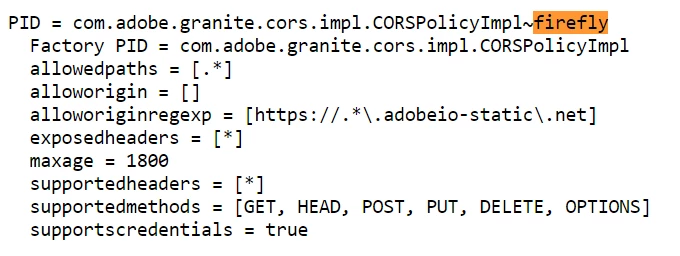
I have also added CORS headers in dispatcher - clientheaders.any file
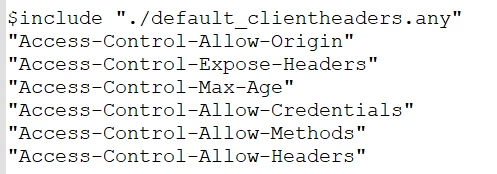
However, request to AEM server still throws CORS error and there are no response headers
Chrome Dev Tools gives this error:
Access to fetch at 'https://author-p24737-e166384.adobeaemcloud.com/content/dam/nike.initiateUpload.json' from origin 'https://401518-contentsymphonydev-shelly.adobeio-static.net' has been blocked by CORS policy: Request header field authorization is not allowed by Access-Control-Allow-Headers in preflight response.
So I explicitly added headers in supportedheaders as below:

Still getting the same issue.
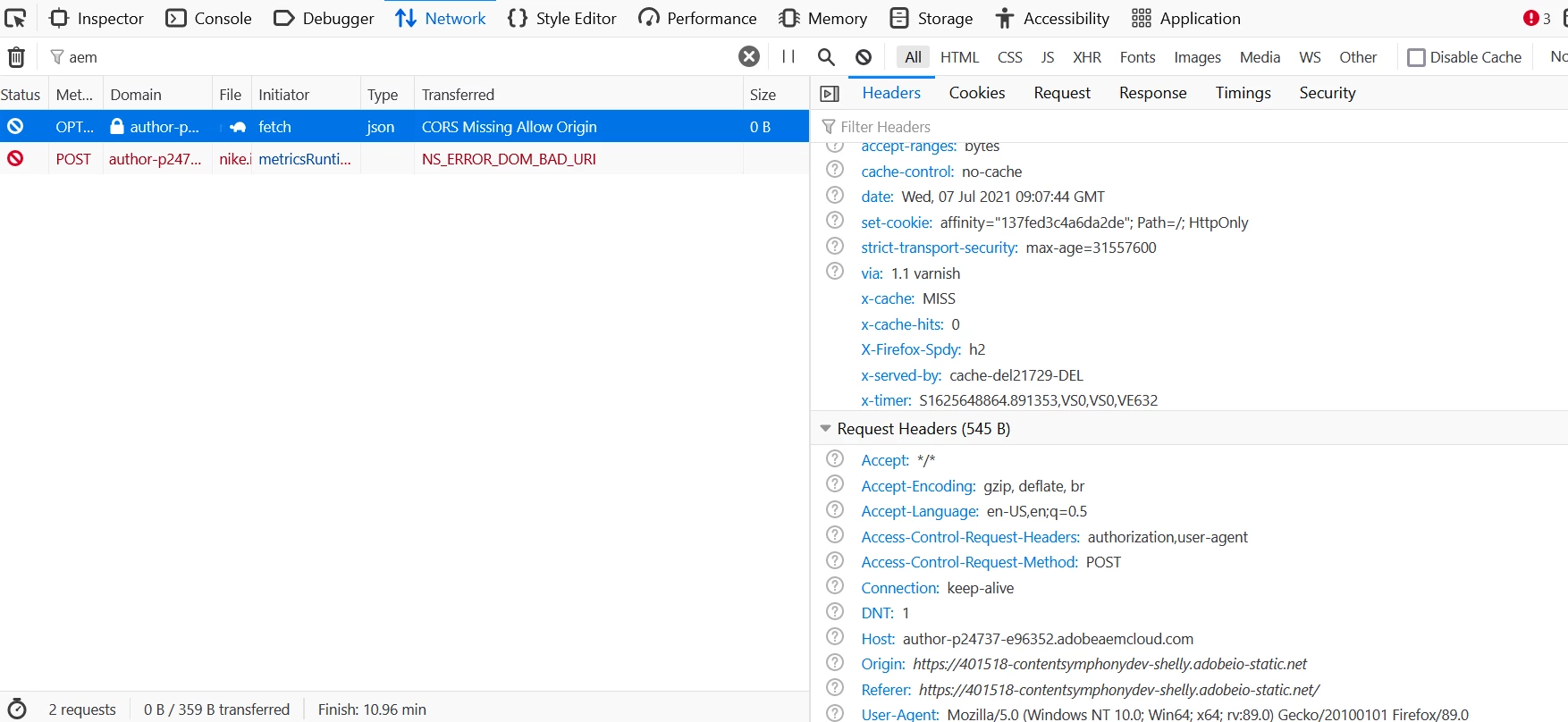
Firefox preflight information below:
Sling Referrer Filter Config:

Now the CORS issue is resolved but it gives 403 Forbidden (other then GET calls). I read few articles and it mentioned to remove POST method from Sling Referrer Filter , I removed it but no difference

Another post mentions to remove POST from CSRF filter config. I don't think it's optimal to remove these methods from these configs. Please suggest a solution and why the access-control-allowed-methods header is not able to take care of this
@3523747_Hoh @kautuk_sahni Can you please tag Jorg_Hoh for me as I couldn't find him? Please also route it/ get it some attention from relevant folks in Adobe.