Enable "Export to Metadata" for individual assets in AEM | Community
Skip to main content
Level 2
April 18, 2025

Enable "Export to Metadata" for individual assets in AEM

  • April 18, 2025
  • 5 replies
  • 719 views

I'm currently working in the AEM Assets console and noticed that when I select a folder, the "Export to Metadata" option appears in the top toolbar. However, when I select an individual asset, this option disappears.
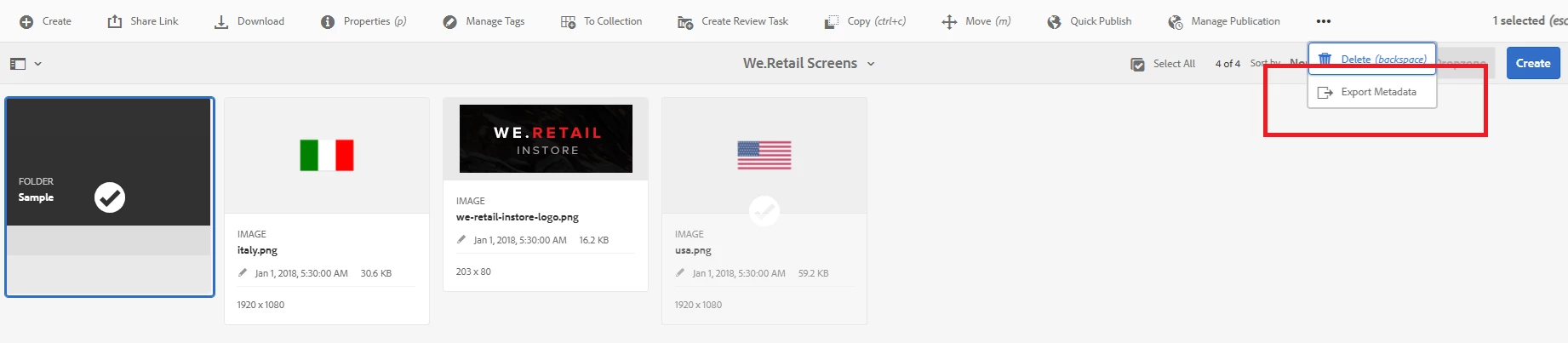
 

I would like to enable the "Export to Metadata" option for individual assets as well, not just folders.
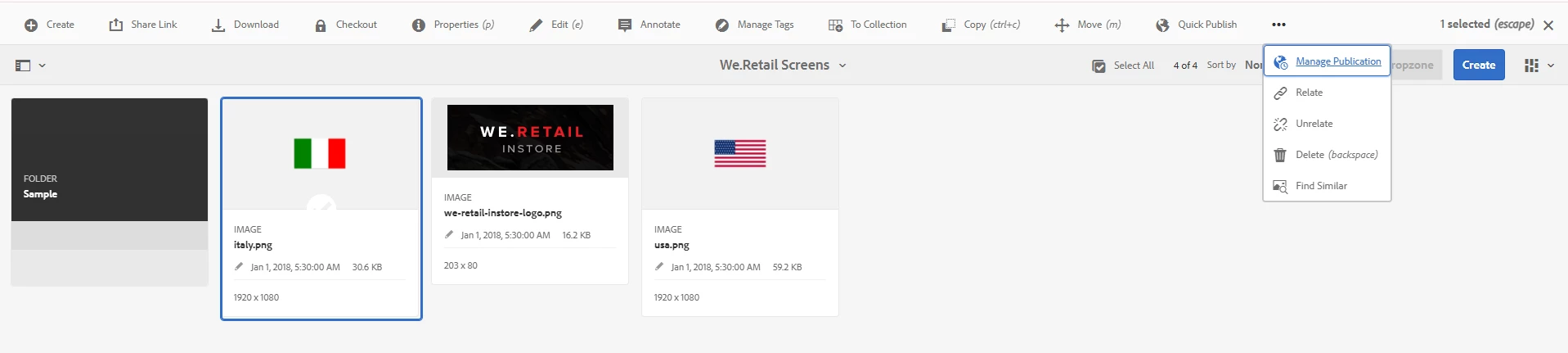


Can someone guide me on how to enable this Export to Metadata  types for individual assets?

5 replies

Saravanan_Dharmaraj
Community Advisor
Community Advisor
April 18, 2025

@murali__d I just test ran for one asset by modifying the URL like below. it worked for one asset instead of folder. If you want to do through it console, you might request RFE with Adobe. 


http://localhost:4502/mnt/overlay/dam/gui/content/metadataexport.html?payload=<PATH_TO-Asset>&_charset_=utf8 

Kamal_Kishor
Community Advisor
Community Advisor
April 22, 2025

@murali__d : This feature is meant to be used for Bulk assets, therefore it shows for a folder.
If you wanted to extract/update metadata of an individual asset, it is easier to do in Assets/DAM itself by checking the properties of it.
Still if you wanted to do this for an individual assets, I think a workaround can be to create a temporary folder and putting your asset into it.
thanks.

Murali__DAuthor
Level 2
April 25, 2025

Hi Team,

I developed this feature by adding a custom export metadata option for all assets. When an individual asset is selected—either directly or through the search function—the "Export Metadata" button appears. The same behavior applies when selecting a folder.

Thank you.

Vishal_Anand
Level 4
June 17, 2025

There is no OOTB feature to extract metadata at individual asset level. It works ONLY on the folders unless you implement custom report for it. Hope this helps.

narendiran_ravi
Level 6
June 17, 2025

Hi @murali__d ,

To enable the "Export Metadata" functionality for assets, overlay the path /libs/dam/gui/content/assets/jcr:content/actions/selection/exportmetadata and update the granite:rel property to cq-siteadmin-admin-actions-copy-activator. This configuration ensures that the export metadata option is activated at both the folder and asset levels within the AEM Assets interface.


kautuk_sahni
Community Manager
Community Manager
June 30, 2025

@murali__d Just checking in — were you able to resolve your issue?
We’d love to hear how things worked out. If the suggestions above helped, marking a response as correct can guide others with similar questions. And if you found another solution, feel free to share it — your insights could really benefit the community. Thanks again for being part of the conversation!

Kautuk Sahni