Enable disable inbox notification | Community
Skip to main content
This post is no longer active and is closed to new replies. Need help? Start a new post to ask your question.
Best answer by Nikhil-Kumar

@nitin_laad You can update the configuration at http://localhost:4502/system/console/configMgr
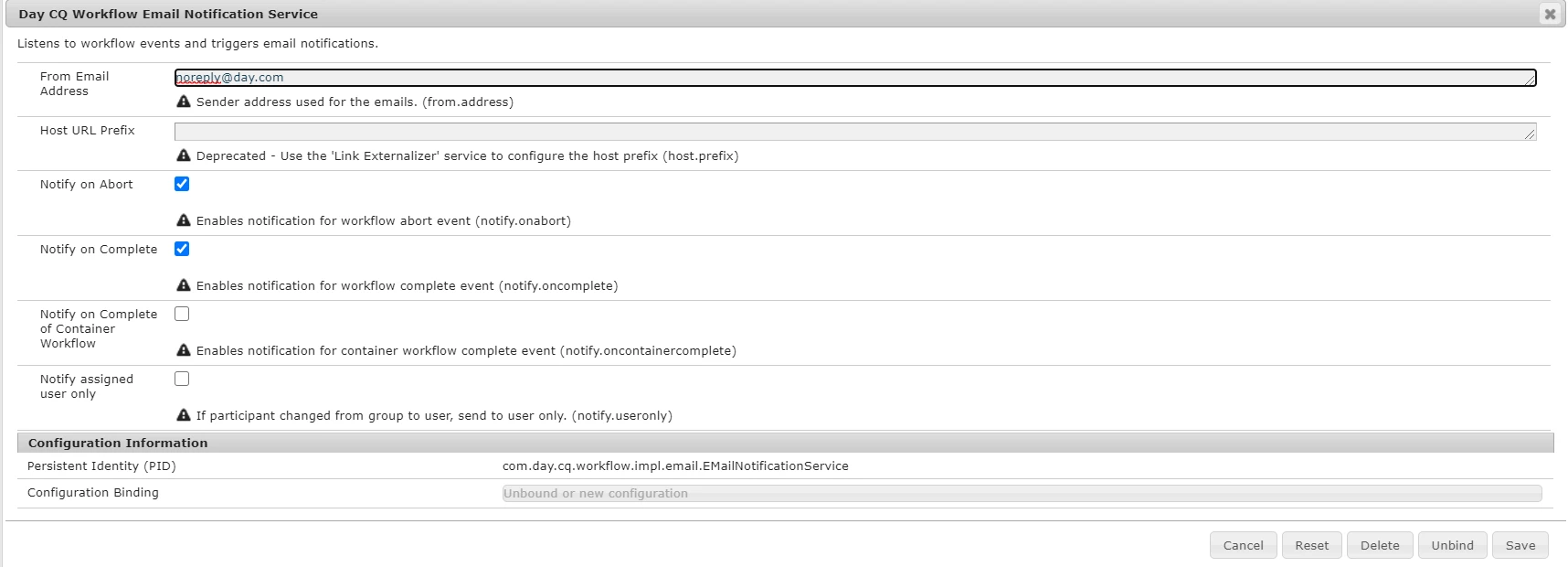
And change the options based on requirement below:

3 replies

Community Advisor
August 21, 2020

You should be able to manage the notification through this URL - http://localhost:4502/libs/wcm/core/content/inbox.html


Refer the following URL for more details -  https://docs.adobe.com/content/help/en/experience-manager-65/classic-ui/introduction/author-env-inbox.html 

Regards

Albin I

www.albinsblog.com

Ravi_Pampana
Community Advisor
Community Advisor
August 21, 2020

Hi,


You can try removing "Notify on Abort" and "Notify on Complete" checkbox in below configuration available in http://<host>:<port>/system/console/configMgr


"Day CQ Workflow Email Notification Service"


Hope this helps!

Nikhil-Kumar
Community Advisor
Nikhil-KumarCommunity AdvisorAccepted solution
Community Advisor
August 22, 2020

@nitin_laad You can update the configuration at http://localhost:4502/system/console/configMgr
And change the options based on requirement below:

Nitin_laad
Community Advisor
Community Advisor
August 24, 2020
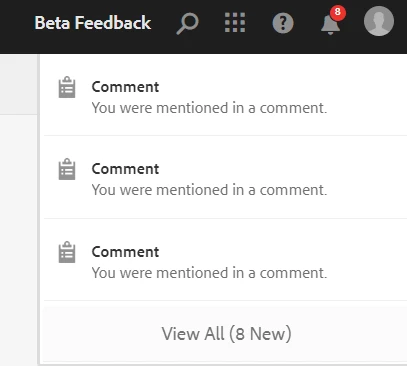
Initially I explored this configuration, but it seems it is related to email notification, and does not control notification messages comes under inbox. Tried enabling and disabling the notifications using "Notify on Abort" and "Notify on Complete" option but getting the same result and Not able to disable inbox messages. Am I missing anything here, please suggest.