Editable template policy for responsivegrid node inside component | Community
Skip to main content
Level 2
December 28, 2020
Solved

Editable template policy for responsivegrid node inside component

  • December 28, 2020
  • 2 replies
  • 1021 views

Hi,

I am struggling with this editable templates policy.  With following policy structure:
+ main - responsivegrid
+ my-project
+ components
+ custom component
+ responsivegrid
I added this responsivegrid in my HTL via:


data-sly-resource="${'responsivegrid' @ resourceType='wcm/foundation/components/responsivegrid'}


I put my container policy on the parsys node, but it's never applied
Also tried it via the UI but there it get added node based, which is only applied with the first component
 
Any suggestions?

This post is no longer active and is closed to new replies. Need help? Start a new post to ask your question.
Best answer by shelly-goel

@dries.vanbilloen 

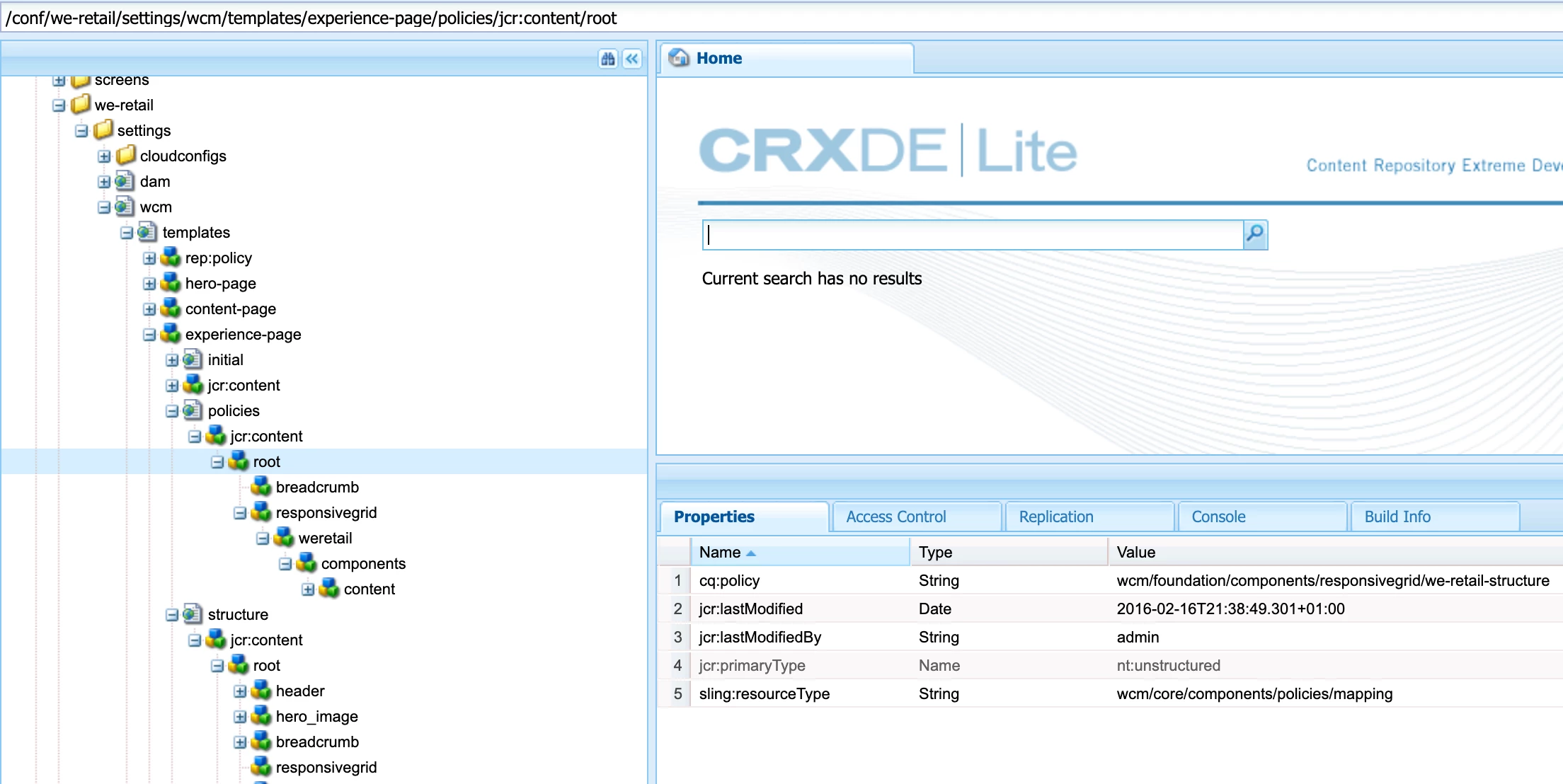
The policy would have to be set for each of the resposivegrid through UI. You can refer to we.retail project to see the policy structure. In the below example, experience-page has 'root' responsivegrid and a responsivegrid inside it and both will have different policies

'root' node has we-retail-structure and 'responsivegrid' node has 'we-retail-default' policy

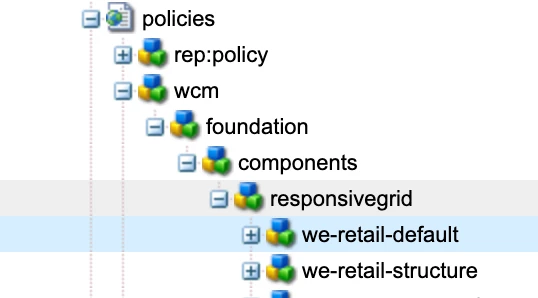
And these two policies are defined under 'policies' main node


2 replies

Umesh_Thakur
Community Advisor
Community Advisor
December 28, 2020

there are two types of policy there, one is for container layout and another is for component.

if you want to add the policy for the entire container then you can follow the step given:

1. open the page in editor

2. select the "page information" icon( second from left)-> select Edit Template option

3. on the next page select the layout container then select the policy icon to select or create a policy and then save it.

if you want to add component specific policy then:

follow the above mentioned point #1 and #2 and on the next page select the policy of the specific component then apply what ever you want.

Now first you need to verify whether the policy is applied correctly or not by following the steps mentioned above:

Some times it also happens like if you have policy as part of the codebase with not the mode= merge in filter.xml then it will overwrite the created policy on every deployment. 

You can verify every policy created in the /conf/your-project/settings/wcm/policies at the path.

hope this will help.

Umesh Thakur

shelly-goel
Adobe Employee
shelly-goelAdobe EmployeeAccepted solution
Adobe Employee
December 28, 2020

@dries.vanbilloen 

The policy would have to be set for each of the resposivegrid through UI. You can refer to we.retail project to see the policy structure. In the below example, experience-page has 'root' responsivegrid and a responsivegrid inside it and both will have different policies

'root' node has we-retail-structure and 'responsivegrid' node has 'we-retail-default' policy

And these two policies are defined under 'policies' main node