Hi @jakecham ,
The answer should be B
B. Create two new client libraries with a dark and light theme and map them to the Page component.
Explanation:
- The Style System in AEM allows for the creation of different client libraries (CSS, JavaScript, etc.) to define various styles and themes.
- By creating separate client libraries for the Dark and Light themes and mapping them to the Page component, you allow authors to switch between these themes effectively.
- The client libraries define the visual styles and can be associated with components, allowing authors to select the desired theme within the Editable Template using the Style System.
It's suggested to maintain separate client libraries for distinct themes to ensure the right client library is invoked. If we simply use style systems we need to define the styles for both light and dark mode in the same client library which would mean unnecessary js and css being loaded as both the light and dark theme are present in one single clientlib.
So in order to overcome unnecessary js and css from loading and improving the performance of the page we create different clientlibs for different themes and add the required clientlib using the page policy for template.
If you need light theme use the below
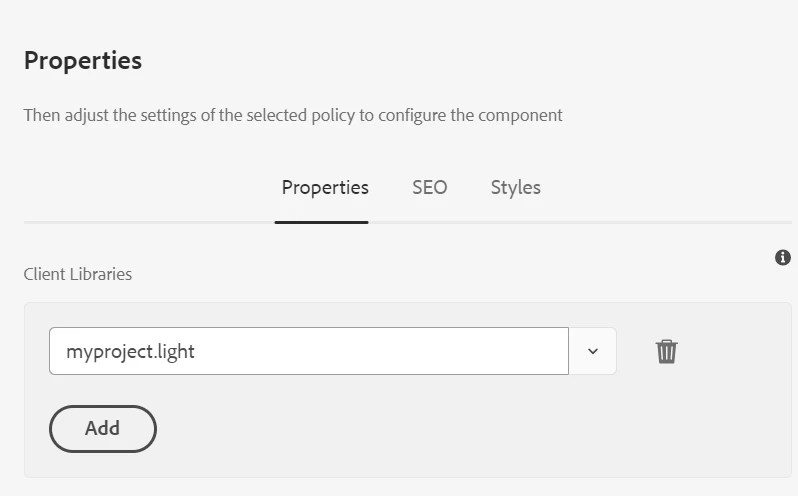
If you need dark theme change it to 'myproject.dark' thus preventing unnecessary js and css from being loaded.
Thanks