"Edit in New Tab" (In Place editing) action does not showup for content fragment component | Community
Skip to main content
Level 3
June 26, 2024
Solved

"Edit in New Tab" (In Place editing) action does not showup for content fragment component

  • June 26, 2024
  • 1 reply
  • 946 views

Hi,


I have done the plain vanilla setup AEM 6.5.19 with core components  2.21.2 for remote spa along with wknd-app.


When i add the content fragment component on the page and authored the data. It is not getting the inplace editing icon(Pencil Icon). Can anyone help me on the same.


Thanks & Regards,

Kalyan

This post is no longer active and is closed to new replies. Need help? Start a new post to ask your question.
Best answer by MukeshYadav_

Hi,

I cannot see the edit icon. Can you help me the steps for that in remote spa


Thanks,

Kalyan


Hi @kalyanchakravarthych ,

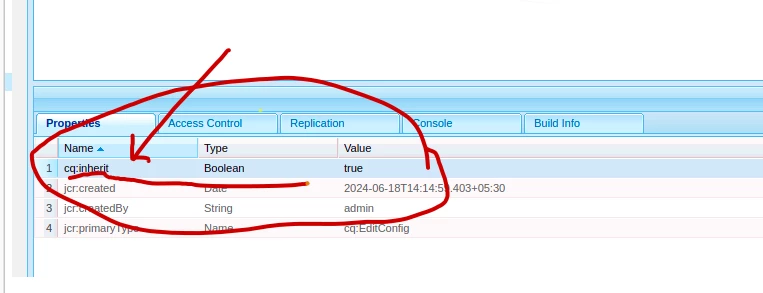
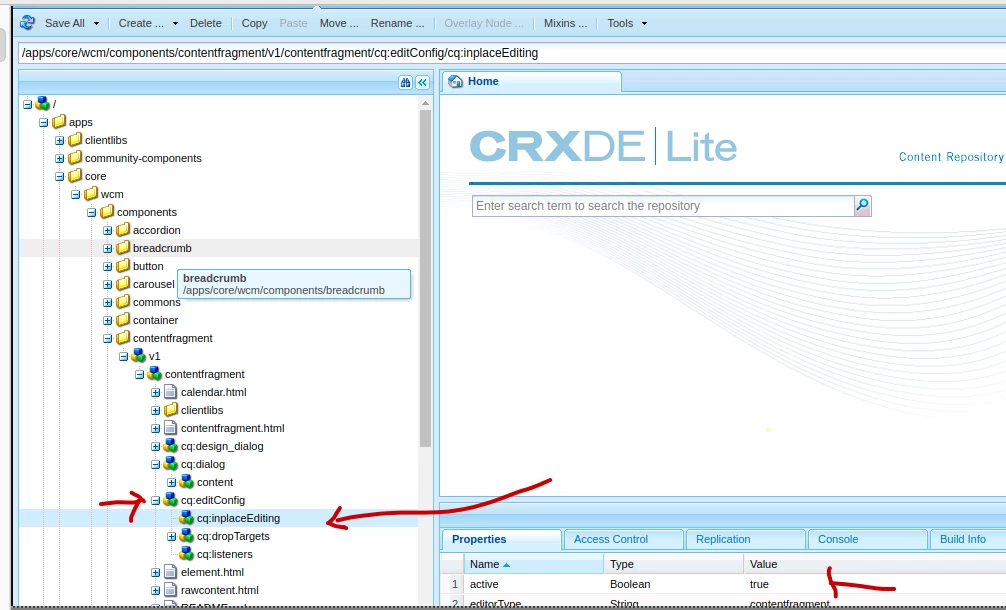
Please check your content fragment is overlayed correctly in your project. 

cq:EditConfig node

<?xml version="1.0" encoding="UTF-8"?>
<jcr:root xmlns:cq="http://www.day.com/jcr/cq/1.0" xmlns:jcr="http://www.jcp.org/jcr/1.0"
cq:inherit="{Boolean}true"
jcr:primaryType="cq:EditConfig"/>


1 reply

Shashi_Mulugu
Community Advisor
Community Advisor
June 26, 2024

@kalyanchakravarthych can you please elaborate on the ask? Are you able to edit the component normally with configure(wrench) icon? Is issue only with inplace editing? Do you have editconfig rightly configured for the component?

Level 3
June 26, 2024

Hi,


Iam able to edit the component normally with configure(Wrench) icon. After updating when ever need to go to the respective content fragment we need edit icon and it is not the showing the edit icon. Can anyone help me on the same.


Thanks & regards,

Kalyan

MukeshYadav_
Community Advisor
Community Advisor
June 27, 2024

Hi @kalyanchakravarthych ,

Content Fragment(CF) & XF are meant to be edited and kept centrally so we won't be able to edit on page used itself.

However you should be able to see edit icon shown below which will eventually redirect to corresponding CF.

Thanks,