Edit dropdown is not working in local | Community
Skip to main content
June 6, 2022
Solved

Edit dropdown is not working in local

  • June 6, 2022
  • 1 reply
  • 778 views

Hi All,


I m not able to edit any page in my local AEM environment. The Edit Drop down is not working.

 

Can any one please suggest what i m missing.

This post is no longer active and is closed to new replies. Need help? Start a new post to ask your question.
Best answer by SantoshSai

Hi @keshri12 

  • What version of AEM are you using? Unable to reproduce it on 6.5.0/6.5.11.
  • Can you share screenshot of the errors you see in browser console logs or error.log file?

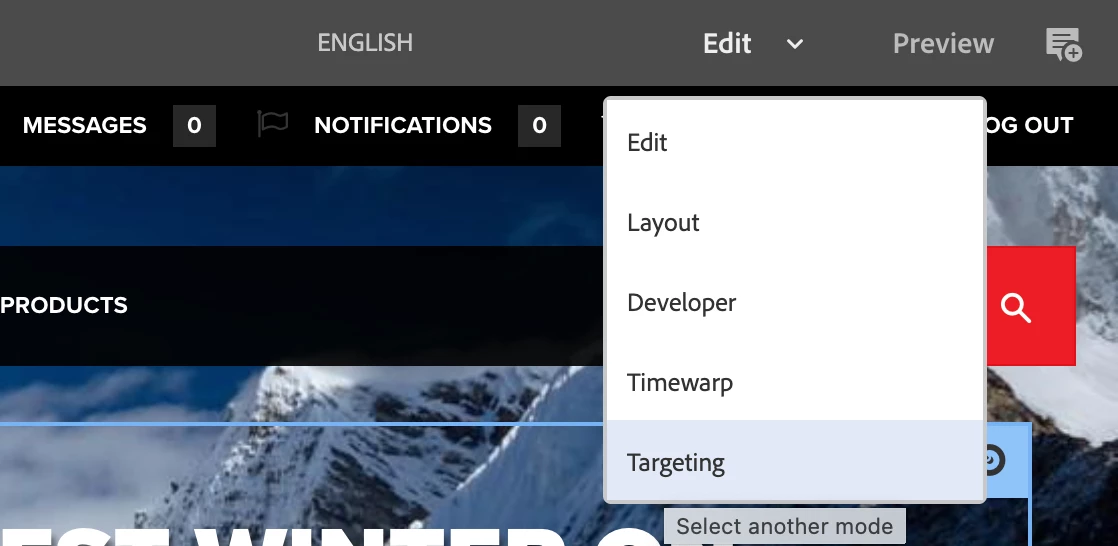
Try on a fresh instance of AEM to see what should occur. When you open a page, you have access to different modes via this drop-down.


Regards,
Santosh

1 reply

SantoshSai
Community Advisor
SantoshSaiCommunity AdvisorAccepted solution
Community Advisor
June 6, 2022

Hi @keshri12 

  • What version of AEM are you using? Unable to reproduce it on 6.5.0/6.5.11.
  • Can you share screenshot of the errors you see in browser console logs or error.log file?

Try on a fresh instance of AEM to see what should occur. When you open a page, you have access to different modes via this drop-down.


Regards,
Santosh

Santosh Sai
Keshri12Author
June 6, 2022

Hi Santosh,

i m using AEM 6.5.11. Below is the error screenshot.

And yes for, Demo sites, the Drop down is working. But for other is not working.


SantoshSai
Community Advisor
Community Advisor
June 6, 2022

@keshri12 
Are those (other) your custom project pages? If so, I hope you got your answer - that has caused JS errors. Have to figure out what it is causing.

Santosh Sai