March 21, 2022
Solved

Edit CSS property of coral class

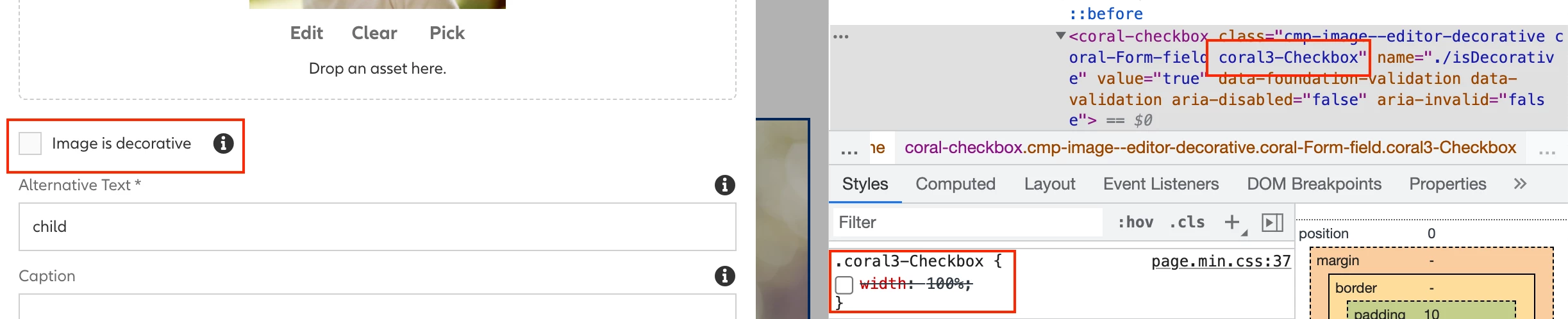
Hi Team, after the latest upgrade, we are facing some issues with the placement of infopoints with the checkboxes and wanted to edit the CSS property 'width' for the class 'coral3-Checkbox' class. Please let me know how I can modify the CSS properties of a coral class by adding it under an existing css file in clientlibs.

This post is no longer active and is closed to new replies. Need help? Start a new post to ask your question.
Ravi_Pampana
Ravi_PampanaAccepted solution
Community Advisor
March 22, 2022

Hi,


I also faced similar issue with AEM 6.5.11 and added width:auto in my custom css which has category clientlibs "cq.authoring.dialog.all" which fixed the issue.


Code:

.coral3-Checkbox { width: auto; 
}
Ravi Pampana

1 reply

Ravi_Pampana
Community Advisor
Ravi_PampanaCommunity AdvisorAccepted solution
Community Advisor
March 22, 2022

Hi,


I also faced similar issue with AEM 6.5.11 and added width:auto in my custom css which has category clientlibs "cq.authoring.dialog.all" which fixed the issue.


Code:

.coral3-Checkbox { width: auto; 
}
Translate
Ravi Pampana