Level 2
June 18, 2021
Solved

Edit asset reports

  • June 18, 2021
  • 1 reply
  • 669 views

We have authors who have created asset reports and need to edit it: /mnt/overlay/dam/gui/content/reports/reportlist.html


There is no option to edit the report definition - do we have some other way to know what the query is?
This post is no longer active and is closed to new replies. Need help? Start a new post to ask your question.
Best answer by Ritesh_Mittal

Hi @aem-explorer ,


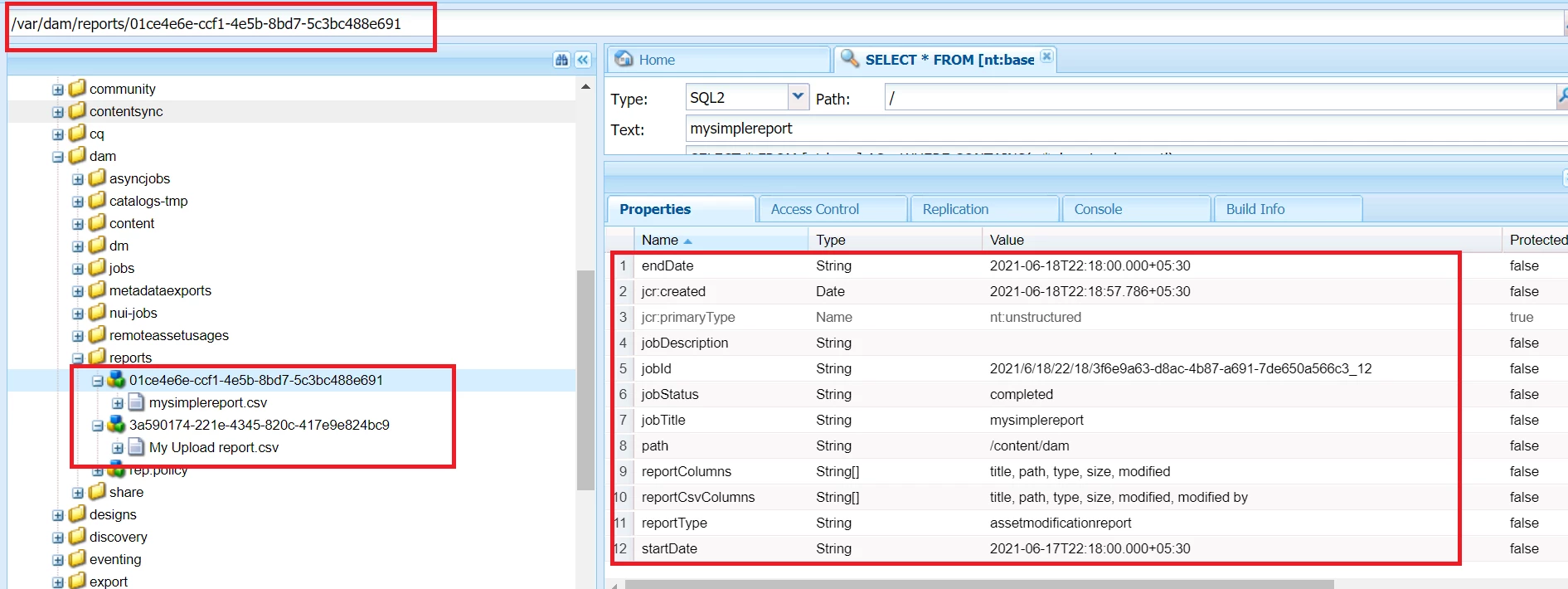
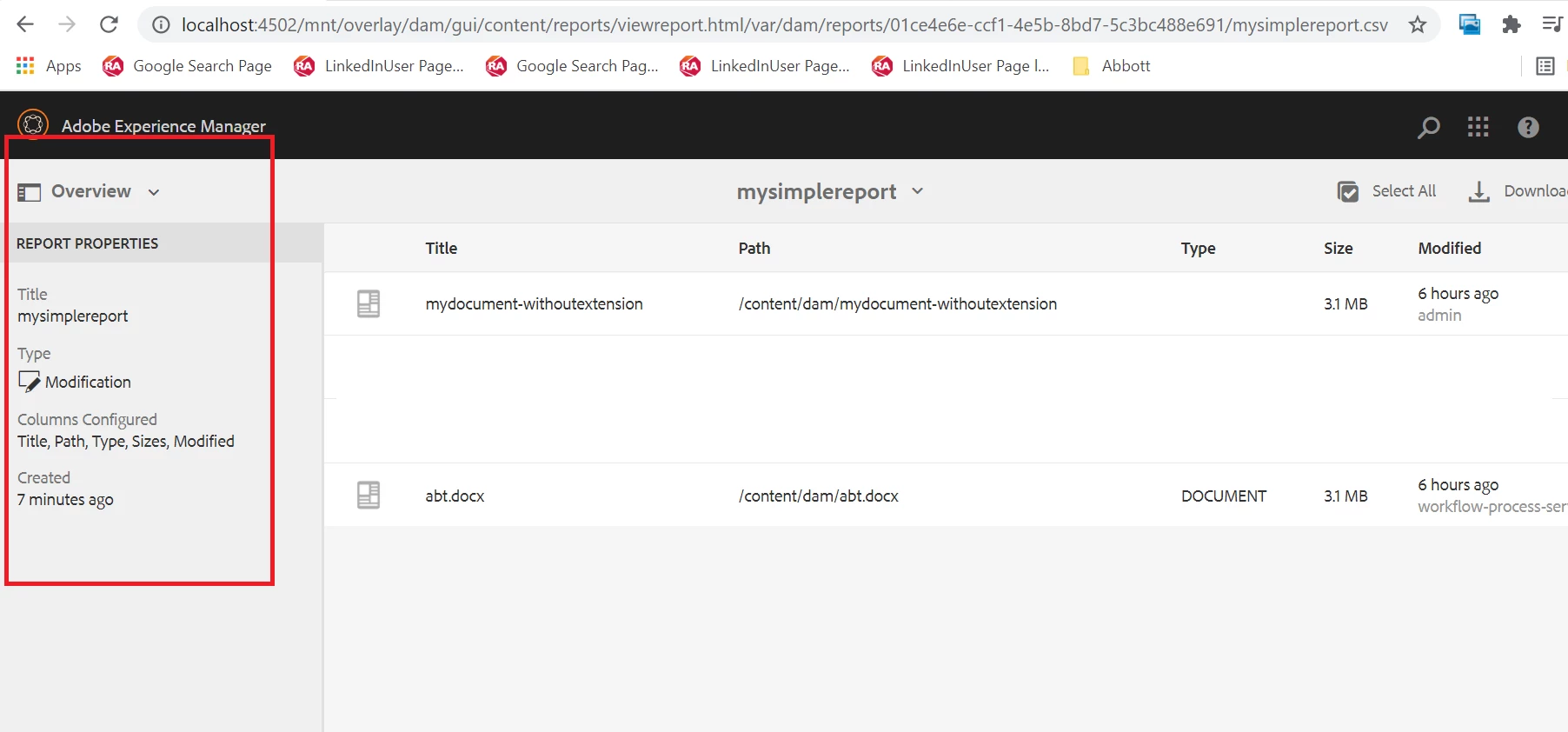
I do not think we can edit the asset report. rather we can delete the unused one and can create new with required configuration. We can though view the meta properties under '/var/dam/reports/' or directly from UI (image below, just open the left 'Overview' pane). If you notice below image, eventually CSV is being created by backend process, so even if there is an option to edit the report, we will end up creating a new fresh CSV.


1 reply

Ritesh_Mittal
Adobe Champion and Community Advisor
Ritesh_MittalAdobe Champion and Community AdvisorAccepted solution
Adobe Champion and Community Advisor
June 18, 2021

Hi @aem-explorer ,


I do not think we can edit the asset report. rather we can delete the unused one and can create new with required configuration. We can though view the meta properties under '/var/dam/reports/' or directly from UI (image below, just open the left 'Overview' pane). If you notice below image, eventually CSV is being created by backend process, so even if there is an option to edit the report, we will end up creating a new fresh CSV.