
EARs Deployed on WebSphere does not show as started | Community
Skip to main content
rajatkumar
October 28, 2022

EARs Deployed on WebSphere does not show as started

  • October 28, 2022
  • 1 reply
  • 2112 views

Hi All,
I have an AEM instance deployed on WebSphere Stack. Everything works as expected as per AEM side, but in WAS console, I see the status of all 4 EARs as down.
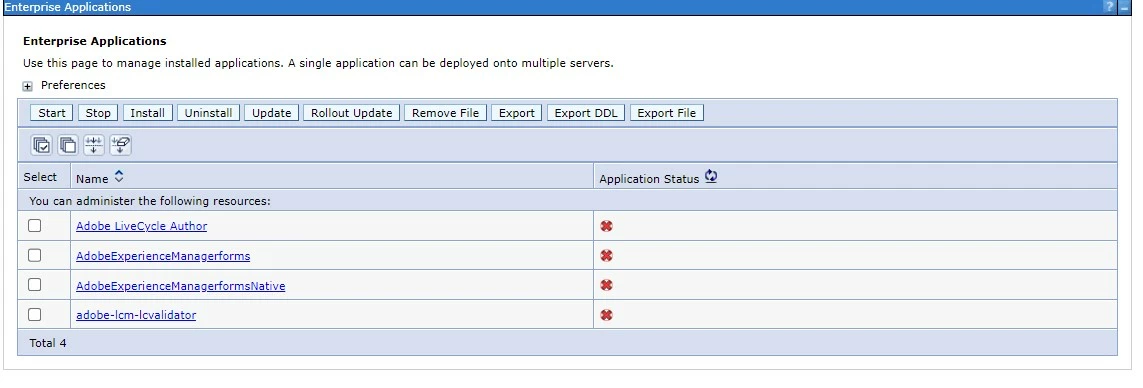


I have verified in the logs while startup of the JVMs, all 4 EARs starts successfully.
Complete Application Stack details :
-AEM On-Premise 6.5
-AEMForms-6.5.0-0040

-WebSphere Base 9.0.5.11

-Linux RedHat_79

Application servers are :- 
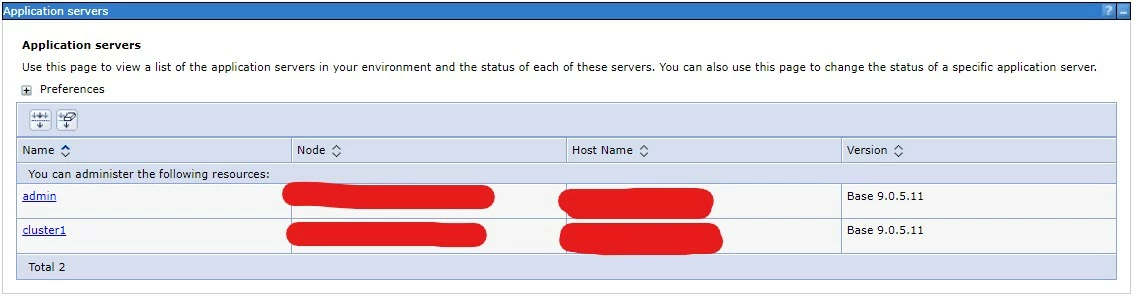
AEM is installed on cluster1 JVM, while the admin is for WebSphere by default.

Note :- This is a stand Alone setup, not Clustered one.

If I try starting up any application or stopping it from the WAS console, it throws error like following :
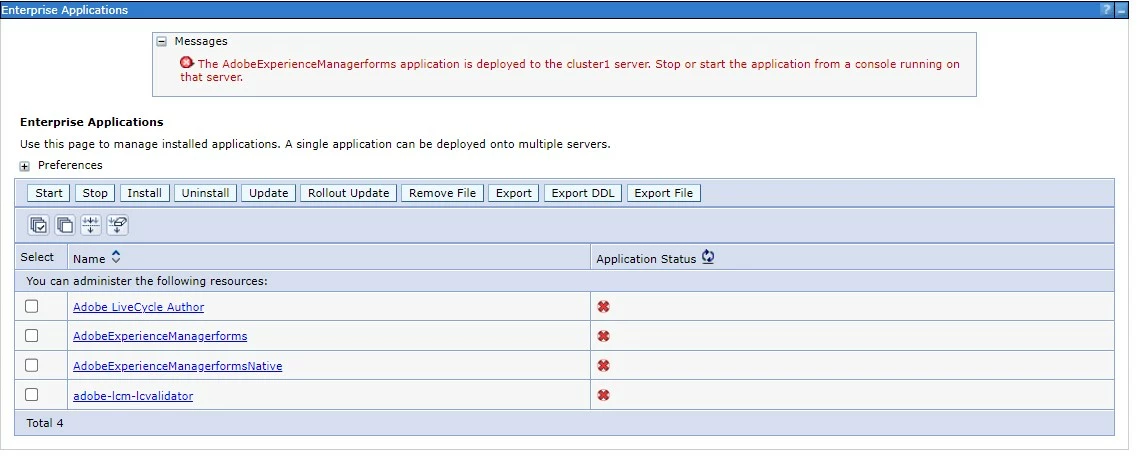


I am not aware of any console running on cluster1. This makes any action from WAS console as useless, like creating a heapdump/ uninstalling any application/monitoring logs.
Is there any config missing from WAS or during deployment of these EARs from Configuration manager there is a trick involved?

Any insight is appreciated.

Thanks,
Rajat


This post is no longer active and is closed to new replies. Need help? Start a new post to ask your question.

1 reply

Pulkit_Jain_
Adobe Employee
Adobe Employee
October 28, 2022

@rajatkumar 

Usually, standalone WAS set-ups are accessible using the server console itself (instead of DMGR console in Cluster ones), and that's what the error is indicating.

While setting up WAS, what profile did you select- Application server or cluster?


What WAS IP/FQDN did you select while setting up AEM Forms using LCM?

You can try accessing the console from the cluster1 URL, you need to check the port open- usually, it's 9060 onwards.


rajatkumar
October 28, 2022

Hi @pulkit_jain_ 
As this is a standalone WAS setup, there is no deployment manager involved and I am accessing the console and installed applications directly form the WAS admin console itself.

I am not sure which profile was select while setting up WAS, but I think it's the Application server only as I can see only one under the profiles:- 


While setting up AEM Forms,, I tried both the JVMs, i,e., admin and cluster1 :- 


Now, the curious thing is when EARs deployed on admin, all 4 application behave as expected and I can start/stop them directly from console, but gives the mentioned error when deployed on cluster1.

Hostname provided was the direct hostname of the unix box/server.

It seems there is no cluster1 URL for accessing WAS console, though I have tried with all the default ones, say mostly 9060/9080. If there is config file for checking console running on cluser1 from unix side or WAS console directly, please suggest.


Pulkit_Jain_
Adobe Employee
Adobe Employee
October 29, 2022

@rajatkumar 

The directory structure for profiles differs from the one I have in-house: /opt/IBM/WebSphere/AppServer/profiles/AppSrv01 


Ideally, when you create an App server profile in WAS, you can create a standalone individual App server, so not sure how admin JVM is set. Can you check the list of profiles- [was_install_dir/bin] ./manageprofiles.sh –listProfiles


I want to check where admin JVM fits in the topology. FYI, you can check was.properties under the App server profile for the actual ports (check Administrative Console Port /WC_ adminhost)