Dynamically show the dialog based on dropdown selection | Community
Skip to main content
Level 5
January 20, 2020
Solved

Dynamically show the dialog based on dropdown selection

  • January 20, 2020
  • 3 replies
  • 2630 views

Hi,

I need to show the set of dialog based on the first dialog drop-down.
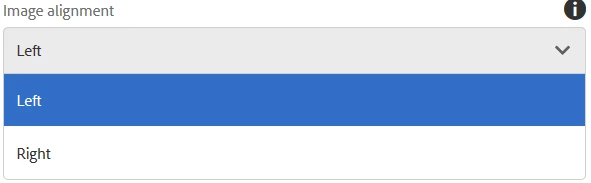
based on the above selection need to show some text field, pathbrowser.


Thanks in advance.

This post is no longer active and is closed to new replies. Need help? Start a new post to ask your question.
Best answer by sunjot16

Are you implementing it in Metadata Schema? If yes, the following document may be helpful:

https://helpx.adobe.com/ca/experience-manager/6-5/assets/using/metadata-schemas.html


You can go add two drop-down fields, and set their Settings, such that the second is visible/enabled only when the first one is selected.

3 replies

Level 2
January 20, 2020

Hi,

You could use the list component from AEM Sites Core Components as an example.
It has a conditional rendering depending on the source selected.
https://github.com/adobe/aem-core-wcm-components/tree/master/content/src/content/jcr_root/apps/core/wcm/components/list/v2/list

arunpatidar
Community Advisor
Community Advisor
January 20, 2020
sunjot16
Adobe Employee
sunjot16Adobe EmployeeAccepted solution
Adobe Employee
January 20, 2020

Are you implementing it in Metadata Schema? If yes, the following document may be helpful:

https://helpx.adobe.com/ca/experience-manager/6-5/assets/using/metadata-schemas.html


You can go add two drop-down fields, and set their Settings, such that the second is visible/enabled only when the first one is selected.