June 13, 2023
Solved

Disable Copy Paste option for particular component

I am using AEM 6.5,

Let's imagine I have AEM components "Component A" 

 

I want to disable Copy, Cut and Paste option for this particular component.

How can I achieve that programmatically?

This post is no longer active and is closed to new replies. Need help? Start a new post to ask your question.
EstebanBustamante
EstebanBustamanteAccepted solution
Adobe Champion and Community Advisor
June 13, 2023

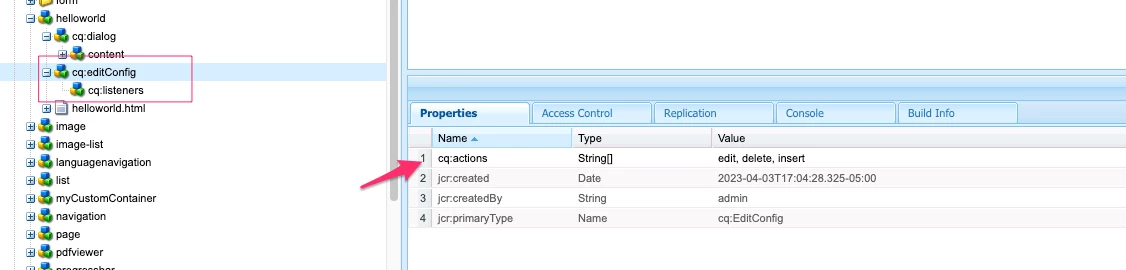
This can be achieved by using cq:actions, please find more here: https://experienceleague.adobe.com/docs/experience-manager-65/developing/components/components-basics.html?lang=en#cq-actions

For example:

<jcr:root xmlns:cq="https://www.day.com/jcr/cq/1.0" xmlns:jcr="https://www.jcp.org/jcr/1.0" cq:actions="[edit,delete,insert]" cq:layout="editbar" jcr:primaryType="cq:EditConfig"/>

Config applied:

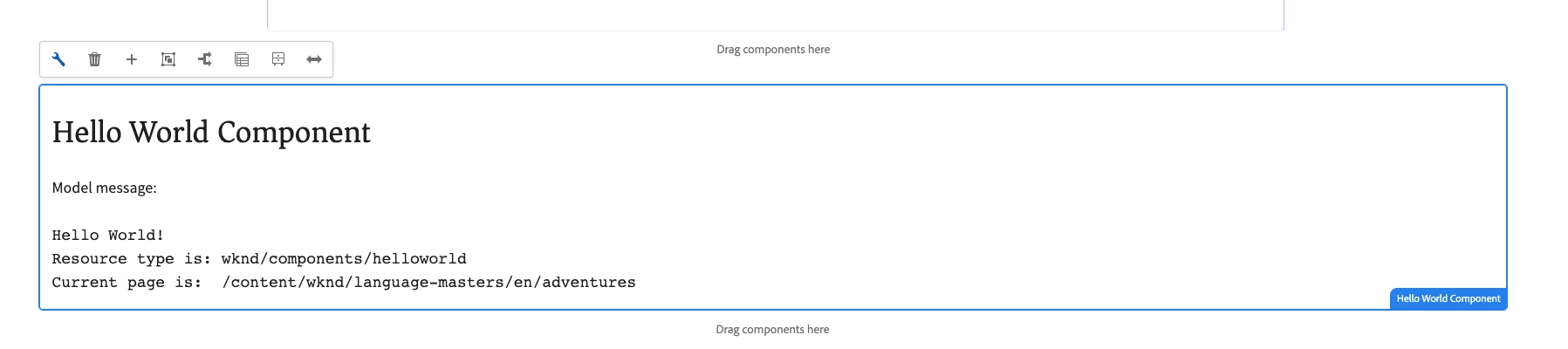
Result:


Esteban Bustamante

3 replies

EstebanBustamante
Adobe Champion and Community Advisor
EstebanBustamanteAdobe Champion and Community AdvisorAccepted solution
Adobe Champion and Community Advisor
June 13, 2023

This can be achieved by using cq:actions, please find more here: https://experienceleague.adobe.com/docs/experience-manager-65/developing/components/components-basics.html?lang=en#cq-actions

For example:

<jcr:root xmlns:cq="https://www.day.com/jcr/cq/1.0" xmlns:jcr="https://www.jcp.org/jcr/1.0" cq:actions="[edit,delete,insert]" cq:layout="editbar" jcr:primaryType="cq:EditConfig"/>

Config applied:

Result:


Translate
Esteban Bustamante
Jagadeesh_Prakash
Community Advisor
Community Advisor
June 14, 2023

@sam2k8  if you are looking for a custom solution follow below js code

(function ($, ns, channel, window, undefined) {
// Function to disable copy-paste for the component
function disableCopyPaste() {
// Disable copy-paste on component's elements
$('.your-component-class').on('copy paste', function (event) {
event.preventDefault();
return false;
});
}

// Wait for the foundation-contentloaded event to ensure the component has loaded
channel.on('foundation-contentloaded', function (event) {
var $component = $('.your-component-class');

if ($component.length) {
disableCopyPaste();
}
});
})(jQuery, Granite.author, jQuery(document), this);

Replace 'your-component-class' with the CSS class name of your component.


If you are looking for OOTB feature as suggested by @estebanbustamante  you can edit it in the cq:editConfig

Translate
ManviSharma
Adobe Employee
Adobe Employee
June 14, 2023

Hi,


To programmatically disable Copy, Cut, and Paste options for a specific component in AEM 6.5:

  1. Create a custom context-aware configuration under the component's folder.
  2. Add a property named cq:disableAction with a value of copy cut paste to the cq:actions node.
  3. Replicate the configuration to necessary language folders if applicable.
  4. After making these changes, the options will be disabled for the component in the AEM authoring interface.
Translate