Default Selection for a dynamic Touch UI Select component | Community
Skip to main content
saurabhsarthwah
November 7, 2017
Solved

Default Selection for a dynamic Touch UI Select component

  • November 7, 2017
  • 3 replies
  • 5177 views

Hi,

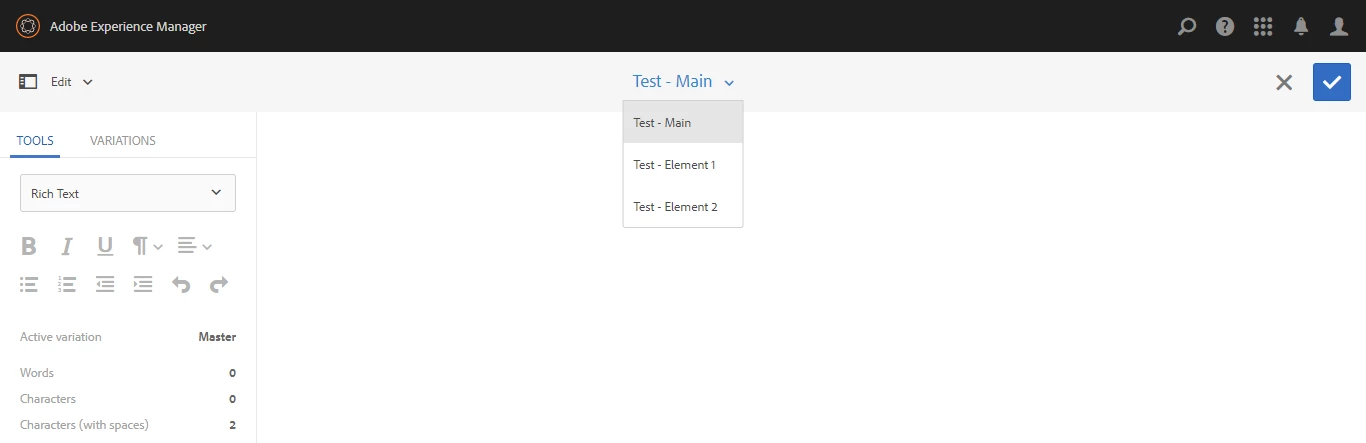
I am working on a dropdown in Content Fragment Editor to select Elements. Dropdown is coming using /libs/granite/ui/components/coral/foundation/form/select component which is again pointing to a datasource to populate dropdown options.

Dropdown Path- /libs/dam/cfm/admin/content/fragment-editor/jcr:content/content/items/bar/primary/fragmentElements

Select component- /libs/granite/ui/components/coral/foundation/form/select

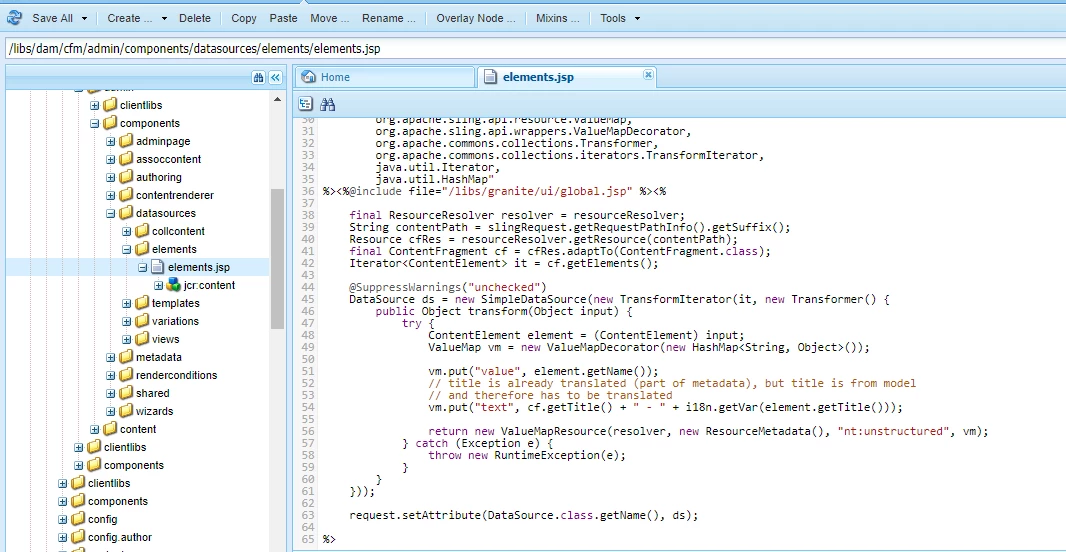
Datasource path- /libs/dam/cfm/admin/components/datasources/elements/elements.jsp

By default it shows the main element from the dropdown as selected. However I want to select my 2nd element from dropdown on Editor first time load.

Is there way using which I can make this element as selected by default in datasource? PFB screenshots.
This post is no longer active and is closed to new replies. Need help? Start a new post to ask your question.
Best answer by Hemant_arora

Please refer to the below link

Select — Granite UI 1.0 documentation

selectedboolean

true to pre-select this option, false otherwise.

Example:

+ myselect - sling:resourceType = "granite/ui/components/foundation/form/select" - emptyText = "Select" - name = "myselect" + items + option1 - text = "op1" + option2 - text = "op2"

3 replies

Hemant_arora
Hemant_aroraAccepted solution
Level 8
November 7, 2017

Please refer to the below link

Select — Granite UI 1.0 documentation

selectedboolean

true to pre-select this option, false otherwise.

Example:

+ myselect - sling:resourceType = "granite/ui/components/foundation/form/select" - emptyText = "Select" - name = "myselect" + items + option1 - text = "op1" + option2 - text = "op2"
saurabhsarthwah
November 7, 2017

Hi Hemant,

I have already gone through the link. That property (selected=true) I can add in a static dropdown option items. Not sure how to add it a dynamic dropdown using datasource.

Can you help me on that?

Thanks!!

smacdonald2008
Level 10
November 7, 2017

See this article that show use of this use case:

Adobe Experience Manager Help | Using Granite DataSource objects to populate Experience Manager 6.2 Touch UI Select obje…

You are correct - the property mentioned in the correct response is to hard coded values - child nodes of the select node.

WHen using DataSource - it almost appears as a First In First Out collection. That is, the first value added to the DataSource appears at the top of the list. There does not appear to be a way to set a default in the dropdown when using DataSource.