


Day CQ Mail Service Configuration with Sendinblue | AEM Community Blog Seeding
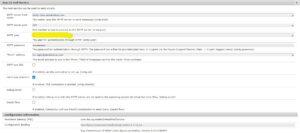
Day CQ Mail Service Configuration with Sendinblue by Shiv Prakash
Abstract
Objective
After reading this Article, You should have an Understanding of –

Email service in local environment with Sendinblue SMTP
Introduction
While working as AEM Developer we came across so many time to send email form local AEM instance and by default, the email feature is not functional as it requires specification of an SMTP server and SMTP user.

I have explained the email configuration in my previous article – Day CQ Mail Service Configuration, but it stopped working after May 30th, 2022 due to a ban on less secure apps.

Sendinblue account creation and SMTP access
Navigate to Sendinblue official website and sign up – https://www.sendinblue.com/
Access the SMTP details using this link – https://account.sendinblue.com/advanced/api
It will contain SMTP, Port, Login and Master Password for your account.
Sendinblue provide daily sending limit of 300 emails only- https://app.sendinblue.com/billing/my-plan
Read Full Blog
Day CQ Mail Service Configuration with Sendinblue
Q&A
Please use this thread to ask the related questions.