
Customizing Text Component RTE Plugin Table dialog
I'm looking to customize the sub sub menu of tables in the RTE plugin.
This menu specifically... in the text component, click in the table and then click the table sub menu icon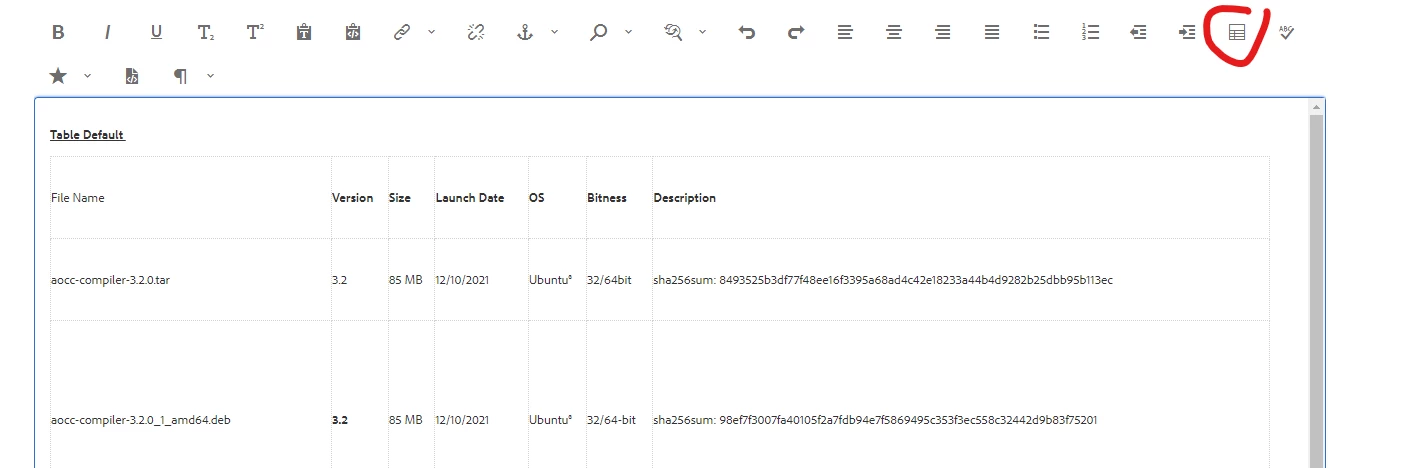
the tool bar will change to just table add/remove items and click this icon that shows this sub sub menu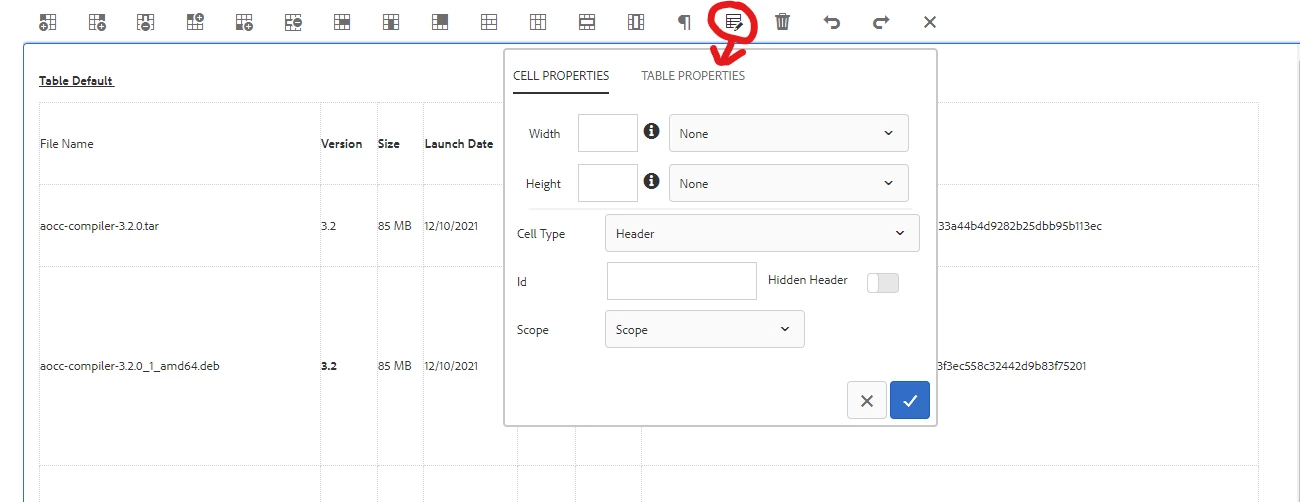
I found a tutorial that showed me how to update _cq_editConfix.xml with the following:
<cq:inplaceEditing
        jcr:primaryType="cq:InplaceEditingConfig"
        active="{Boolean}true"
        configPath="inplaceEditingConfig"
        editorType="text">
        <inplaceEditingConfig jcr:primaryType="nt:unstructured">
            <rtePlugins jcr:primaryType="nt:unstructured">
                <tracklinks
                    jcr:primaryType="nt:unstructured"
                    features="*"/>
                <table
                    jcr:primaryType="nt:unstructured"
                    features="*">

                    <tableStyles jcr:primaryType="cq:WidgetCollection">
                        <table1
                            jcr:primaryType="nt:unstructured"
                            cssName="myClass"
                            text="Style"/>
                        <table2
                            jcr:primaryType="nt:unstructured"
                            cssName="myClassTwo"
                            text="New Style"/>
                    </tableStyles>

                    <hiddenHeaderConfig
                        jcr:primaryType="nt:unstructured"
                        hiddenHeaderClassName="cq-wcm-foundation-aria-visuallyhidden"/>
                </table>
But this change doesn't show anything new in the dialog. Any help would be appreciated.