Customise the Granite Workflow Queue config for custom workflow. | Community
Skip to main content
Adobe Employee
December 10, 2024
Solved

Customise the Granite Workflow Queue config for custom workflow.

  • December 10, 2024
  • 2 replies
  • 821 views

Hi,

I need to add job queue config for my custom workflow. I need to change the queue type to ordered. In OOTB config it's parallel. I have added new config for my workflow, still it's picking the OOTB config and calling the wf in parallel queue.

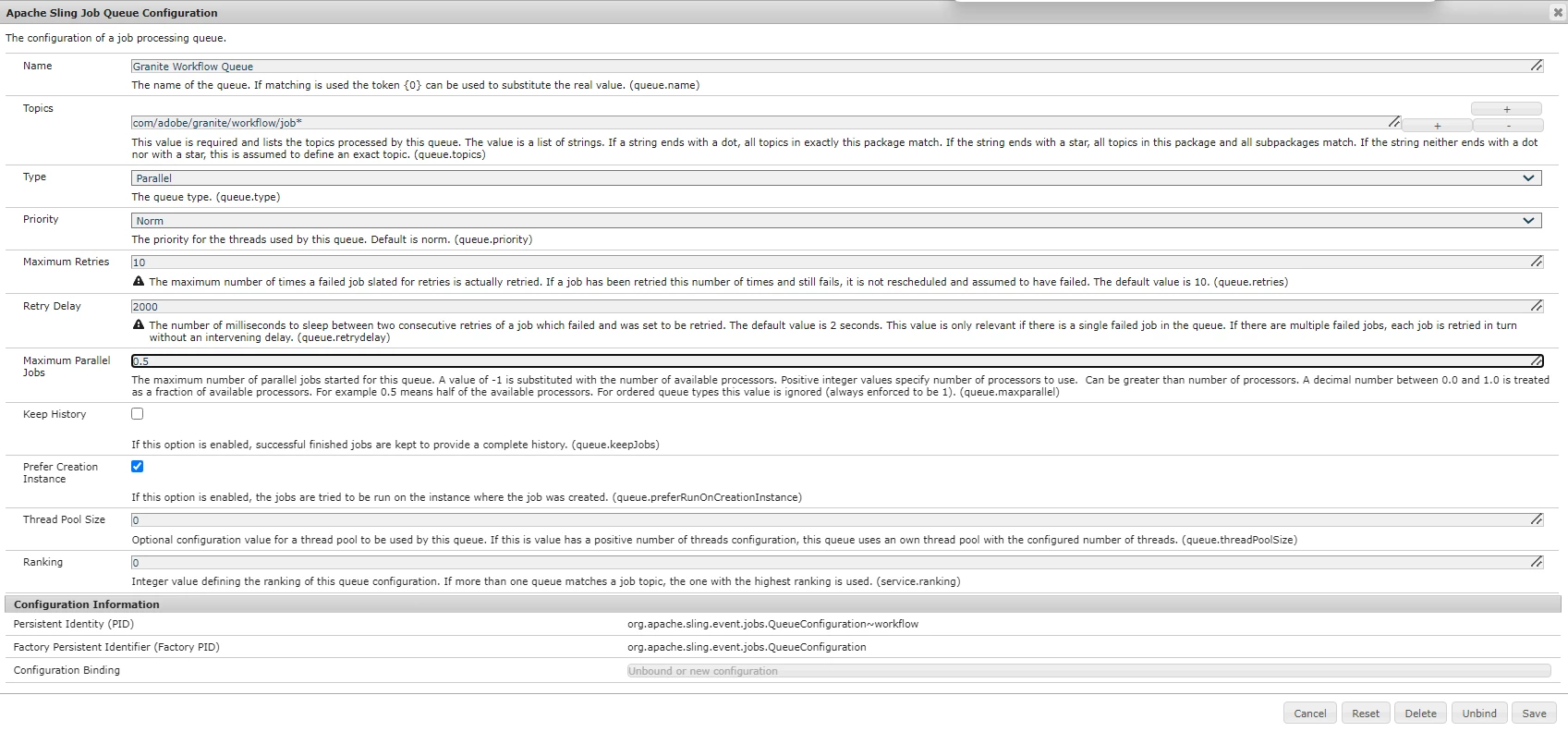
OOTB config:
topic: "com/adobe/granite/workflow/job*"

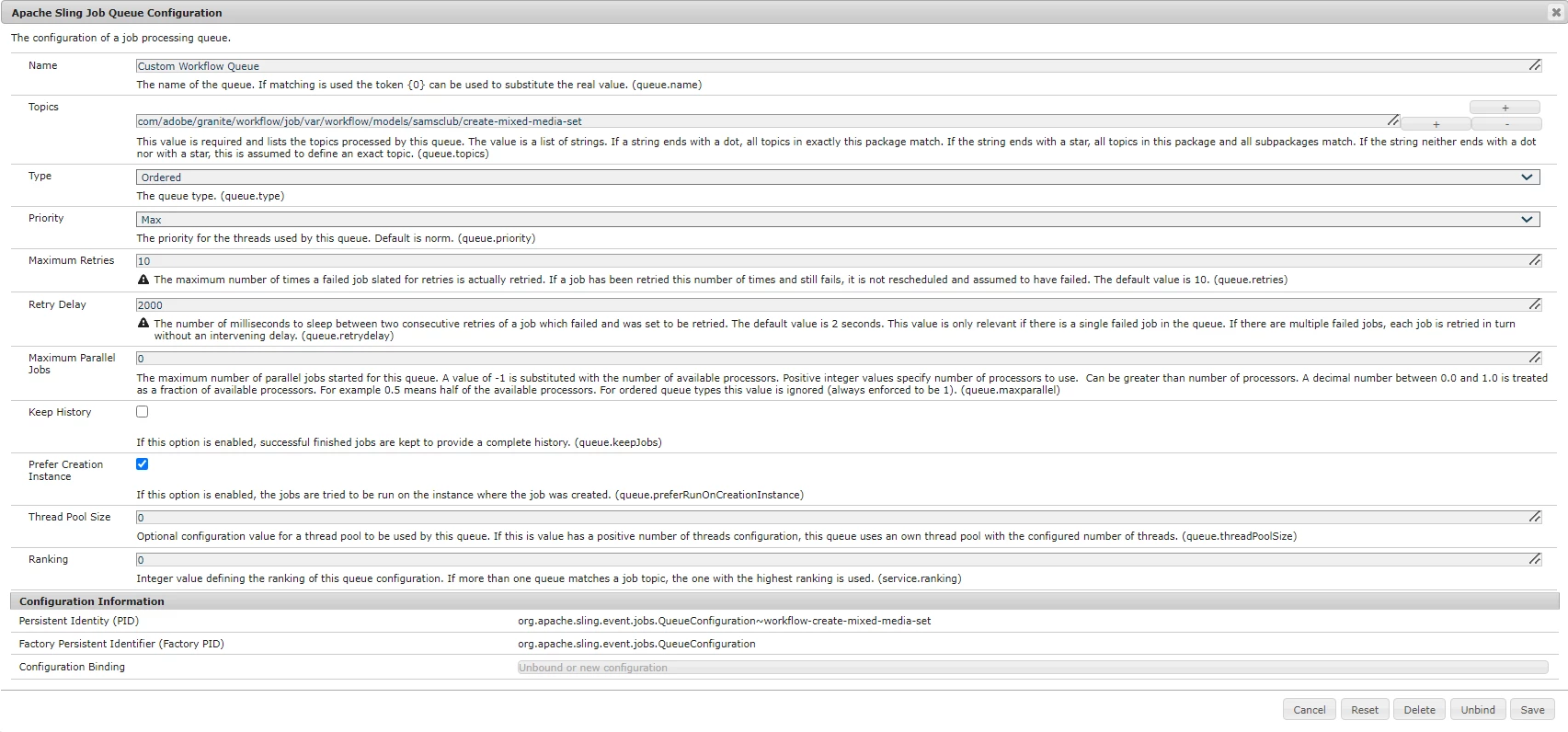
Custom Config:
I have added the wf /var path as the topic "com/adobe/granite/workflow/job/var/workflow/models/samsclub/create-mixed-media-set"
 

I don't want to change the ootb config considering it might impact other wf's. Please let me what am I missing in my custom config and what should be changed.

Thank you,
Keerthana H N


This post is no longer active and is closed to new replies. Need help? Start a new post to ask your question.
Best answer by lukasz-m

Hi @keerthana_h_n,

I think the problem could be the topic name. If you will look into description of Topics field in configuration:

This value is required and lists the topics processed by this queue. The value is a list of strings. If a string ends with a dot, all topics in exactly this package match. If the string ends with a star, all topics in this package and all subpackages match. If the string neither ends with a dot nor with a star, this is assumed to define an exact topic. (queue.topics)

Base on above it looks that your custom topic

com/adobe/granite/workflow/job/var/workflow/models/samsclub/create-mixed-media-set

matches to OOTB config rule:

com/adobe/granite/workflow/job*

You can try one of below options:

  • Rename your topic to something unique which will not include com/adobe/granite/workflow - this should clearly indicates which queue configuration will be used.
  • Increase Ranking value of your custom configuration, so there is a chance it will be picked up instead of OOTB one.

2 replies

lukasz-m
Community Advisor
lukasz-mCommunity AdvisorAccepted solution
Community Advisor
December 10, 2024

Hi @keerthana_h_n,

I think the problem could be the topic name. If you will look into description of Topics field in configuration:

This value is required and lists the topics processed by this queue. The value is a list of strings. If a string ends with a dot, all topics in exactly this package match. If the string ends with a star, all topics in this package and all subpackages match. If the string neither ends with a dot nor with a star, this is assumed to define an exact topic. (queue.topics)

Base on above it looks that your custom topic

com/adobe/granite/workflow/job/var/workflow/models/samsclub/create-mixed-media-set

matches to OOTB config rule:

com/adobe/granite/workflow/job*

You can try one of below options:

  • Rename your topic to something unique which will not include com/adobe/granite/workflow - this should clearly indicates which queue configuration will be used.
  • Increase Ranking value of your custom configuration, so there is a chance it will be picked up instead of OOTB one.
Adobe Employee
December 10, 2024

Hi @lukasz-m 
There was a document where it said, for workflow queue config I need to pass the /var location of the model after com/adobe/granite/workflow/job. Hence I added "com/adobe/granite/workflow/job/var/workflow/models/samsclub/create-mixed-media-set" as my workflow topic.


Also what should be the ranking?

lukasz-m
Community Advisor
Community Advisor
December 10, 2024

There is no magic number in terms of ranking value, simply set something higher than OOTB value, so it can be 10, 100 etc

kautuk_sahni
Community Manager
Community Manager
January 7, 2025

@keerthana_h_n Did you find the suggestion helpful? Please let us know if you require more information. Otherwise, please mark the answer as correct for posterity. If you've discovered a solution yourself, we would appreciate it if you could share it with the community. Thank you!

Kautuk Sahni