Kiran_Vedantam
Community Advisor
Community Advisor
March 2, 2021
Question

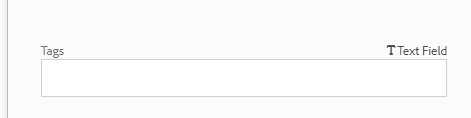
Custom metadata schema changing the cq:tags to textfield

  • March 2, 2021
  • 2 replies
  • 1061 views

Hi All,


I have created a custom metadata schema as below:

  1. Go to Tools --> Assets --> Metadata schemas
  2. Select the default schema and make a copy of it [Name: Sample Schema]
  3. Select Sample schema and apply it to a folder
    1. All the metadata properties are fine till now
      1.  

  4. Add a new drop-down in the Basic tab in Sample Schema
    1. Now the Tags option is being converted to a text field, not a tag picker
      1.  

  5. Note: In the default metadata schema, I see the tag as "Text Field" only

    1.  

Please help me resolve this.


Thanks,

Kiran Vedantam

This post is no longer active and is closed to new replies. Need help? Start a new post to ask your question.

2 replies

SureshDhulipudi
Community Advisor
Community Advisor
March 2, 2021

can you try like this


<__x909_889090900
cq:showOnCreate="{Boolean}true"
jcr:primaryType="nt:unstructured"
sling:resourceType="dam/gui/components/admin/schemafield"
allowCreate="{Boolean}true"
cq-msm-lockable="cq:tags"
fieldLabel="Tags"
metaType="tags"
name="./jcr:content/metadata/cq:tags"
resourceType="cq/gui/components/common/tagspicker">
<granite:data
jcr:primaryType="nt:unstructured"
visibilityCascading="default"/>
</_x909_889090900>

Kiran_Vedantam
Community Advisor
Community Advisor
March 2, 2021
Hi @sureshdhulipudi, I am creating the new metadata schema values manually, not programmatically
Adobe Employee
March 2, 2021

Which version of AEM are you using? Can you try with the latest service pack and see if you can still reproduce the issue?