CSS not being applied to Layout Container in React SPA page | Community
Skip to main content
September 18, 2021
Solved

CSS not being applied to Layout Container in React SPA page

  • September 18, 2021
  • 2 replies
  • 1111 views

Hello everyone,


I'm currently running a React SPA sites with AEM 6.5.5 and trying to apply a custom CSS class into one of the Layout Containers in my template.  


Here are the steps I did:

1. Added the custom css class in the Layout Container's Policy
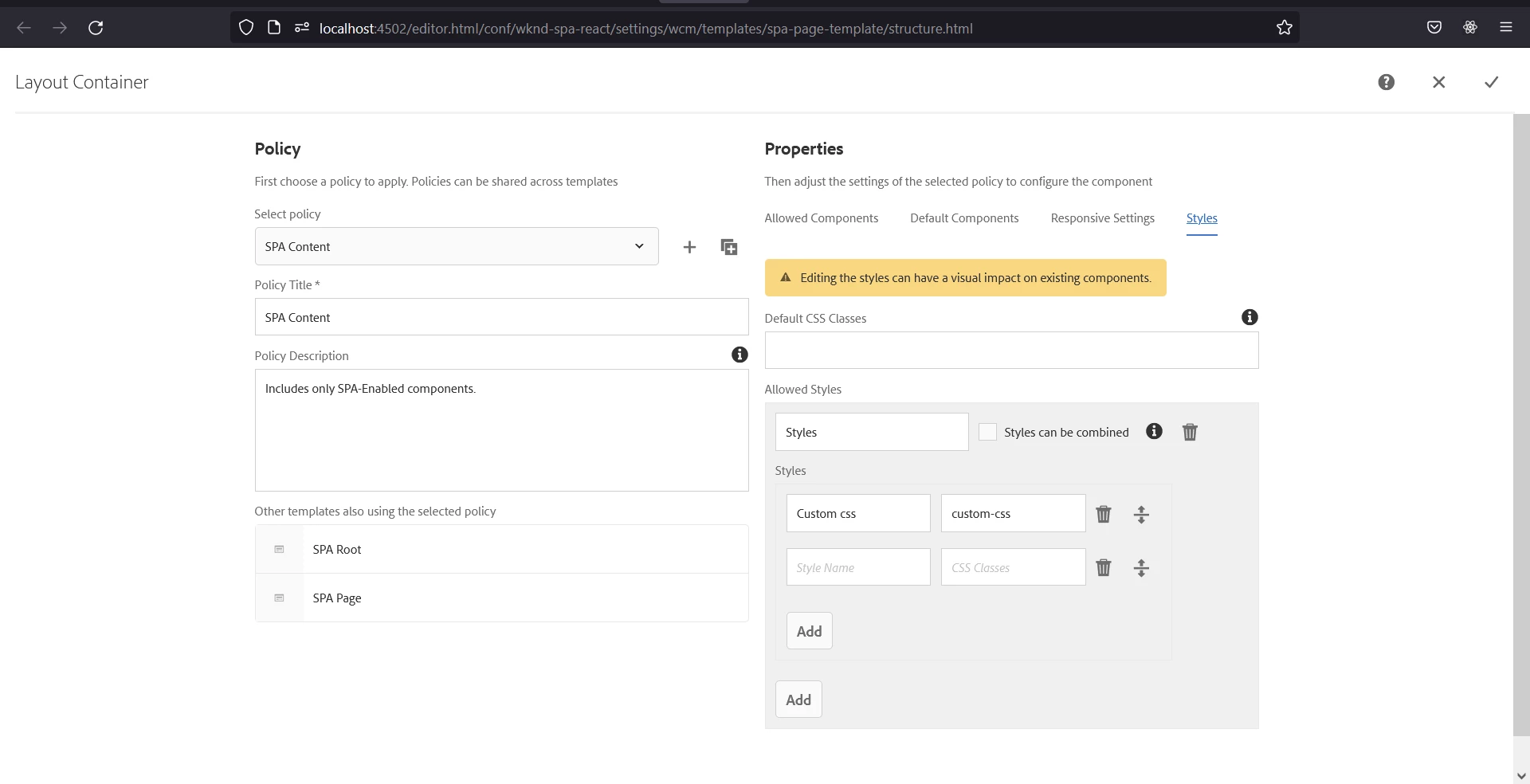
 

2. Subsequently applied it
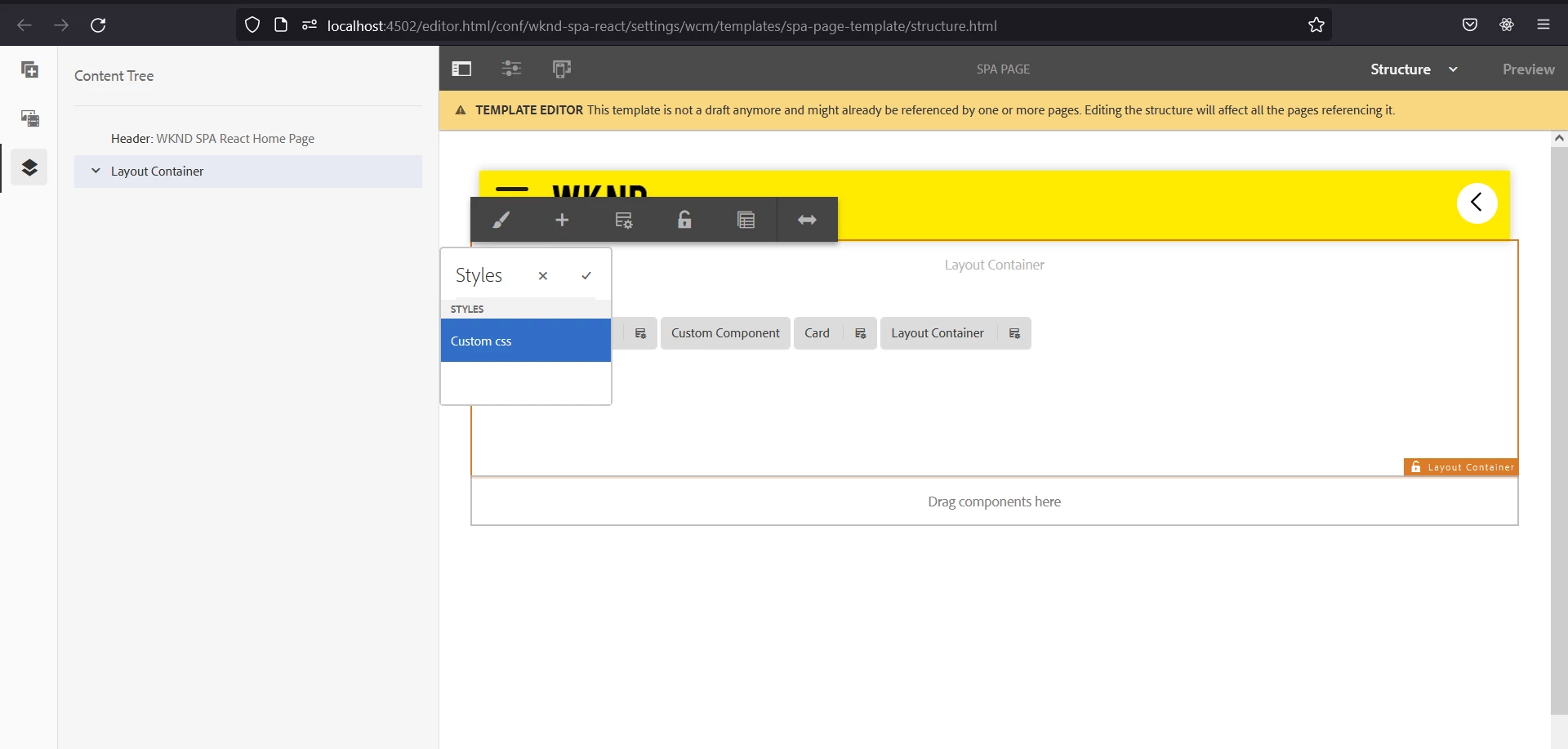
 

However, the CSS class is not being registered to the layout container. 
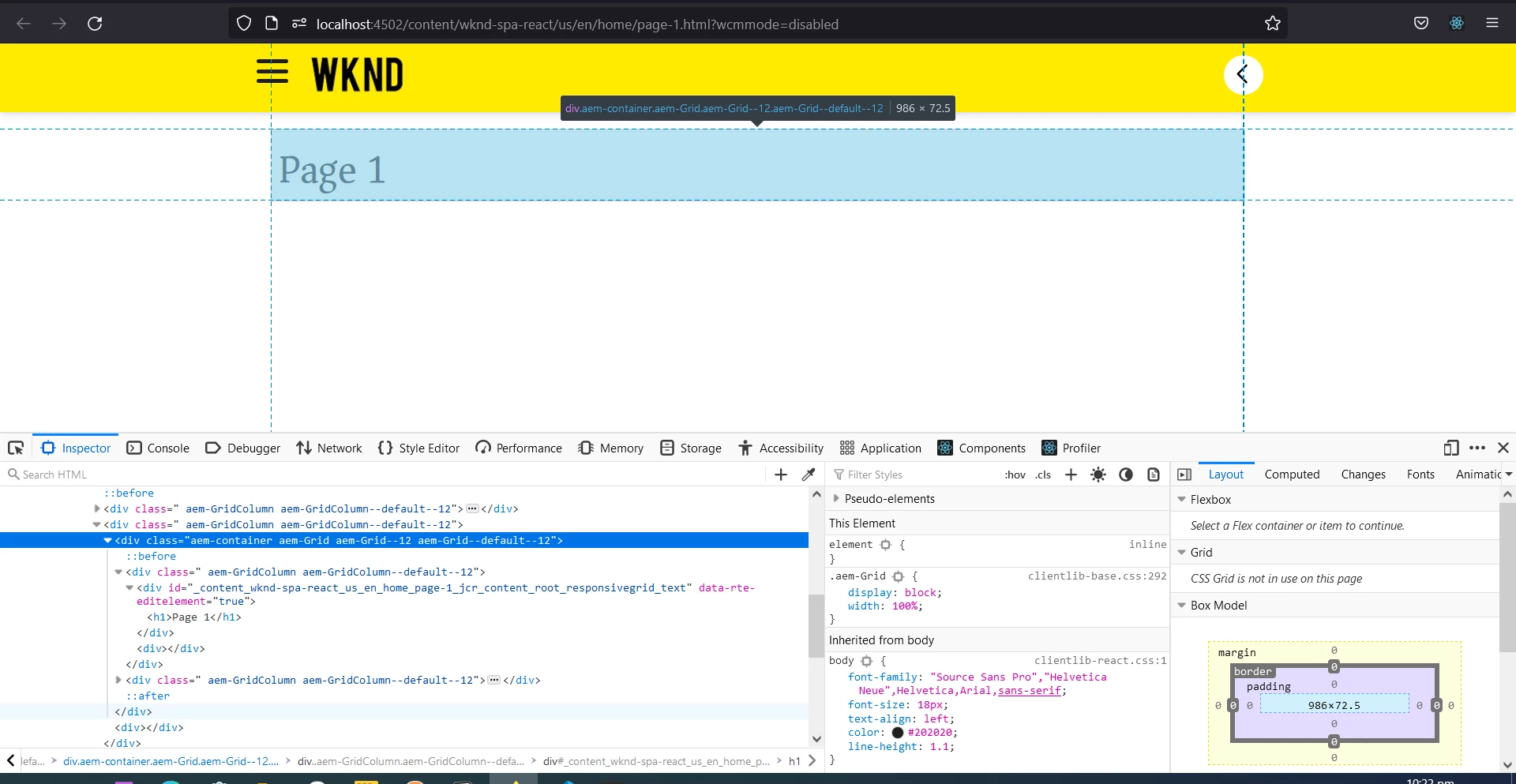
 

Has anyone encountered this behavior before? Or does React SPA not allow such CSS overriding through the console?


Any advice is really appreciated.


Thanks!

This post is no longer active and is closed to new replies. Need help? Start a new post to ask your question.
Best answer by Kishore_Kumar_

Hi @cthio ,


I haven't tried this, but can you please try updating aem-react-editable-components version to 1.1.9 in ui.frontend/package.json and check once.


As per below thread this feature is available with this version. v1.1.9


https://github.com/adobe/aem-react-editable-components/issues/68 

2 replies

Kishore_Kumar_
Kishore_Kumar_Accepted solution
Level 9
September 18, 2021

Hi @cthio ,


I haven't tried this, but can you please try updating aem-react-editable-components version to 1.1.9 in ui.frontend/package.json and check once.


As per below thread this feature is available with this version. v1.1.9


https://github.com/adobe/aem-react-editable-components/issues/68 

arunpatidar
Community Advisor
Community Advisor
September 18, 2021

Can you try to add in Default CSS classes field instead of creating Allowed Style if style needs to be applied from template but not from page.

Arun Patidar