CSS Minification not working | Community
Skip to main content
Level 2
June 28, 2022
Solved

CSS Minification not working

  • June 28, 2022
  • 1 reply
  • 1498 views

Hi, 

I am trying to minify CSS in aem 6.5 by using 

cssProcessor="[min:yui]"

in context.xml files. Is it the correct way? Because by using 

jsProcessor="[min:gcc;languageIn=ECMASCRIPT_2015]"

I am able to minify js but css filenames contains .min but they are actually minified. Also,  in http://localhost:4502/system/console/configMgr/com.adobe.granite.ui.clientlibs.impl.HtmlLibraryManagerImpl url I have checked Minify checkbox. What to do for enabling and getting minified css?

This post is no longer active and is closed to new replies. Need help? Start a new post to ask your question.
Best answer by DEBAL_DAS

Please take a into AEM error.log file and search for that css filename, there you will be seeing some error. 

Please share that error with Front End team to fix this issue [I did the same in my last project].


Parallelly you could prepare below information at your end -

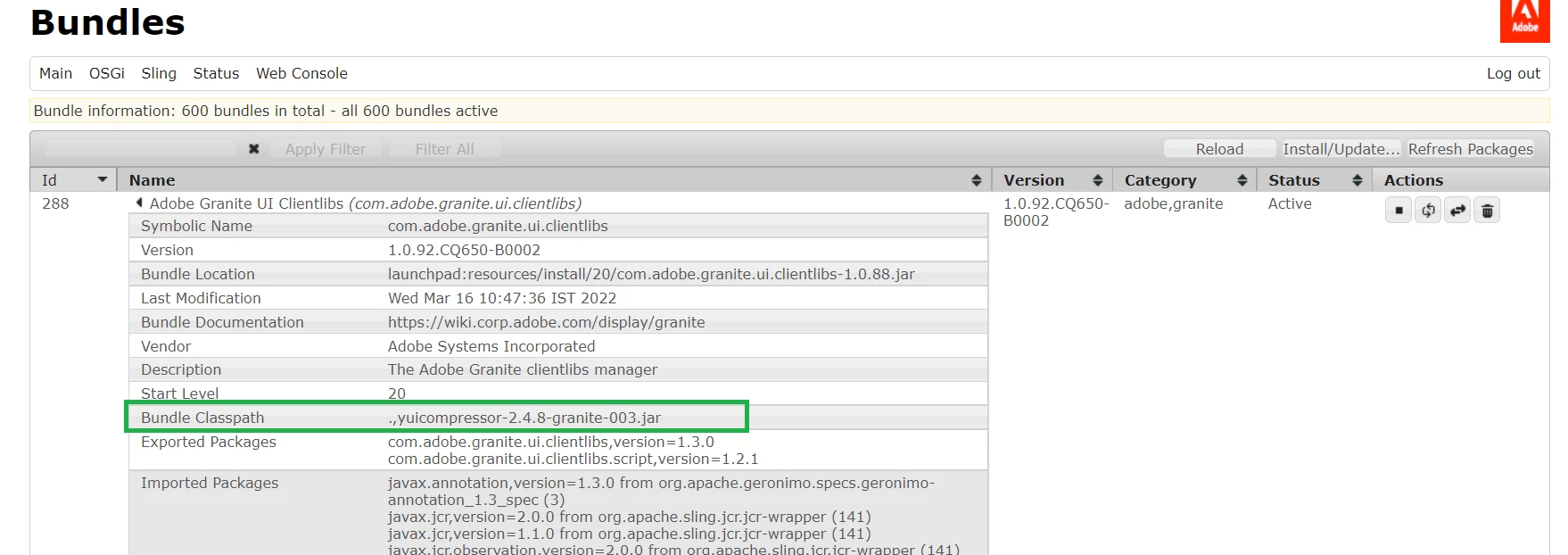
AEM 6.5 uses following yuicompressor-2.4.8-granite-003 for css minification also highlighted in below screenshot -

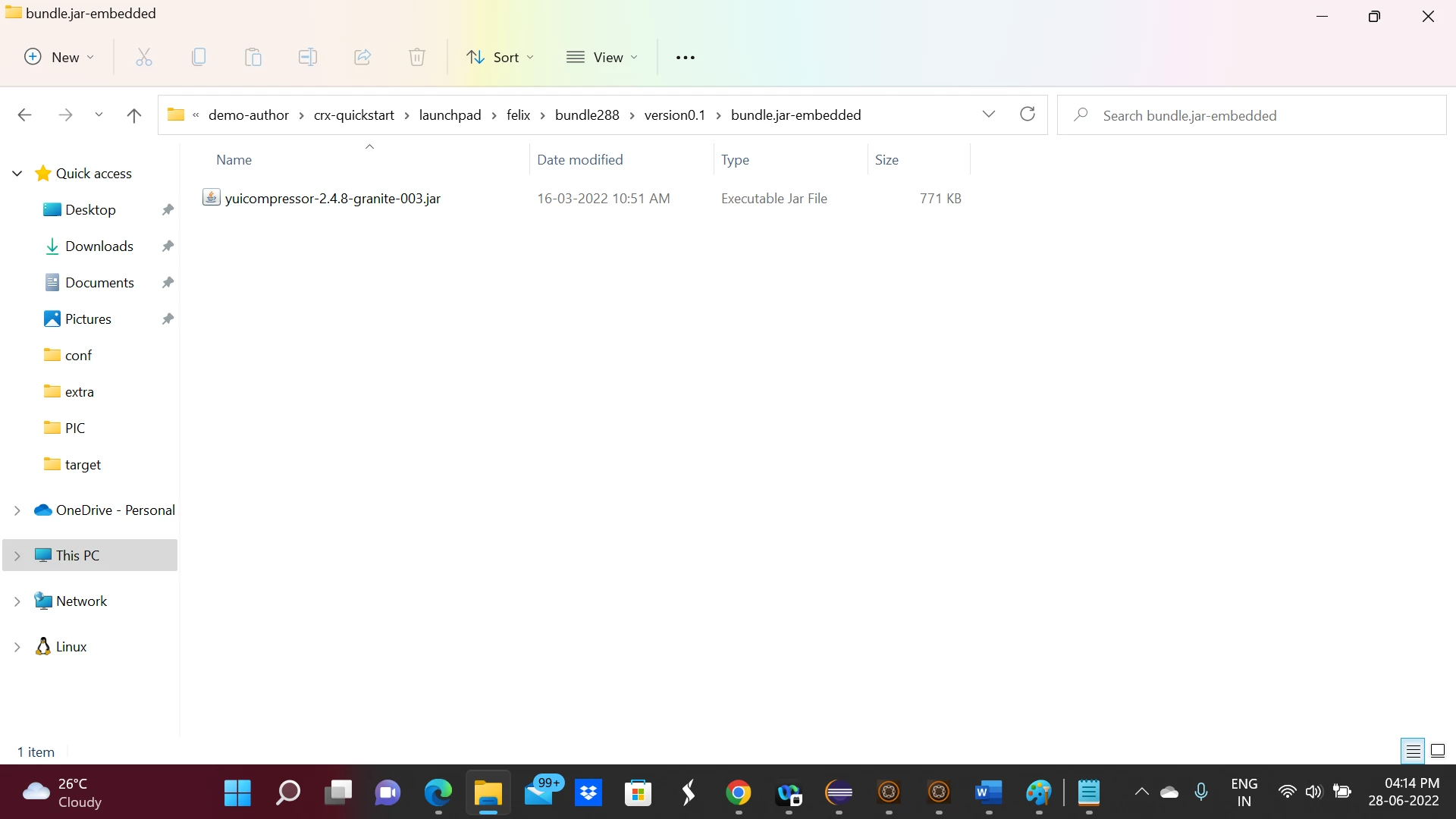
You will be getting that jar from below location [Bundle ID may vary in your case] -


Please run following command : 

java -jar yuicompressor-2.4.8-granite-003.jar <actual css file> -o outfulfile(minified file)

After executing this command , you might see some error during minification via yui compressor. 

Please share the same with Front End team also.


Personally I have seen in my project Front End developers do the minification outside as part of the Frontend build process, Front End developers would not rely on the AEM features, because there are better ways and tools to do so.


1 reply

DEBAL_DAS
DEBAL_DASAccepted solution
New Member
June 28, 2022

Please take a into AEM error.log file and search for that css filename, there you will be seeing some error. 

Please share that error with Front End team to fix this issue [I did the same in my last project].


Parallelly you could prepare below information at your end -

AEM 6.5 uses following yuicompressor-2.4.8-granite-003 for css minification also highlighted in below screenshot -

You will be getting that jar from below location [Bundle ID may vary in your case] -


Please run following command : 

java -jar yuicompressor-2.4.8-granite-003.jar <actual css file> -o outfulfile(minified file)

After executing this command , you might see some error during minification via yui compressor. 

Please share the same with Front End team also.


Personally I have seen in my project Front End developers do the minification outside as part of the Frontend build process, Front End developers would not rely on the AEM features, because there are better ways and tools to do so.


Debal Das, Senior AEM Consultant
Level 2
June 29, 2022

After writing the command I am getting Error: Could not find or load main class jar.

DEBAL_DAS
New Member
June 29, 2022

1. Identify the bundle id associated with yuicompressor-2.4.8-granite-003 via /system/console/bundles

2. Next we need to download the bundle:yuicompressor-2.4.8-granite-003 from AEM-instances\demo-author\crx-quickstart\launchpad\felix\bundle288\version0.1\bundle.jar-embedded [Bundle ID may vary in your case]

3.Please copy that bundle and please keep/paste it inside a separate folder.

4. Then open cmd from that folder and run that command.

Debal Das, Senior AEM Consultant