Creating new node component | Community
Skip to main content
eliash27546545
Level 2
July 12, 2018
Solved

Creating new node component

  • July 12, 2018
  • 4 replies
  • 1544 views

Hey

I am applying the steps in the tutorial of AEM,

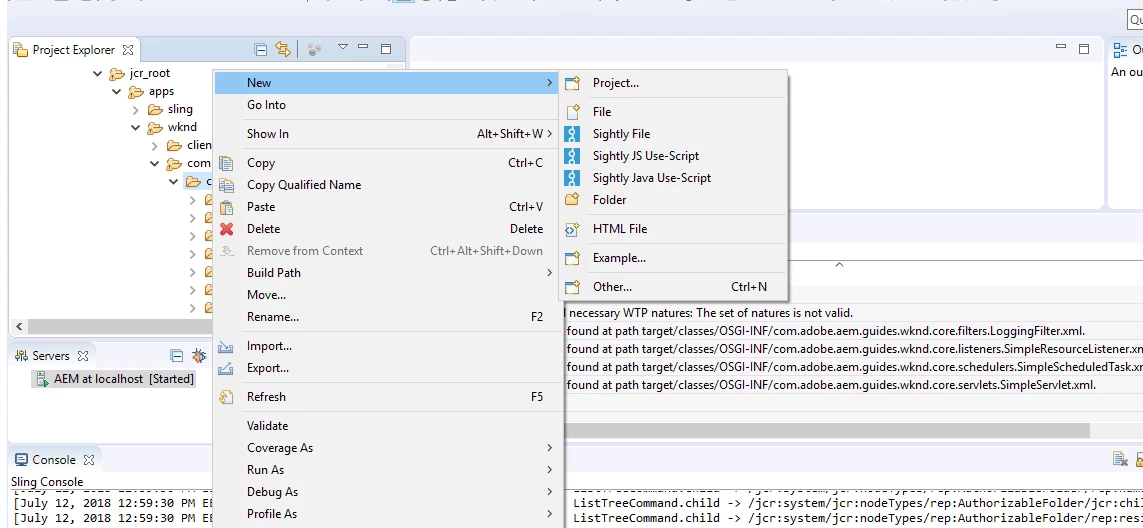
I am trying to add new component to the project but when i am trying to add new node, there is no node option in the list, also in the other option didn't found node option.

do have any idea about it?
This post is no longer active and is closed to new replies. Need help? Start a new post to ask your question.
Best answer by arunpatidar

From your screenshot, I can see you are trying to create node at wrong place.

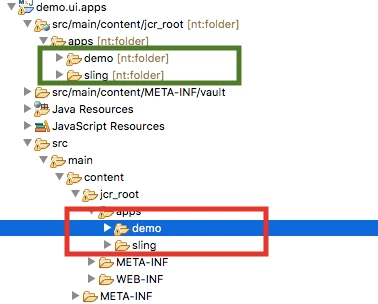
The folder in green box is the correct path in eclipse but seems you are creating at wrong place(highlighted in red)

try above if still doesn't work, go for below

Sometime you don't see create node option, you can you try below:

1. Create a component or template in AEM from CRXDE

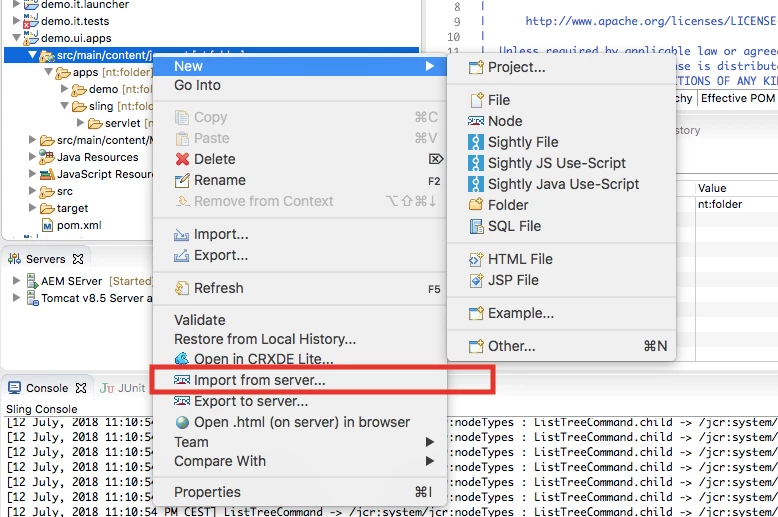
2. In eclipse From the root of app folder jcr_root 'import from server'

Thanks

Arun

4 replies

arunpatidar
Community Advisor
Community Advisor
July 12, 2018

Hi,

can you share the tutorial which you are following?

Arun Patidar
eliash27546545
Level 2
July 12, 2018
smacdonald2008
Level 10
July 12, 2018

I will look into this today - i remember somethign about this some time ago.

arunpatidar
Community Advisor
arunpatidarCommunity AdvisorAccepted solution
Community Advisor
July 12, 2018

From your screenshot, I can see you are trying to create node at wrong place.

The folder in green box is the correct path in eclipse but seems you are creating at wrong place(highlighted in red)

try above if still doesn't work, go for below

Sometime you don't see create node option, you can you try below:

1. Create a component or template in AEM from CRXDE

2. In eclipse From the root of app folder jcr_root 'import from server'

Thanks

Arun

Arun Patidar