Create Index for OOTB query with "order by lower(name(a)) desc" | Community
Skip to main content
VictorToledo_
Level 3
April 4, 2022
Solved

Create Index for OOTB query with "order by lower(name(a)) desc"

  • April 4, 2022
  • 2 replies
  • 1409 views

Hello everyone, 

i'm working with a big assets project, where the client has some folders with thousands of assets, when it tries to review the folder content and sort by name for example, I'm seeing a warn message log due to traversal query.

Basically it is the list view and then sort by name.


The query is

SQL2: select [jcr:path], [jcr:score], * from [nt:base] as a where ischildnode(a, '/content/dam/folder') order by lower(name(a)) desc

xpath: /jcr:root/content/folder/* order by fn:lower-case(fn:name()) descending


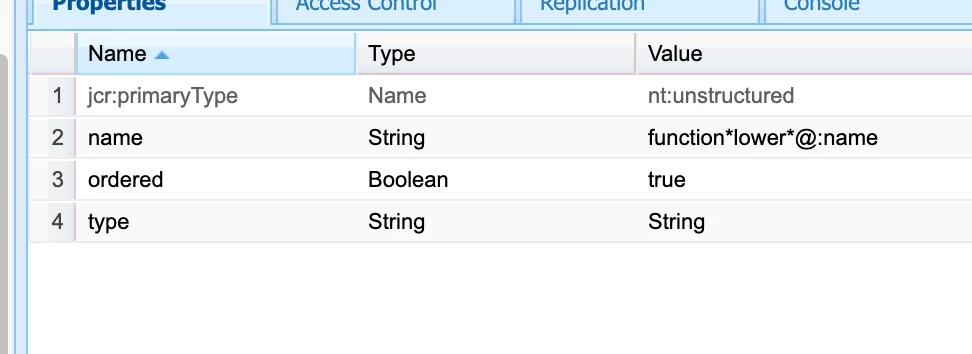
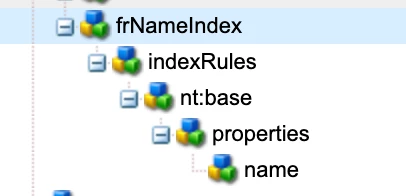
I tried to create a new index under nt:base with 


nt:base

...properties

......name
.........name = "function*lower*@:name"
.........ordered = true
.........type = "String"


but it doesn't work, i mean i generated the index then used the query performance tool, but the index is not used and I still see the message in the log.


any help is welcome!
This post is no longer active and is closed to new replies. Need help? Start a new post to ask your question.
Best answer by VictorToledo_

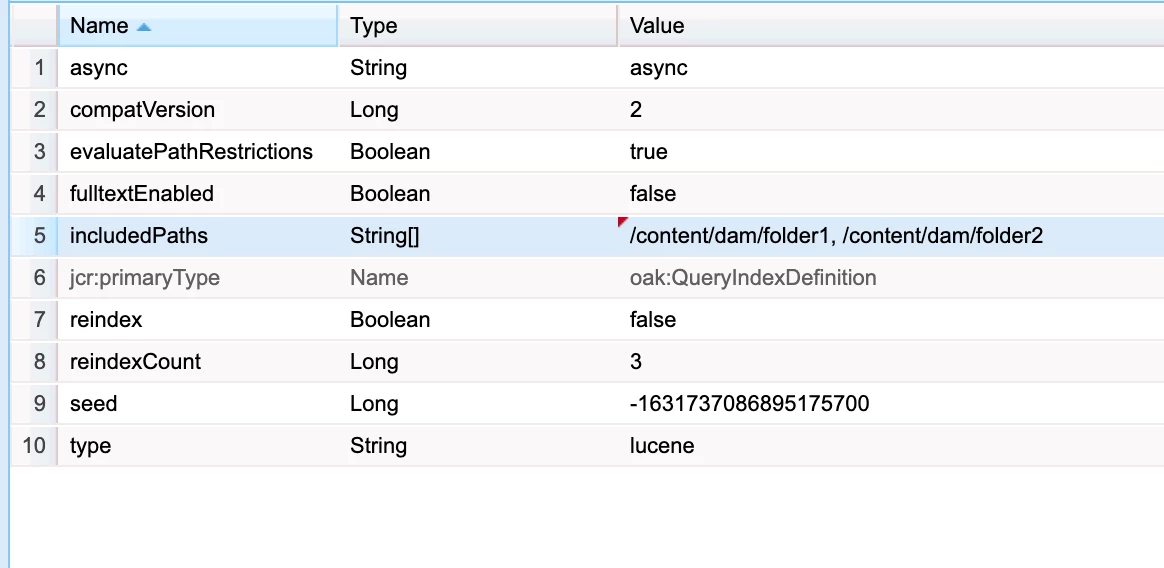
Finally i have the solution, below the index that is working fine


the includedPath and evaluatePathRestrictions were the key

2 replies

DEBAL_DAS
New Member
April 4, 2022

Please refer the detail discussion here :

Solved: Re: Oak Indexing : Traversal Warning : AEM 6.5.10 - Adobe Experience League Community - 446460


One more point instead of putting thousands of assets in lesser number of folders , you could reorganize your AEM folder structure with multiple subfolders based category like products or brands. 


But before reorganize, we need to review our backend logic incase if we have defined any path like /content/dam/<project-name>/brands in Java classes, you need to inform stakeholders also.

Debal Das, Senior AEM Consultant
VictorToledo_
Level 3
April 4, 2022

Thank you for you quick response.

yes, that was my first recommendation, i mean create subfolders, but those are special folders for them and they need it without subfolders. 

this is OOTB functionality it is the code that is executed when you try to sort assets by name.

DEBAL_DAS
New Member
April 4, 2022

In that resolved ticket you could see we all faced this type of issue while performing the activity like opening the DAM folder, asset move operation. 


To fix the issue we have raised the day care ticket with adobe  and made necessary change as per Adobe's input.


Hope this will help.

Debal Das, Senior AEM Consultant
VictorToledo_
VictorToledo_AuthorAccepted solution
Level 3
April 5, 2022

Finally i have the solution, below the index that is working fine


the includedPath and evaluatePathRestrictions were the key