Create a component to copy One component node to another component node | Community
Skip to main content
Prashardan
Level 4
April 10, 2023
Solved

Create a component to copy One component node to another component node

  • April 10, 2023
  • 1 reply
  • 761 views

Hi Team


I am working aem forms using form container and default form components.(not adaptive forms)


My requirement is to create a form component (copy content) where I will provide ids in source and destination fields and expected to perform copy value of source node to destination node based on id. 
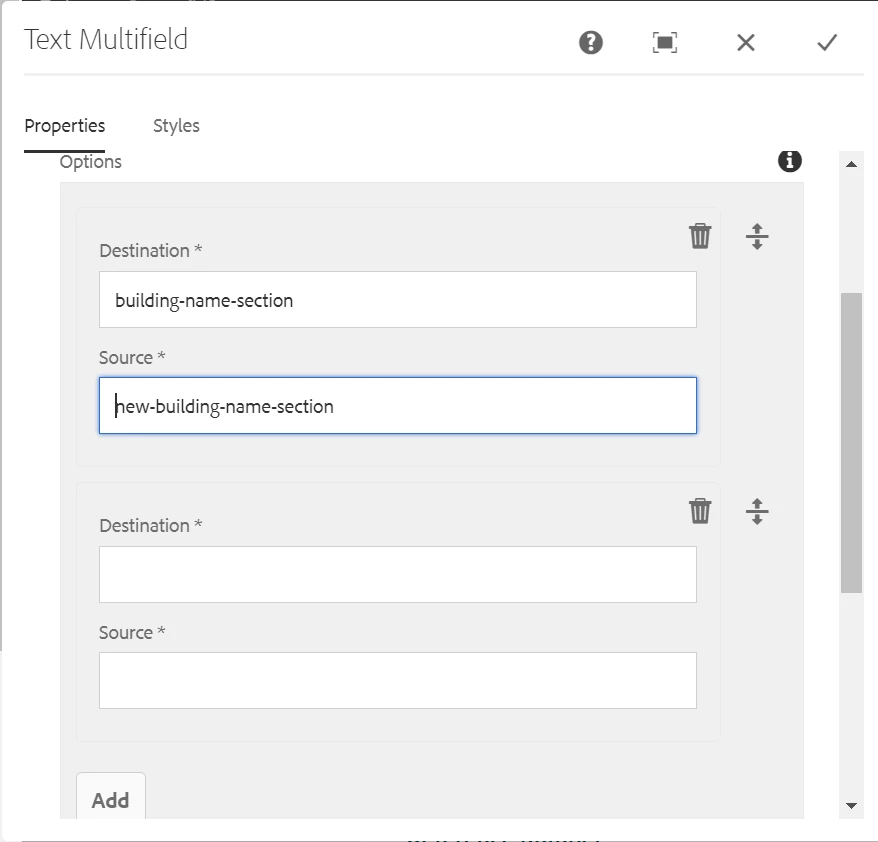


Under Source and Destination fields I will provide ids of another text components and it should take its value and assign. 

Example: 

document.getElementById('new-building-name-section').value = document.getElementById('building-name-section').value;


My requirement is like I will have set of fields like permanent address, when a checkbox is selected those fields should be copied to new address fields like delivery address. 


Content Author should have flexibility to author on dialog which fields should be copied from where to where. 


Any pointers or ideas will be very helpful for me


Thanks and Regards

Prashanthi 

This post is no longer active and is closed to new replies. Need help? Start a new post to ask your question.
Best answer by Sady_Rifat

Hello @prashardan ,

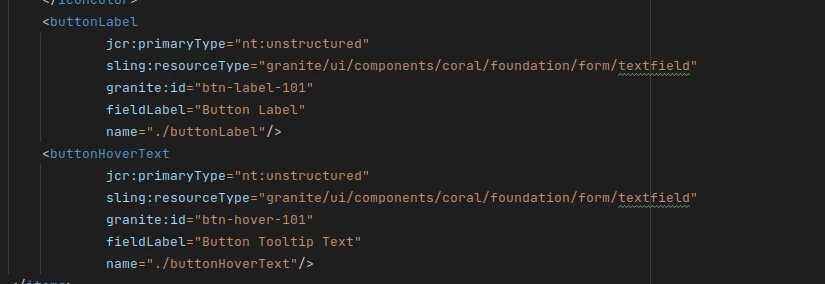
you can set ID in your text field by granite:id property.

Add a checkbox for copying the element value consent and set an event listener for the checkbox.

$(document).on("change"


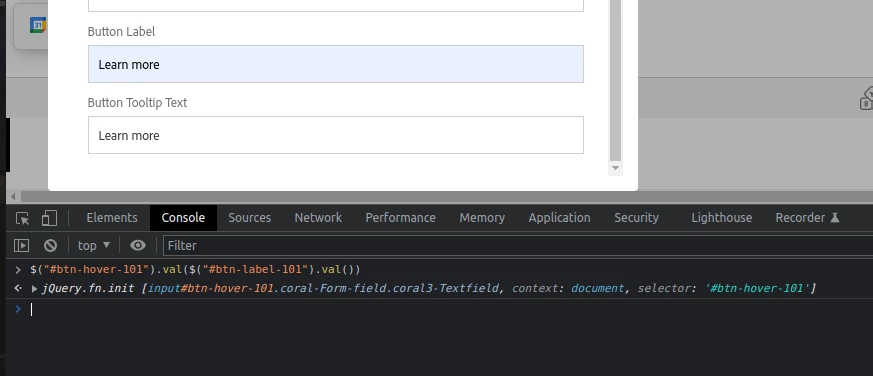
Then by jQuery you can easily set the value for the destination field.


1 reply

Sady_Rifat
Community Advisor
Sady_RifatCommunity AdvisorAccepted solution
Community Advisor
April 10, 2023

Hello @prashardan ,

you can set ID in your text field by granite:id property.

Add a checkbox for copying the element value consent and set an event listener for the checkbox.

$(document).on("change"


Then by jQuery you can easily set the value for the destination field.