cq:dropTarget for multifield | Adobe Higher Education
Skip to main content
Level 2
November 8, 2022
Respondido

cq:dropTarget for multifield

  • November 8, 2022
  • 1 resposta
  • 764 Visualizações

Hello, i need help in using cq:dropTarget for multifiled.

1. i have a dialog multi filed for content fragment.

2. i want to use the drop target for this multi filed to drag and drop multiple content fragments on to component on the page.

but one content fragment at a time i can drop on to the component. is there a way to achieve my requirement?


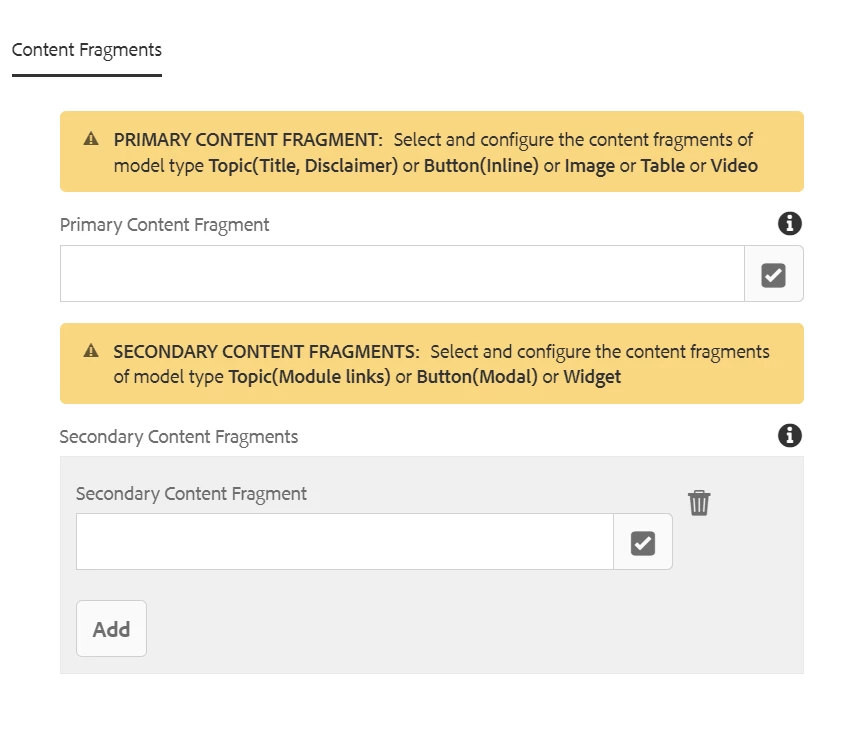
my dialog is as below:


Primary section: with one path field for content fragment.

Secondary section: with multi field for content fragment.
 

Este tópico foi fechado para respostas.
Melhor resposta por SantoshSai

Hi @kiranrayapudi,

Kindly check this thread for similar issue discussion here: https://experienceleaguecommunities.adobe.com/t5/adobe-experience-manager/image-drag-and-drop-in-aem-6-4-multifield-component/m-p/298422

Hope that helps!

Regards,

Santosh

1 Resposta

SantoshSai
Community Advisor
SantoshSaiCommunity AdvisorResposta
Community Advisor
November 8, 2022

Hi @kiranrayapudi,

Kindly check this thread for similar issue discussion here: https://experienceleaguecommunities.adobe.com/t5/adobe-experience-manager/image-drag-and-drop-in-aem-6-4-multifield-component/m-p/298422

Hope that helps!

Regards,

Santosh

Santosh Sai
Level 2
November 10, 2022

Hi Santhosh, thanks for the quick reply.

With the given example when i compare my dialog i see only difference is below in example dialog:

 fileNameParameter="./hbgfileName"

fileReferenceParameter="./hbgfileReference"

when i try to add these params AEM is throwing "invalid name" error. 

Moreover, i am not able to select more than one content fragments from Assets section of Toggle Side Panel at a time.
