Core Components | Table Of Contents | Not Available on my local | Community
Skip to main content
Adobe Employee
April 23, 2024
Solved

Core Components | Table Of Contents | Not Available on my local

  • April 23, 2024
  • 3 replies
  • 1435 views

Hi All,


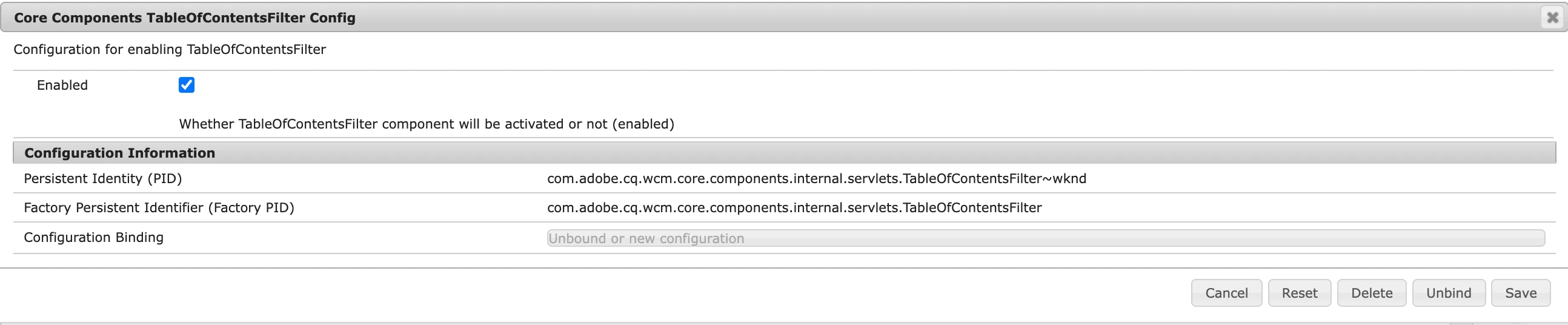
I'm following the instructions in this GitHub link to enable the Table of Contents component in my local WKND project. You can find the TableOfContentsFilter is enabled in below as per the instructions, but for some reason, the ToC component is not appearing in allowed components as expected.


OSGi Config:
 

Allowed Components:
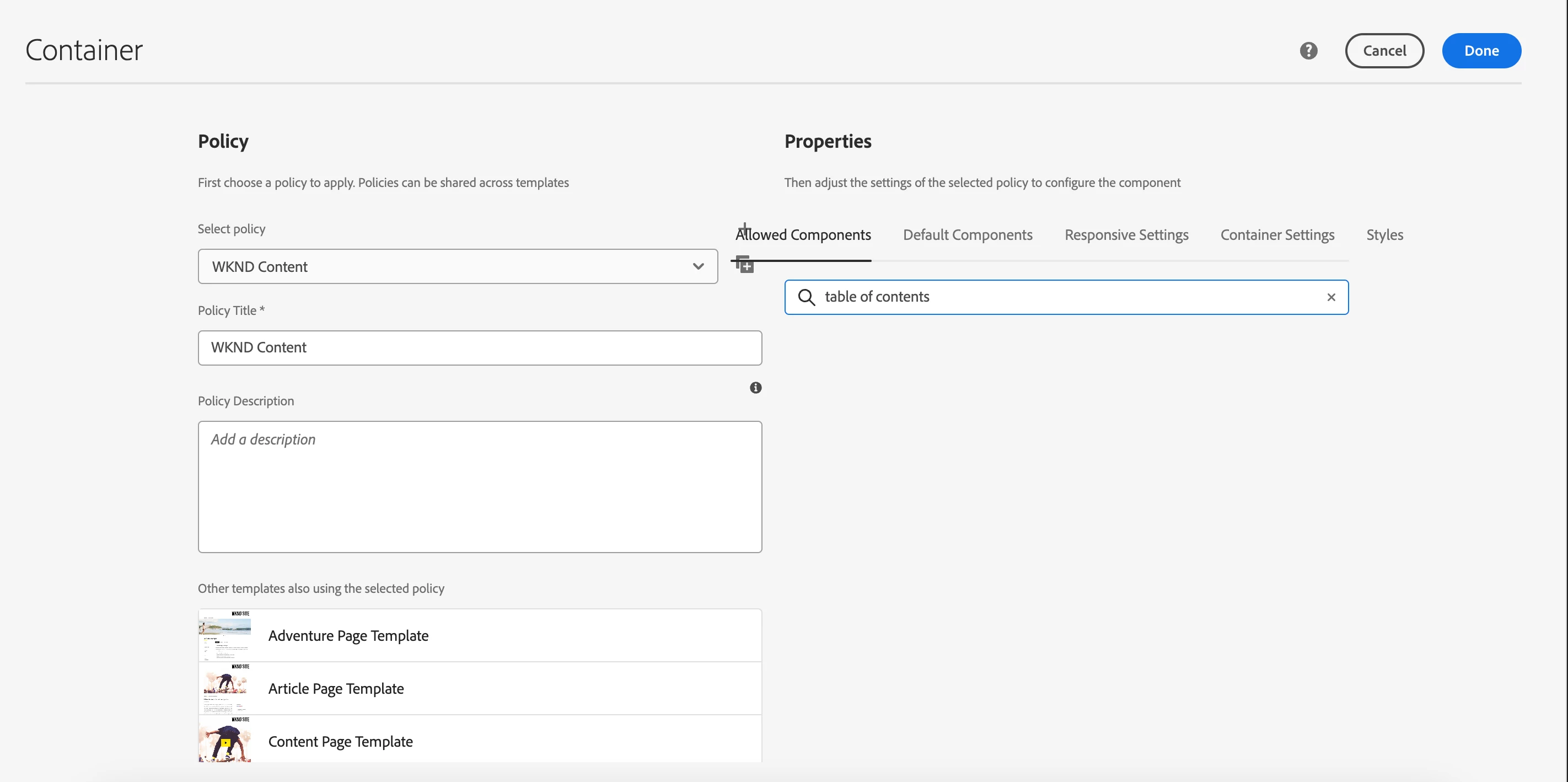


Has anyone encountered a similar issue or have any suggestions on troubleshooting this problem? Any insights or guidance would be greatly appreciated!


Thank you in advance for your help.

 

Github Link: https://github.com/adobe/aem-core-wcm-components/tree/main/content/src/content/jcr_root/apps/core/wcm/components/tableofcontents/v1/tableofcontents

This post is no longer active and is closed to new replies. Need help? Start a new post to ask your question.
Best answer by sravs

Hi @eobaseki ,


The configuration is not about show/hide of the component in your template policies, it's about rendering the content of the component on your page or not.
Please refer https://experienceleague.adobe.com/en/docs/experience-manager-core-components/using/wcm-components/tableofcontents


If you want to make use of this component, create a proxy component at the project level, provide the component group and map that component to

sling:resourceSuperType="core/wcm/components/tableofcontents/v1/tableofcontents"

 Then you can see the component available in template policy.

3 replies

sravs
Community Advisor
sravsCommunity AdvisorAccepted solution
Community Advisor
April 23, 2024

Hi @eobaseki ,


The configuration is not about show/hide of the component in your template policies, it's about rendering the content of the component on your page or not.
Please refer https://experienceleague.adobe.com/en/docs/experience-manager-core-components/using/wcm-components/tableofcontents


If you want to make use of this component, create a proxy component at the project level, provide the component group and map that component to

sling:resourceSuperType="core/wcm/components/tableofcontents/v1/tableofcontents"

 Then you can see the component available in template policy.

eobasekiAdobe EmployeeAuthor
Adobe Employee
April 24, 2024

Thanks a lot @sravs. I can confirm that the Table of Contents is now appearing on my local environment after creating a proxy component in CRXDE. You saved my day; thank you so much 🙂


EstebanBustamante
Community Advisor and Adobe Champion
April 23, 2024

Hi, 


Did you verify that all bundles are active? This issue could be related to the version of Core components you're using. I installed version 2.22.10 via the package manager, and the component is enabled by default. I'm testing this in a new AEM 6.5.17 instance. Also, try adding this component to a different page. I'm testing it in the Demo template, which is included as part of the Core components.

Hope this helps

Esteban Bustamante
eobasekiAdobe EmployeeAuthor
Adobe Employee
April 24, 2024

Thank you for your comment @estebanbustamante. It turns out the issue was related to not creating the proxy component. 

sravs
Community Advisor
Community Advisor
April 24, 2024

@eobaseki Did you find the suggestions from users helpful? Please let us know if more information is required. Otherwise, please mark the answer as correct for posterity. If you have found out solution yourself, please share it with the community.

eobasekiAdobe EmployeeAuthor
Adobe Employee
April 24, 2024

Noted!