core components: differences between versions | Community
Skip to main content
jayv25585659
Level 8
May 20, 2024
Solved

core components: differences between versions

  • May 20, 2024
  • 1 reply
  • 724 views

so I just realized there's a new(ish) version of page core component (latest version is v3)


I'm trying to find if there's a table/summary of differences with the different versions of core components (page, breadcrumbs and etc). BUT I am not having any luck finding such information.


Are you able to help? Thanks

This post is no longer active and is closed to new replies. Need help? Start a new post to ask your question.
Best answer by lukasz-m

Hi @jayv25585659,

In general you can find information about Core Components released version and release notes for each one that includes information about changes under:

https://experienceleague.adobe.com/en/docs/experience-manager-core-components/using/versions

The information are divided into multiple section, e.g. assuming you would like to see what has changed in V3 of Page component, you can follow below steps:

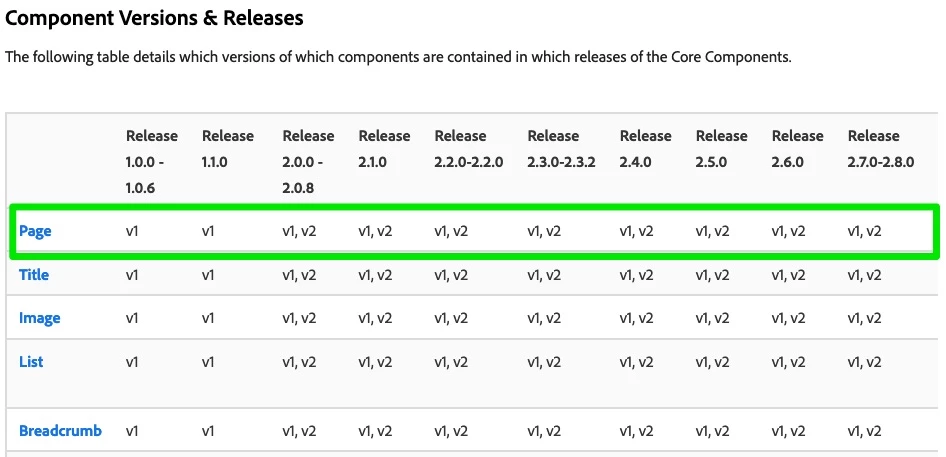
  1. Under Component Version & Releases find component and version you are interested of:
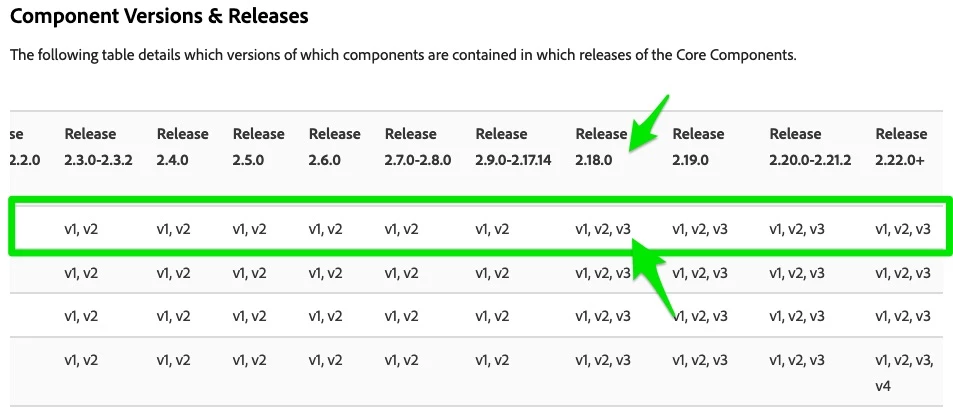
  2. You can see that V3 of Page has been added in version 2.18.0.
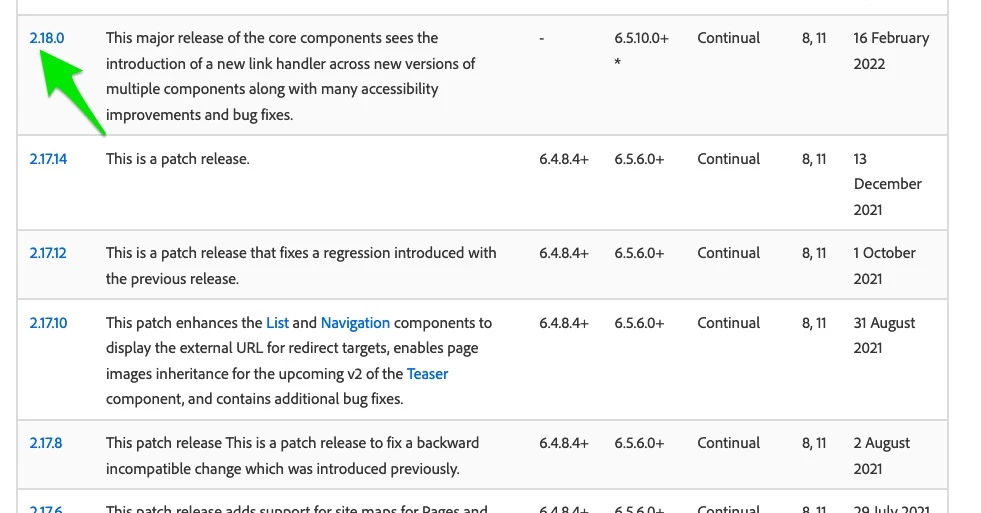
  3. Find 2.18.0 in Release History & Requirements section
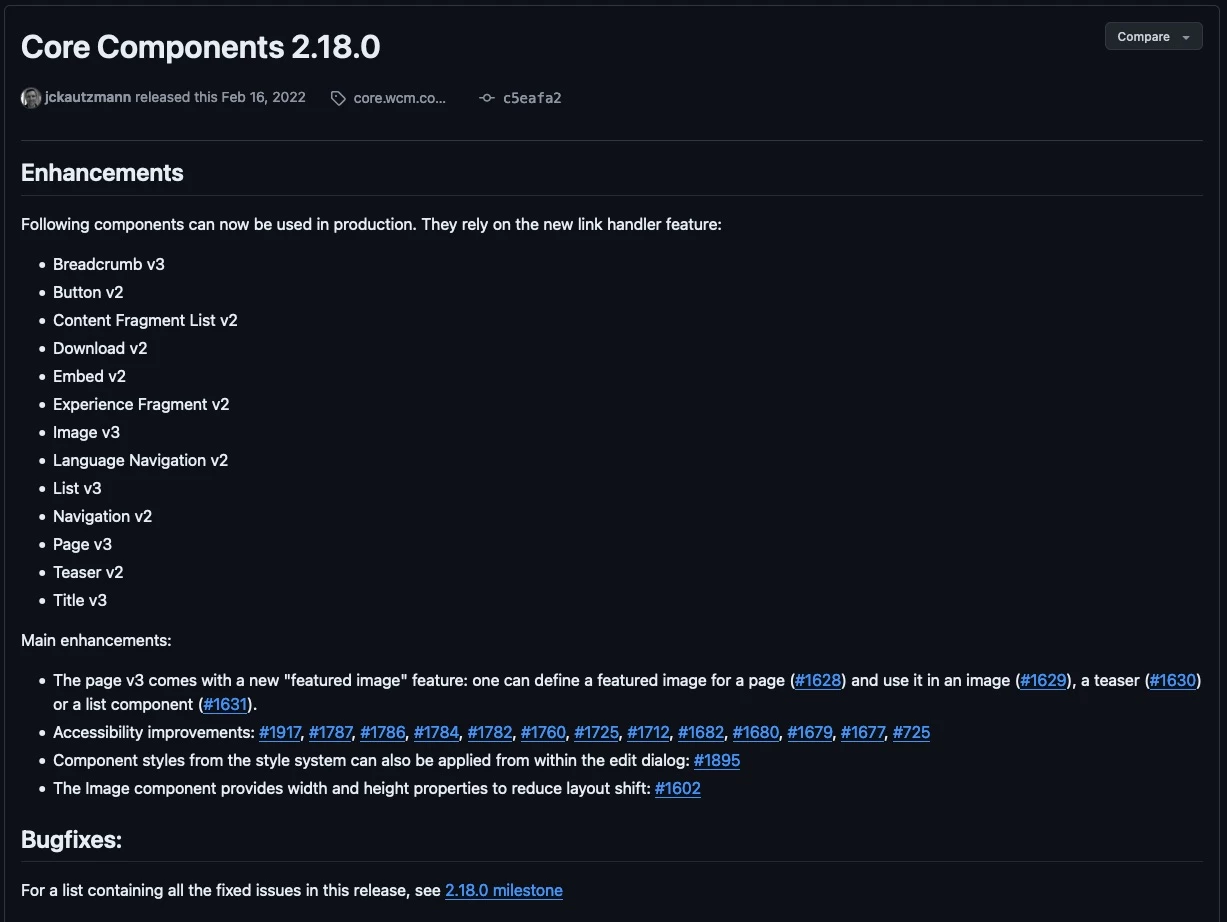
  4. Click on the link, which will take you to release notes page on GitHub

This should give you an idea about major changes. You can also browse commits/PRs on GitHub to get all the details.

1 reply

lukasz-m
Community Advisor
lukasz-mCommunity AdvisorAccepted solution
Community Advisor
May 20, 2024

Hi @jayv25585659,

In general you can find information about Core Components released version and release notes for each one that includes information about changes under:

https://experienceleague.adobe.com/en/docs/experience-manager-core-components/using/versions

The information are divided into multiple section, e.g. assuming you would like to see what has changed in V3 of Page component, you can follow below steps:

  1. Under Component Version & Releases find component and version you are interested of:
  2. You can see that V3 of Page has been added in version 2.18.0.
  3. Find 2.18.0 in Release History & Requirements section
  4. Click on the link, which will take you to release notes page on GitHub

This should give you an idea about major changes. You can also browse commits/PRs on GitHub to get all the details.