Controls are unstable while doing layout | Community
Skip to main content
Level 6
February 21, 2023
Solved

Controls are unstable while doing layout

  • February 21, 2023
  • 3 replies
  • 1594 views

Hi

I am trying to rezise components using layout but the controls are unstable (jumping too much) and not very useful for editors.
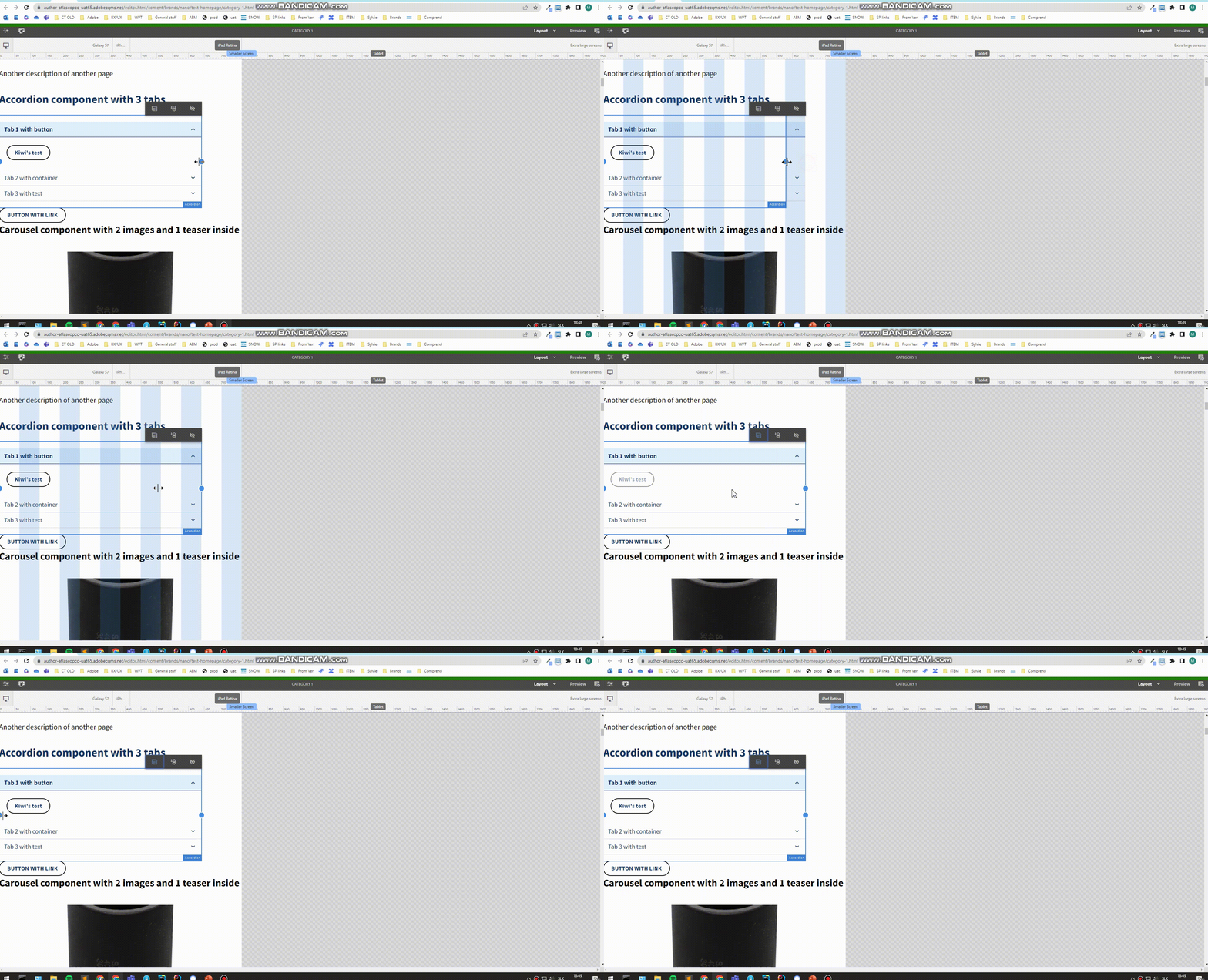
Can anyone help me to fix this

This post is no longer active and is closed to new replies. Need help? Start a new post to ask your question.
Best answer by Vijayalakshmi_S

HI @vani1012 

You can cross check on the below to narrow down the cause

  • If it is reproducible in we-retail 
  • if its reproducible in all your environments for your project content
  • If it is project specific,
    • check if you have amended the grid.css and/or custom device options as part of emulator
    • check if you have console errors


3 replies

Vijayalakshmi_S
Vijayalakshmi_SAccepted solution
Level 10
February 21, 2023

HI @vani1012 

You can cross check on the below to narrow down the cause

  • If it is reproducible in we-retail 
  • if its reproducible in all your environments for your project content
  • If it is project specific,
    • check if you have amended the grid.css and/or custom device options as part of emulator
    • check if you have console errors


Craqdi
March 20, 2024

Thanks for your comment, it's just what I was looking for.  

BrianKasingli
Community Advisor and Adobe Champion
February 21, 2023

Hey, @vani1012,


it might be becase your aemgrid.less and cq:responsive nodes are not setup properly, but...

You need to make sure your AEM grid is configured as expected, along with the device groups and emulators. Take a look at this blog article to see how it is being setup. AEM: Customize emulators in layout mode | by Theo Pendle | Level Up Coding (gitconnected.com)


In my opinion, you would need to get the aem-grid CSS configured, the configuration that include @import (once) "/libs/wcm/foundation/clientlibs/grid/grid_base.less".

Next, you would need to add cq:responsive node on the "template-type" and "templates", with the same CSS names as the node names declared on the aem-grid,less file. VERY IMPORTANT!!!

After that, you would need to configure the some jcr:content nodes from the project to enablecq:deviceGroups... finally enable your mobile emulator via com.day.cq.wcm.mobile.core.impl.MobileEmulatorProvider~my-site.cfg.json

Again, you should find all steps found here AEM: Customize emulators in layout mode | by Theo Pendle | Level Up Coding (gitconnected.com)

Love_Sharma
Level 4
February 21, 2023

Try to check if targeted component width you are trying to set, is that value going greater than column width of Layout container. If yes, logically child should not have more width than parent (one of the observation I had when working on similar issue).
