Content reference data attribute is not mandatory when page loads first time
Hi All,
We are creating Content Fragment Model using "content reference" data attribute. To make it a mandatory field we have enabled following property i.e. "required = on".
When we are actually creating content fragment using above model then at the very first the said field (content reference) is not mandatory and we can save content fragment while leaving the field empty. on top of that we can see * mark (As mandatory field) in Label.
Once we drag/focus on the field (i.e. content reference field) then it behaves / work like a mandatory field.
For example:
Screenshot-1 shows Title, Date & Time, Main Image and Thumbnail Image all are mandatory fields but (content reference) Main Image and Thumbnail Image both are not showing in RED as mandatory.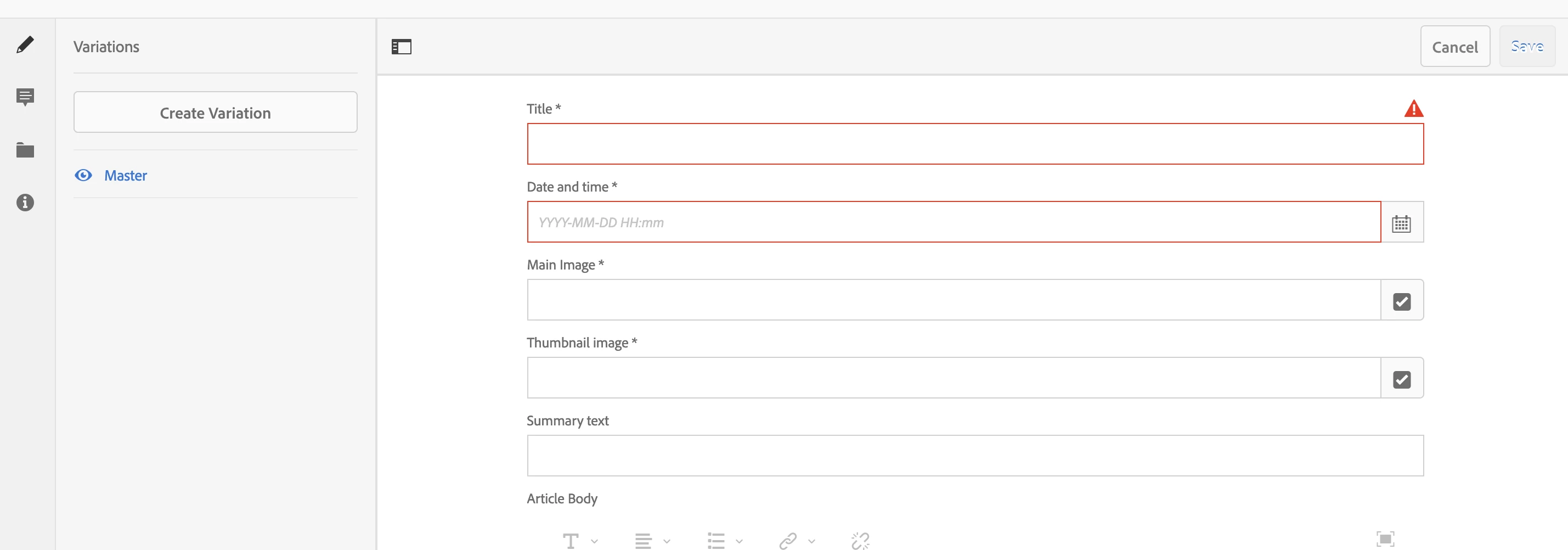
Screenshot-2 shows Title and Date & Time have content now but (content reference) Main Image and Thumbnail Image both are empty and we can save content fragment.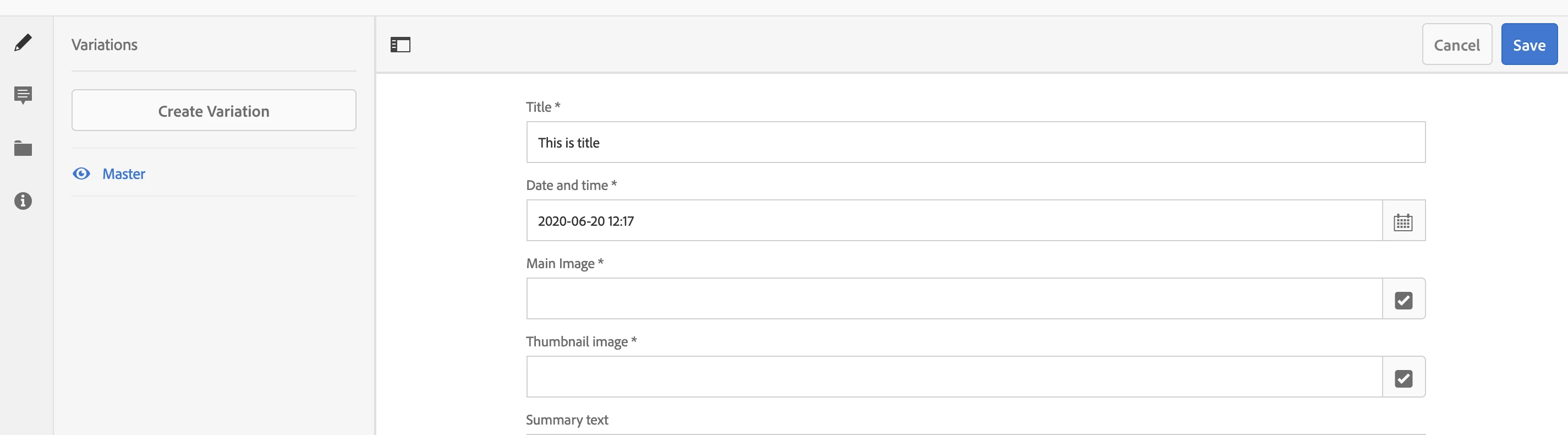
Screenshot-3 shows Main Image is mandatory now as we have focused on that field.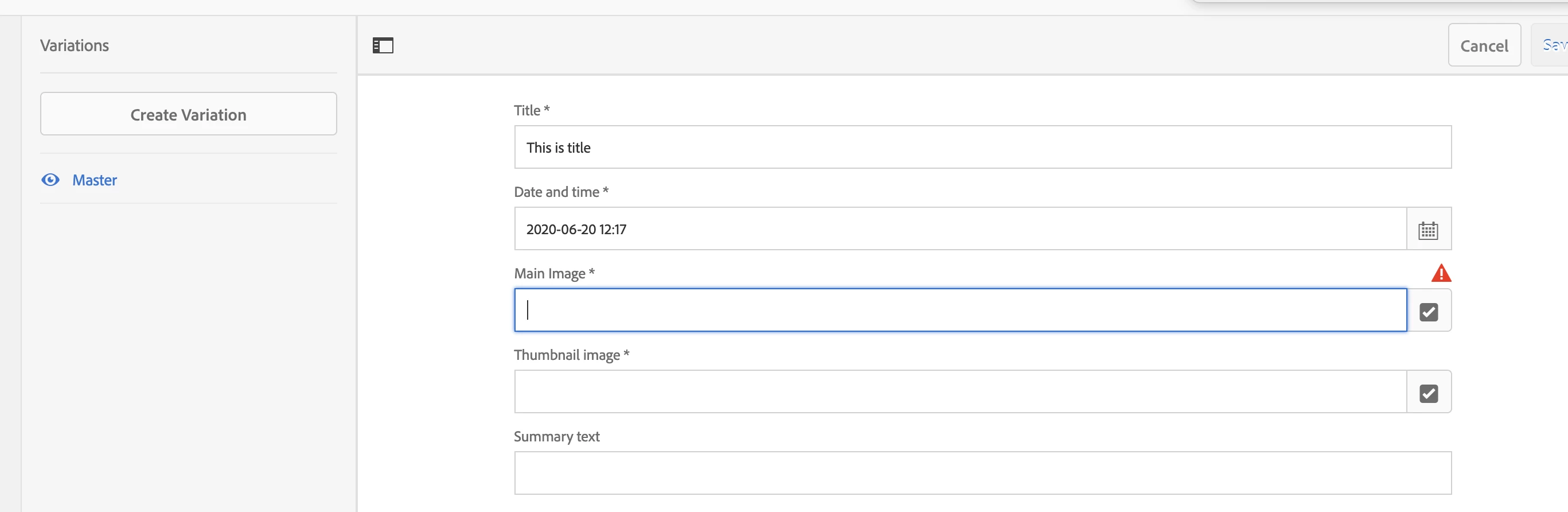
any suggestions / comments .. on why it's not working as a mandatory field at the very first time when page loads.
Thanks in advance !!