Content Policy for container inside Accordion Component | Community
Skip to main content
Level 2
April 15, 2021
Solved

Content Policy for container inside Accordion Component

  • April 15, 2021
  • 2 replies
  • 2620 views

Hi,
I want to use the accordion component from core components but I don't want to nest it. The approach is that to create a policy that will not allow adding accordion to the accordion panels. I would like to add a possibility to add a container to the accordion panel but restrict this container to don't add an accordion component.
Is it possible to handle that case with a suitable policy for this nested component or there is the different method?
This post is no longer active and is closed to new replies. Need help? Start a new post to ask your question.
Best answer by Asutosh_Jena_

Hi @mtobiasz 


You can configure the allowed components such as containers, text and so on.. through policy configuration for any core component.

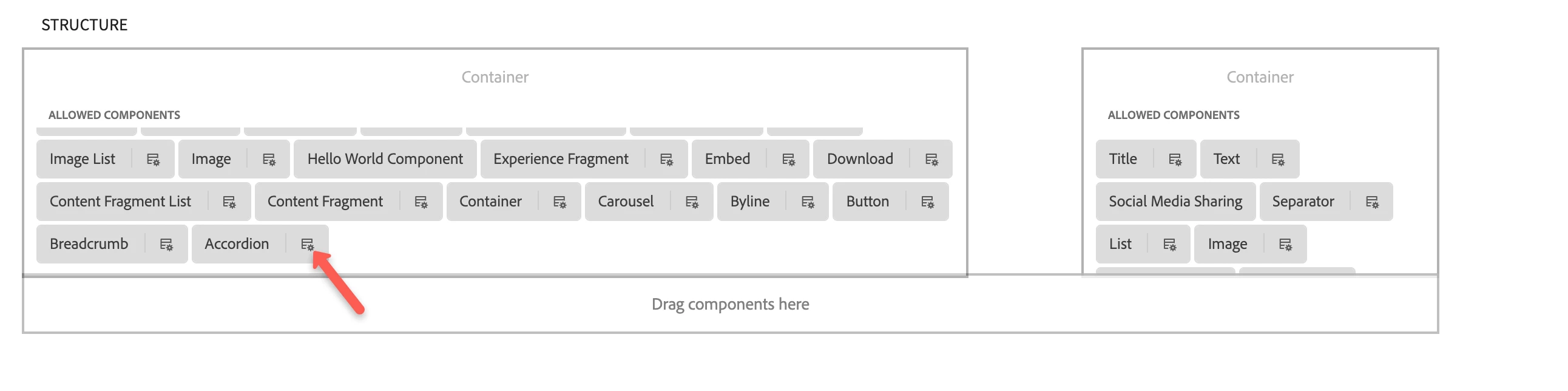
On the page template component layout section you can select the accordion component and configure the policy.

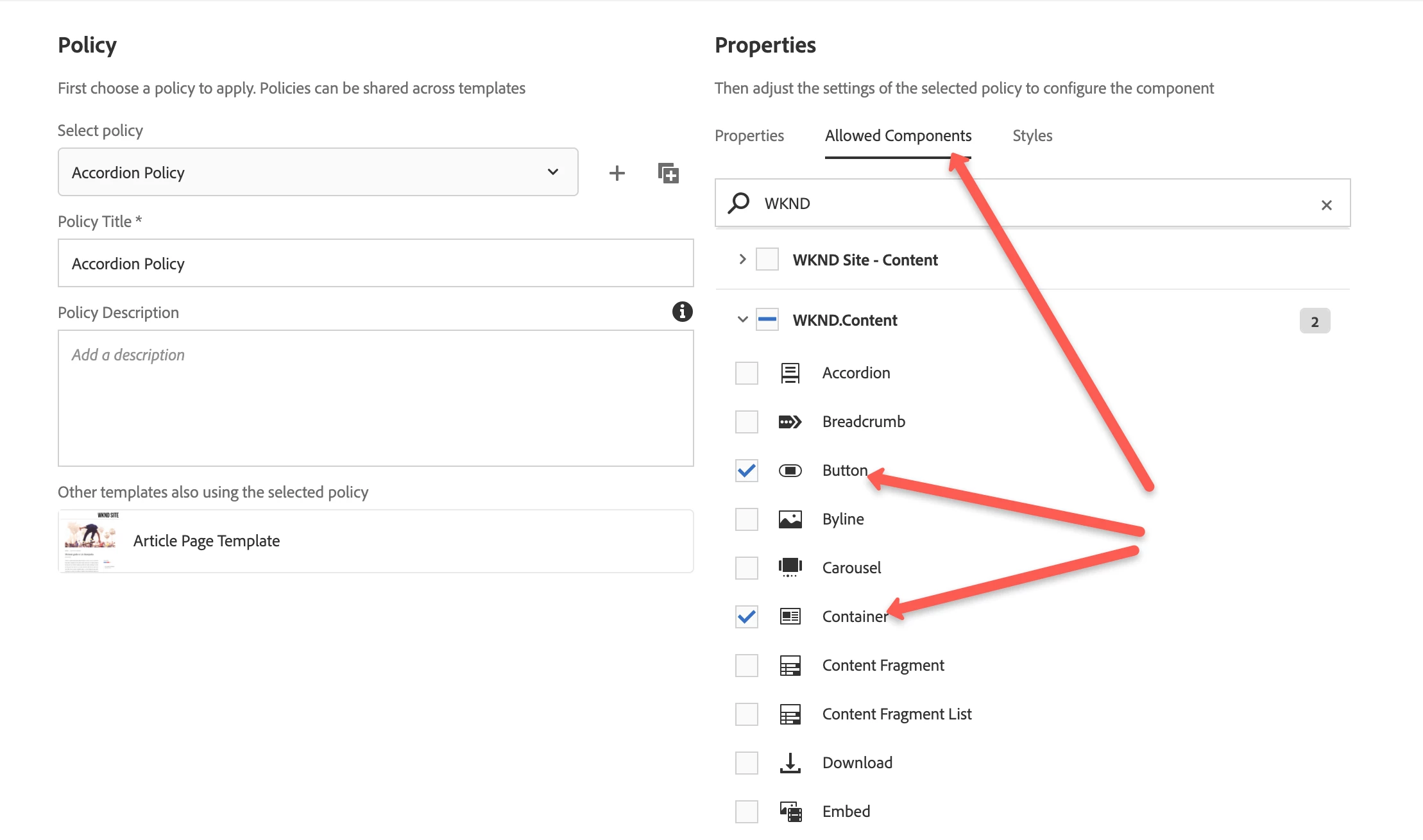
The Allowed Components tab is used to define which components can be added as items to panels in the Accordion Component by the content author.


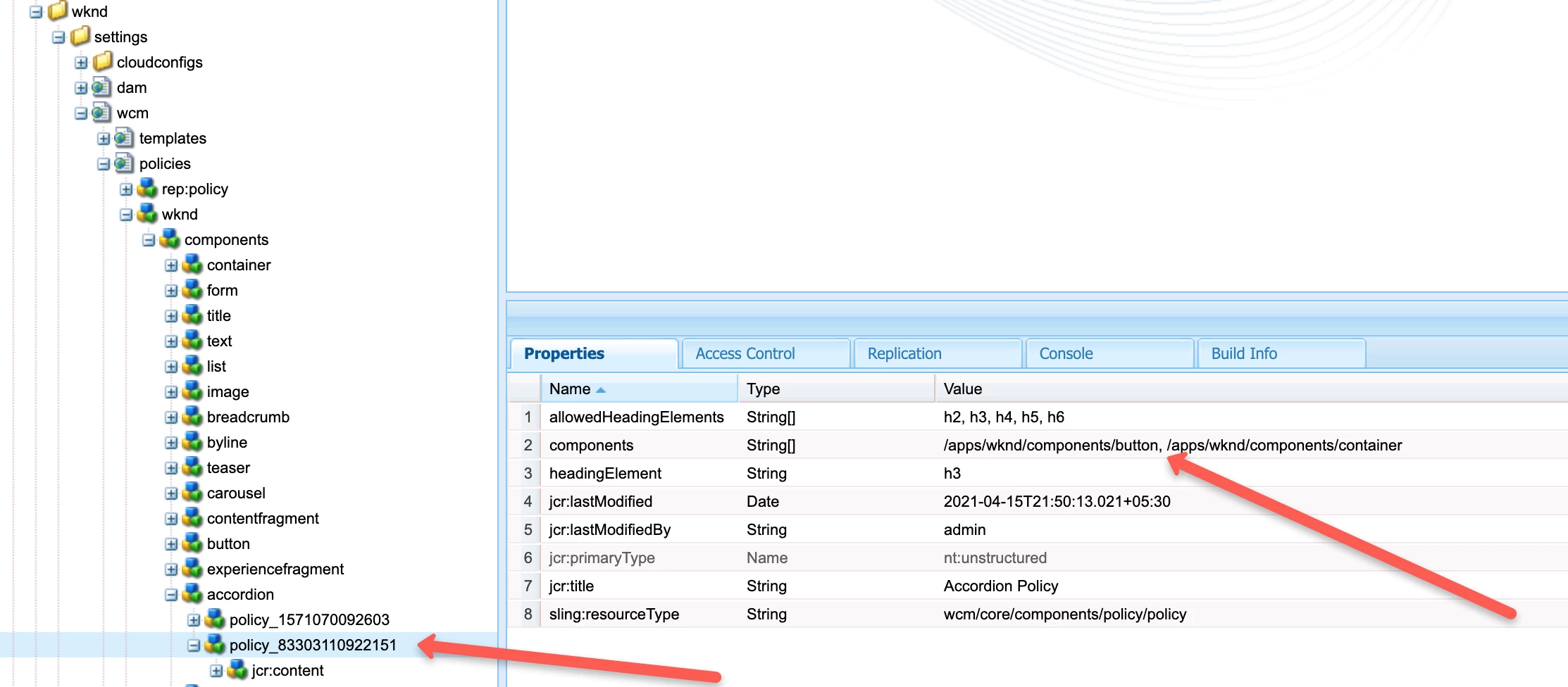
These configurations will be stored under /conf/project specific folder policy node.


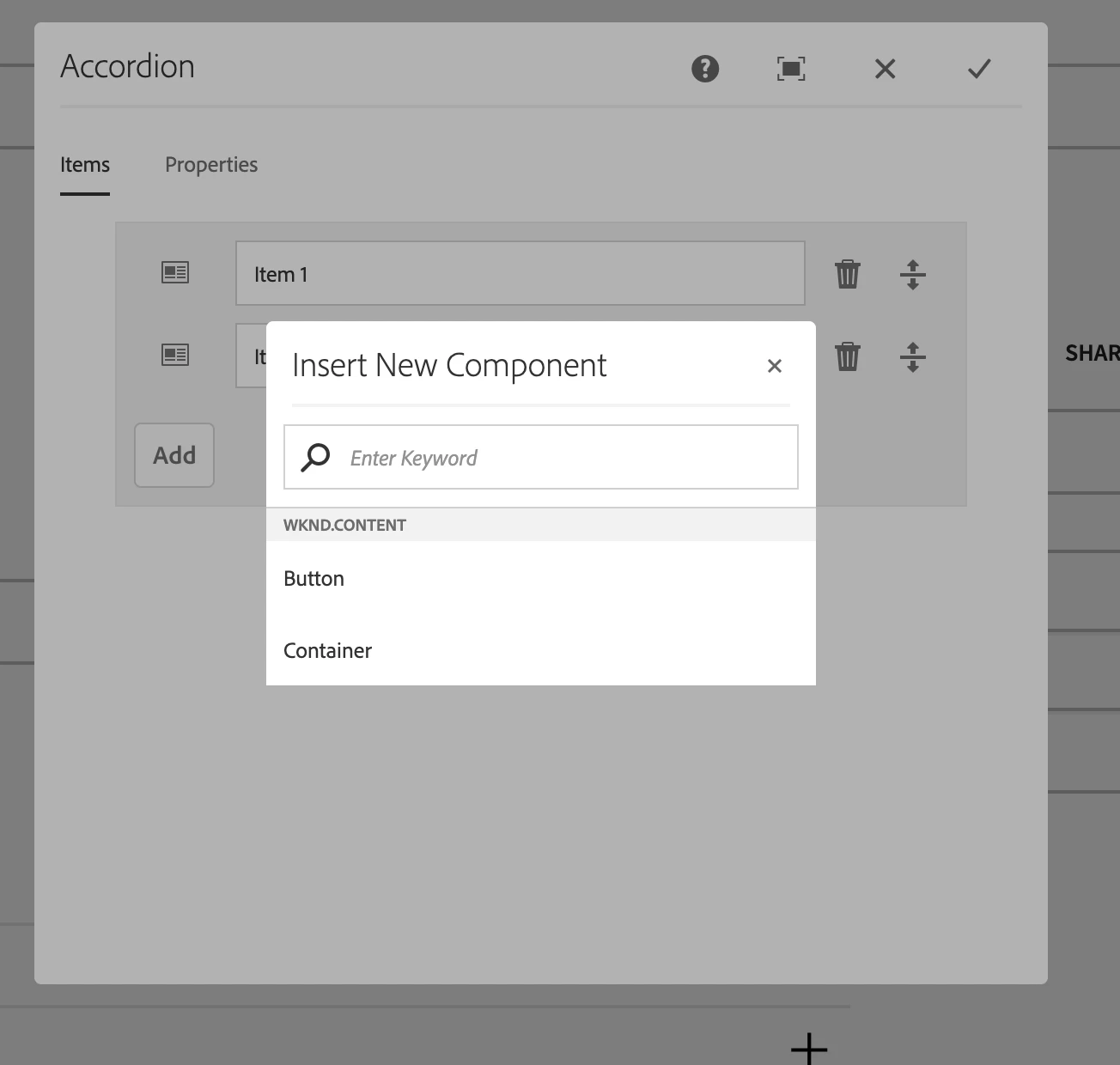
After all configuration when you try to add component in accordion it will look something like below


More informaiton is avaialble here:

https://experienceleague.adobe.com/docs/experience-manager-core-components/using/components/accordion.html?lang=en#design-dialog


Hope this helps!

Thanks!

2 replies

Pawan-Gupta
Level 8
April 15, 2021

Hello,

If i understood your requirement. you can do it by extending it so that you can modify/apply the policy you want as default its associated to ".wcm-core" group.

now, once you categorized it to one of your component group (or even temporary you can modify the core only) then through template policy you can enable it and then in the same plz you can configure the allowed component (in design dialog) to only allow container component you want rather default. also, going forward you can setup policy for the container as well.


I hope it helps!!

mtobiaszAuthor
Level 2
April 16, 2021

Hi,

I would like that this policy would only apply to the container inside the accordion (in the scope of the accordion policy) but not to the container outside the accordion. Is possible?

Asutosh_Jena_
Community Advisor
Asutosh_Jena_Community AdvisorAccepted solution
Community Advisor
April 15, 2021

Hi @mtobiasz 


You can configure the allowed components such as containers, text and so on.. through policy configuration for any core component.

On the page template component layout section you can select the accordion component and configure the policy.

The Allowed Components tab is used to define which components can be added as items to panels in the Accordion Component by the content author.


These configurations will be stored under /conf/project specific folder policy node.


After all configuration when you try to add component in accordion it will look something like below


More informaiton is avaialble here:

https://experienceleague.adobe.com/docs/experience-manager-core-components/using/components/accordion.html?lang=en#design-dialog


Hope this helps!

Thanks!

mtobiaszAuthor
Level 2
April 15, 2021

Hi @asutosh_jena_

Thanks for your response.
I'm aware of creating a policy for accordion so I can select only allowed components. But my question is related to using the policy for component one level down.
 - accordion_policy

 -- allowed components

 --- container 

 ---- allowed components

 ----- same components like in accordion allowed components list
Like in your example I would like to add the Container component as an item to the accordion but I would like to restrict this Container to allow only adding the same components as for the accordion component (In your example Button and Container). This restriction should work only in the scope of the accordion policy.