Content Fragment Translation - Inline Media Asset | Community
Skip to main content
Level 2
January 16, 2025

Content Fragment Translation - Inline Media Asset

  • January 16, 2025
  • 1 reply
  • 493 views

Hi,

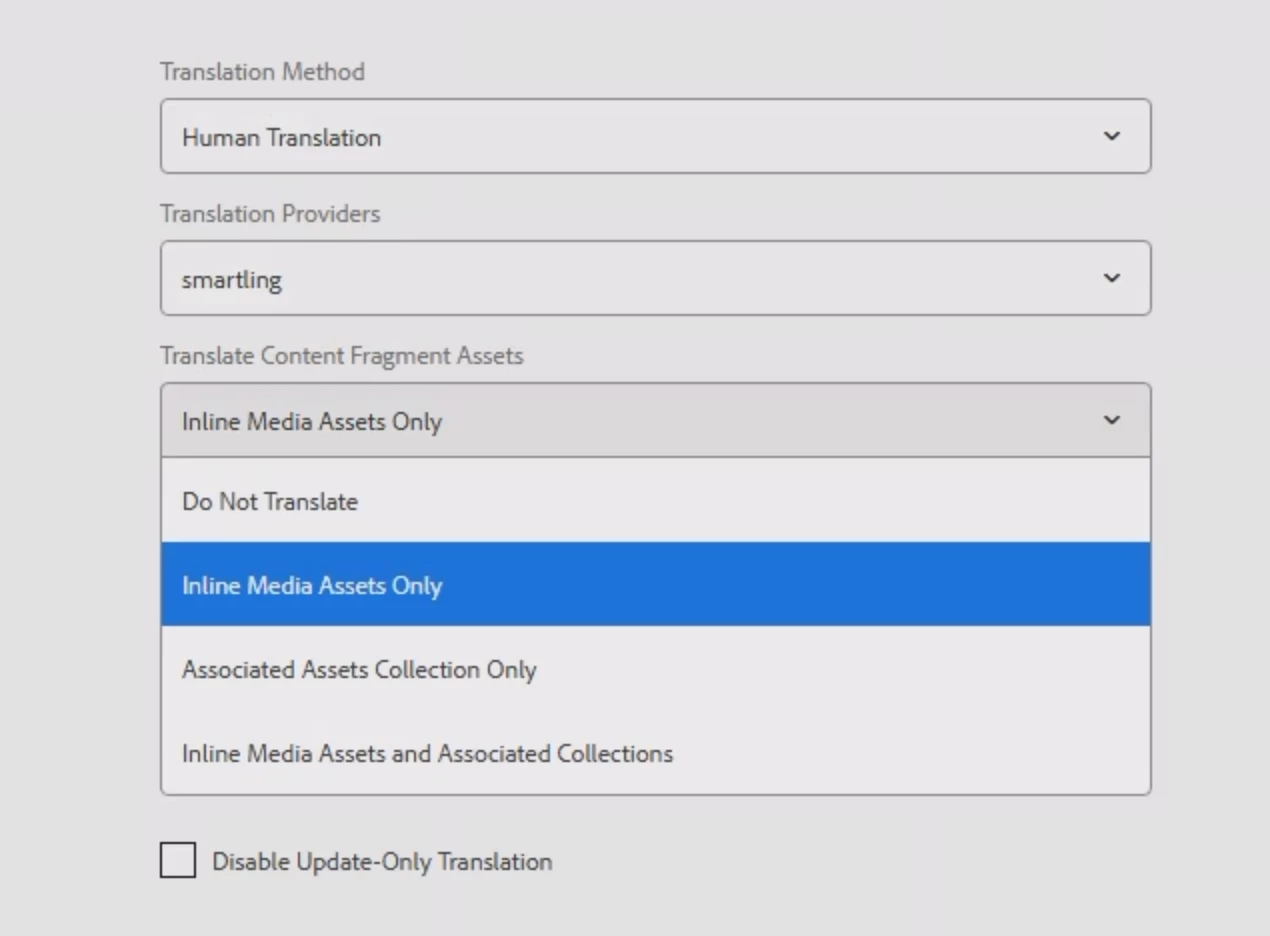
As per the translation cloud configuration I am not able to find an option to stop Inline Media Assets to be translated.

In simpler words, if Content Fragment 2 is being referred in Content Fragment 1, and we try to submit translation for Content Fragment 1, then Content Fragment 2 should not be sent for translation.


While exploring the available options, I can find options to include media assets or assets collection but can't find the solution to exclude them.


Thanks,

Saurabh

This post is no longer active and is closed to new replies. Need help? Start a new post to ask your question.

1 reply

AmitVishwakarma
Community Advisor
Community Advisor
January 19, 2025

To prevent Inline Media Assets (e.g., Content Fragment 2) from being translated when submitting Content Fragment 1:

  1. Adjust Translation Configuration: Modify the translation settings to exclude media assets.
  2. Use Content Fragment Models: Ensure content is structured so that media assets are separated and not sent for translation.
  3. Custom Workflow: Create a custom workflow to exclude media assets from translation.
  4. Asset Translation Settings: Set assets to be non-translatable within asset or translation configurations.
  5. AEM Translation API: Programmatically filter out media assets before submitting for translation.

These approaches can help achieve the desired result.

Level 2
January 20, 2025

Thanks for the response @246791, but please elaborate any of these Solutions - Adjust Translation Configuration, Use Content Fragment Models and Asset Translation Settings. I am not able to find where to update these settings.

Thanks