content fragment render image using core image component | Community
Skip to main content
sreenu539
Level 7
May 4, 2023

content fragment render image using core image component

  • May 4, 2023
  • 2 replies
  • 931 views

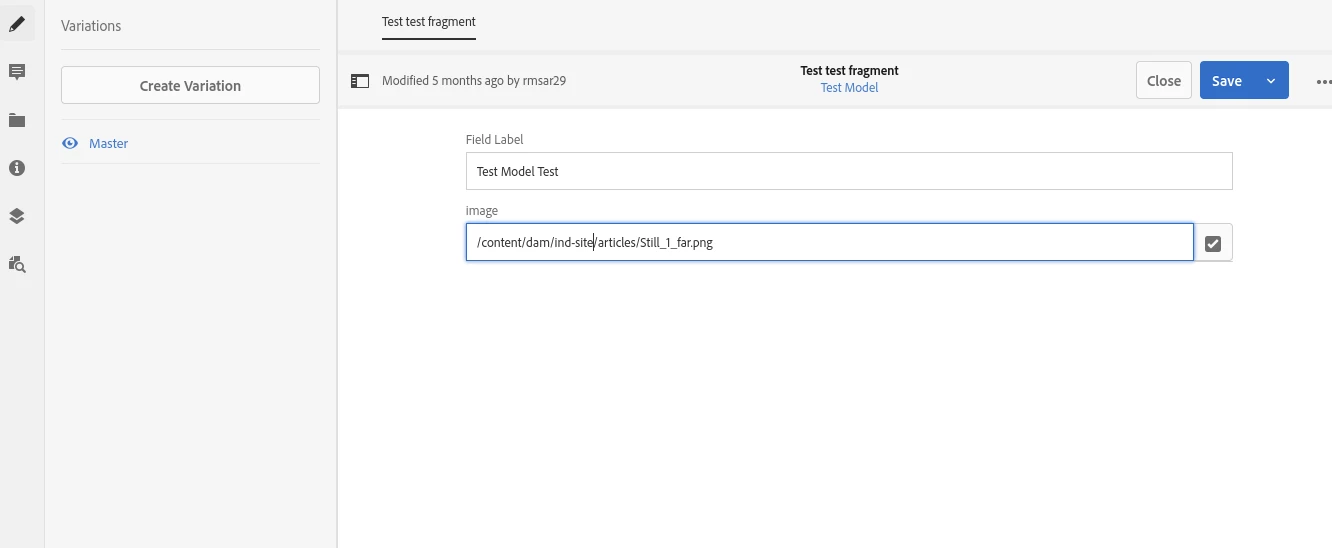
Goal : DAM asset path authored in a content fragment. content fragment selected to display on a page.

content fragment component need to render below html markup to utilize core component image (adaptive image servlet capabilities)


sample content fragment:


<img src="/content/experience-fragments/companysite/homepage/hero/master/_jcr_content/root/main-content/hero_copy.coreimg.jpeg/1679948264/homepage-hero.jpeg" class="cmp-image__image" itemprop="contentUrl" data-cmp-hook-image="image" alt="">


Does below solution work? Can someone suggest, how anyone achieved above ask.


Asset asset = resourceResolver.getResource(cfDamImageElementPath).adaptTo(Asset.class); Image imageResource = new Image(asset); image.setSelector(".img"); image.setAlt("asset metadata alt"); image.setLinkURL(asset.getPath()); return imgeResource.getHtmlTag(currentPage); //image tag // use above result ${} in sightly htl


Thanks.

Sri

This post is no longer active and is closed to new replies. Need help? Start a new post to ask your question.

2 replies

Shubham_borole
Community Advisor
Community Advisor
May 5, 2023

Hi,


Can you please add more details about the mark up, how the CF data is being included in mark up? The sample path seems to be of an Experience Fragment.


If this is supposed to be as part of a component. The component can use a sling model to fetch the image path authored in content fragment. And in HTL for the component we can add something like this


<img src="${ myModel.imagePath @ path }">

or

<div data-sly-resource="${ @9556322=myModel.imagePath, resourceType="/libs/foundation/imagepath"}"></div> //see to use appropriate resourcetype

Does that work?

sreenu539
sreenu539Author
Level 7
May 5, 2023

I do not think either of those render viewport specific image rather load an original image irrespective of device size.