Component lists not visible in dropdown list | Community
Skip to main content
November 16, 2020
Solved

Component lists not visible in dropdown list

  • November 16, 2020
  • 2 replies
  • 2122 views

Hi there, 

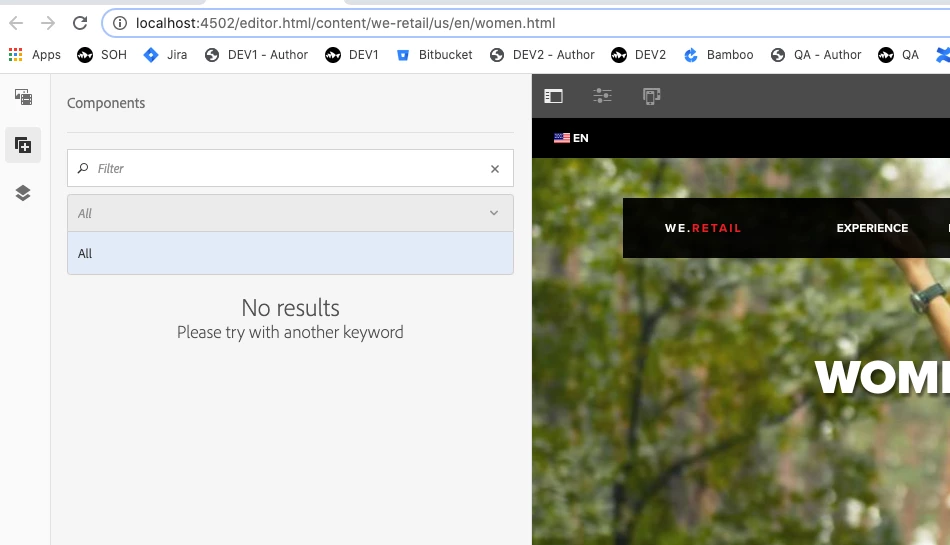
With my Local instance, I'm having an issue accessing components via the dropdown menu/ filter. 

My understanding is that the permissions that are set via the AC Tool control what a user can/ can't see regarding components. 

Any suggestions on where to look/ target so this issue can be resolved? 
This post is no longer active and is closed to new replies. Need help? Start a new post to ask your question.
Best answer by SureshDhulipudi

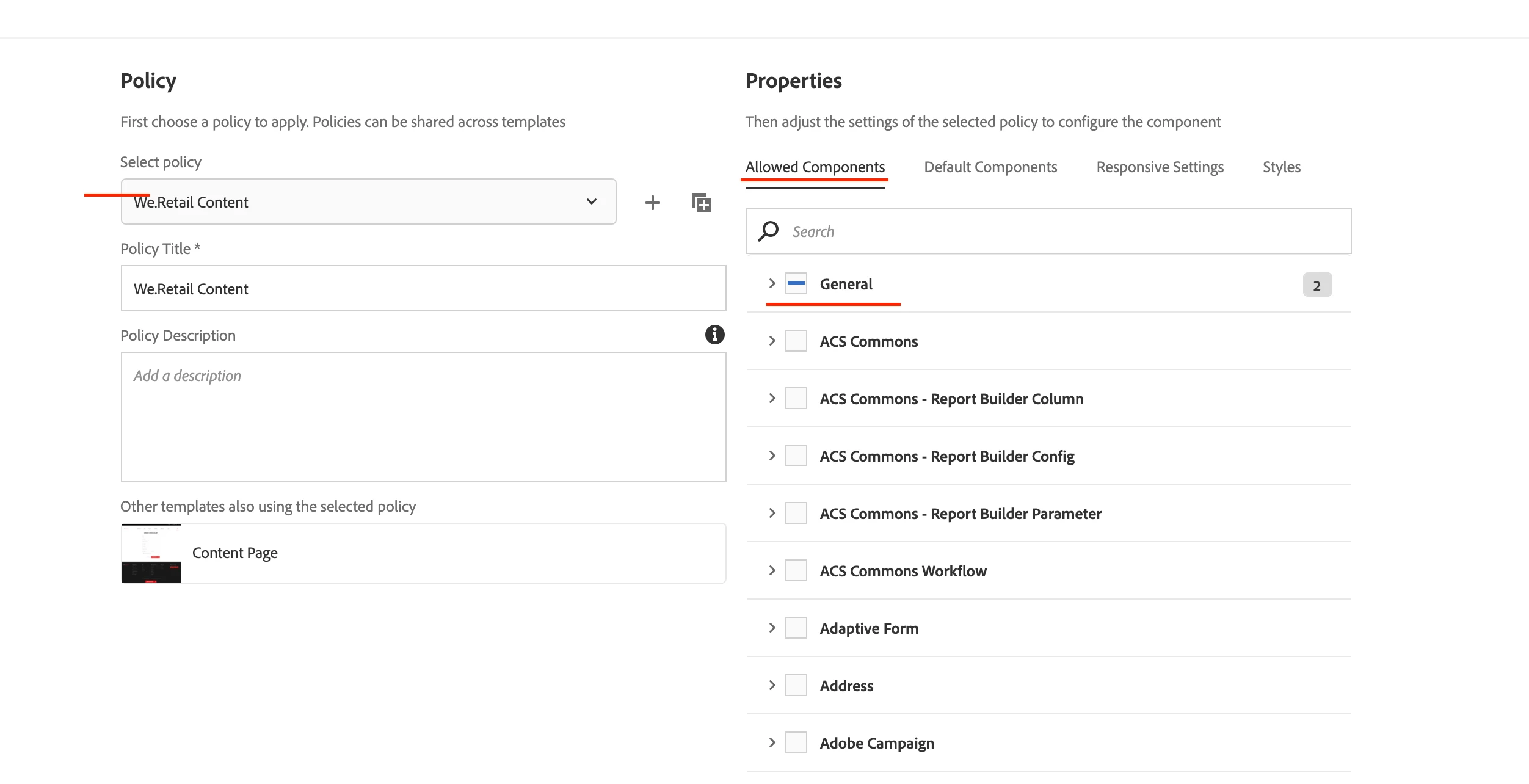
Check your Page Template Policy allowed components. For Editable Template.


2 replies

Anudeep_Garnepudi
Community Advisor
Community Advisor
November 16, 2020

Hi @lukemico1 

Switch to Design mode and check the enabled components for that template. Component(s) will only be visible if you enable Component(s)/Component Groups  for any parsys from Design mode.

AG

AG
SureshDhulipudi
Community Advisor
SureshDhulipudiCommunity AdvisorAccepted solution
Community Advisor
November 16, 2020

Check your Page Template Policy allowed components. For Editable Template.


lukemico1Author
November 17, 2020

Thanks, just to clarify I'm using AEM 6.5. Would be listed under either - 'General > Configuration Browser'? Or 'General > Components'?