Change unpublish page title in dialog box | Community
Skip to main content
Level 2
November 14, 2022
Solved

Change unpublish page title in dialog box

  • November 14, 2022
  • 1 reply
  • 623 views

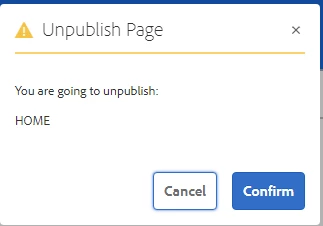
I am trying to edit the title here from 'Unpublish Page' to 'Activate Page.' How do I create an overlay that can edit this dialog box?
 

This post is no longer active and is closed to new replies. Need help? Start a new post to ask your question.
Best answer by lukasz-m

Hi @micoh,

To change the dialog box you have to overlay following path:

  • /libs/cq/gui/components/authoring/pageinfo/confirmunpublish/confirmunpublish.jsp,

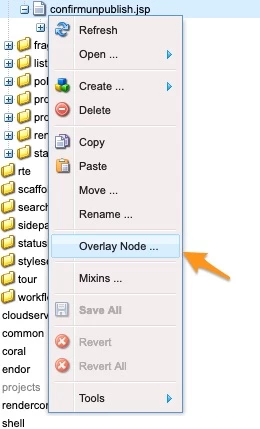
This can be done, e.g. by using Overlay Node option from context menu in crx:

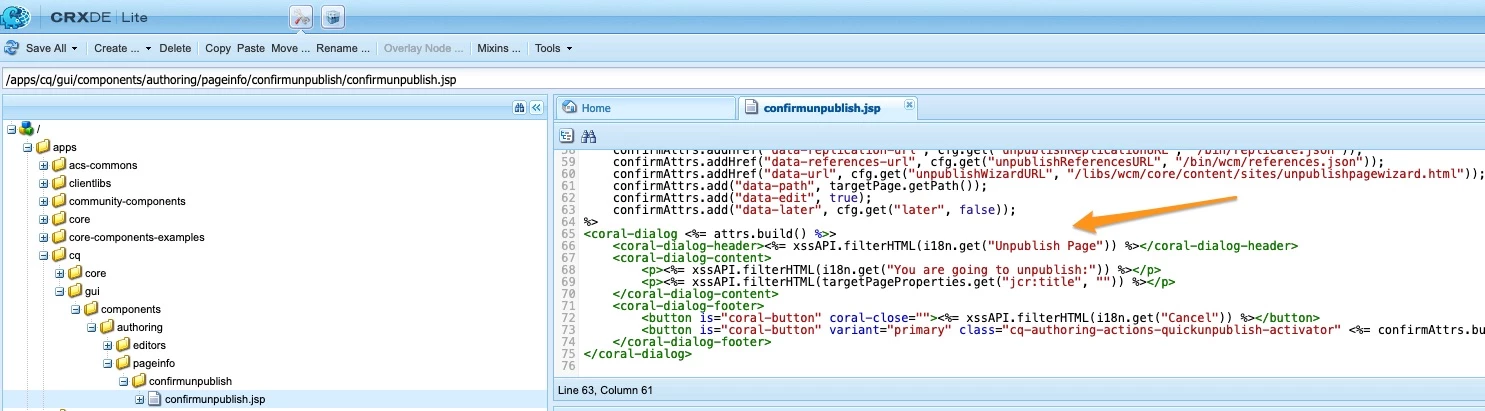
as a result under /apps you will get

  • /apps/cq/gui/components/authoring/pageinfo/confirmunpublish/confirmunpublish.jsp

final step will be to modify coral-dialog-header section in confirmunpublish.jsp (the one located under apps - which is result of overlay)

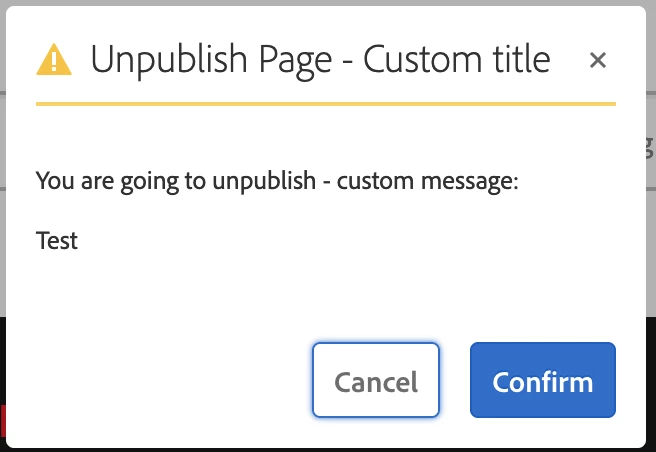
And sample result, looks like this:

Overlay documentation:

1 reply

lukasz-m
Community Advisor
lukasz-mCommunity AdvisorAccepted solution
Community Advisor
November 14, 2022

Hi @micoh,

To change the dialog box you have to overlay following path:

  • /libs/cq/gui/components/authoring/pageinfo/confirmunpublish/confirmunpublish.jsp,

This can be done, e.g. by using Overlay Node option from context menu in crx:

as a result under /apps you will get

  • /apps/cq/gui/components/authoring/pageinfo/confirmunpublish/confirmunpublish.jsp

final step will be to modify coral-dialog-header section in confirmunpublish.jsp (the one located under apps - which is result of overlay)

And sample result, looks like this:

Overlay documentation: