cannot resolved issue after AEM upgrading to 6.5 | Community
Skip to main content
Level 3
November 23, 2021

cannot resolved issue after AEM upgrading to 6.5

  • November 23, 2021
  • 2 replies
  • 1747 views

Hi all,

I have upgraded AEM 6.2 to 6.5. Then, my bundle shows 'Installed', not "Active" and I cannot start the bundle.

I have already updated the uber jar into 6.5.0.

I found the following issue under the bundle. May I know how to solve it?
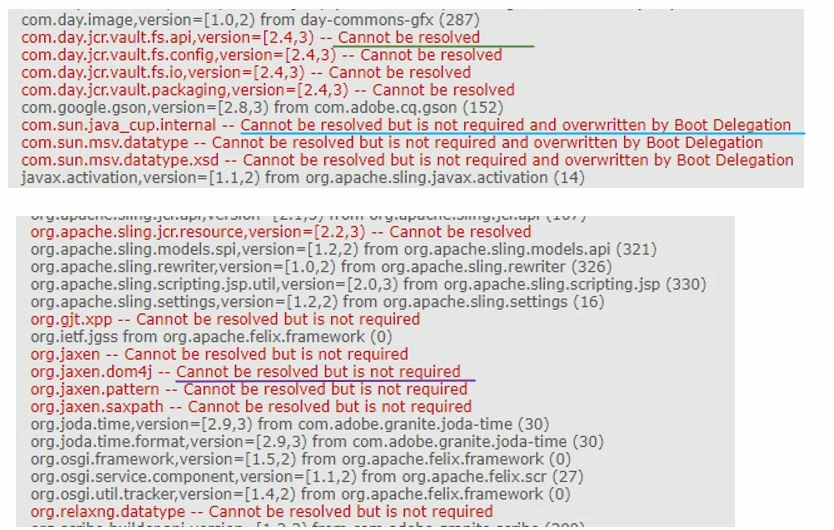


For 'Cannot be resolved but is not required' jar, can I remove it from our pom.xml file?

For 'version=[X.X,X) -- Cannot be resolved', is it need to update the compatible version? If yes, may I know the compatible version?

For 'Cannot be resolved but is not required and overwritten by Boot Delegation', May I know how can I solve it?

Thanks.

This post is no longer active and is closed to new replies. Need help? Start a new post to ask your question.

2 replies

Level 3
November 23, 2021

Check if the Uber jar version in main pom.xml is matching with the AEM version which you are using.

ariesyinnAuthor
Level 3
November 24, 2021

Hi @prashanthal 

Yes. It is the same. I updated uber jar and deployed the war file too.

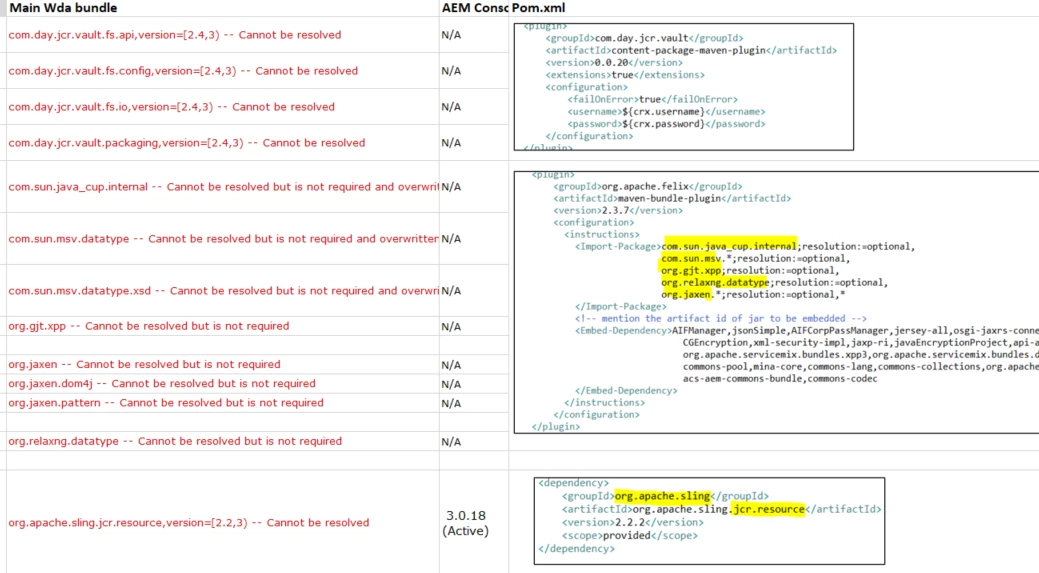
I have attached my pom.xml in my question.


Asutosh_Jena_
Community Advisor
Community Advisor
November 24, 2021

Hi @ariesyinn 


Which exact version of AEM you are using i.e., 6.5.8.0 or 6.5.10.0 ?


You will need to upgrade the user jar to respective version i.e. if you are using AEM 6.5.10.0 then uber jar should be 6.5.10


Also if there are any external dependency that was used in AEM 6.2, the same also needs to be updated to 6.5 compatible version.


Thanks!

ariesyinnAuthor
Level 3
November 24, 2021

Hi @asutosh_jena_ 

my AEM version is 6.5.0 and already updated uber 6.5.0 jar. 


Asutosh_Jena_
Community Advisor
Community Advisor
November 24, 2021

Please upgrade AEM version from 6.5.0 to 6.5.10.0 by installing the latest service pack. Also upgrade the uber jar version from 6.5.0 to 6.10.0


Thanks!