Can we edit the name of page components. If yes then how? | Community
Skip to main content
This post is no longer active and is closed to new replies. Need help? Start a new post to ask your question.
Best answer by B_Sravan

1. Go to http://localhost:4502/crx/de/index.jsp 
2. Navigate to your application folder, for example : "/apps/PROJECT_NAME/components/content/

3. Create a node with jcr:primaryType as cq:component


Here I am taking the example of List component.

4. Add jcr:title property and name it as per your requirement. For example, jcr:title = Project_Name-List

5. Add "sling:resourceSuperType" and give the core components path core/wcm/components/list/v2/list

6. Add componentGroup property and give a value.


Based on the group name you give, you see all your components under that group.


2 replies

B_Sravan
Community Advisor
Community Advisor
July 22, 2022

Page components? you mean the existing component names?
Name can be changed by changing the jcr:title of that respective component.

If you are referring to the components under general tab, those are core components. Extend those components to your application folder and rename their jcr:title and add "sling:resourceSuperType" to each of those components to their respective core paths.

Level 6
July 22, 2022

Hi @b_sravan 

Can you please provide steps how I can do that.

B_Sravan
Community Advisor
B_SravanCommunity AdvisorAccepted solution
Community Advisor
July 22, 2022

1. Go to http://localhost:4502/crx/de/index.jsp 
2. Navigate to your application folder, for example : "/apps/PROJECT_NAME/components/content/

3. Create a node with jcr:primaryType as cq:component


Here I am taking the example of List component.

4. Add jcr:title property and name it as per your requirement. For example, jcr:title = Project_Name-List

5. Add "sling:resourceSuperType" and give the core components path core/wcm/components/list/v2/list

6. Add componentGroup property and give a value.


Based on the group name you give, you see all your components under that group.


DEBAL_DAS
New Member
July 22, 2022

One question first -

Are you talking about your project specific authorable component here like Text, Image, Teaser, Hero etc?

When we talk about page component usually we refer base page component.


Approach1:


We could leverage AEM bulk editor to change the jcr:title of the component as shown below -


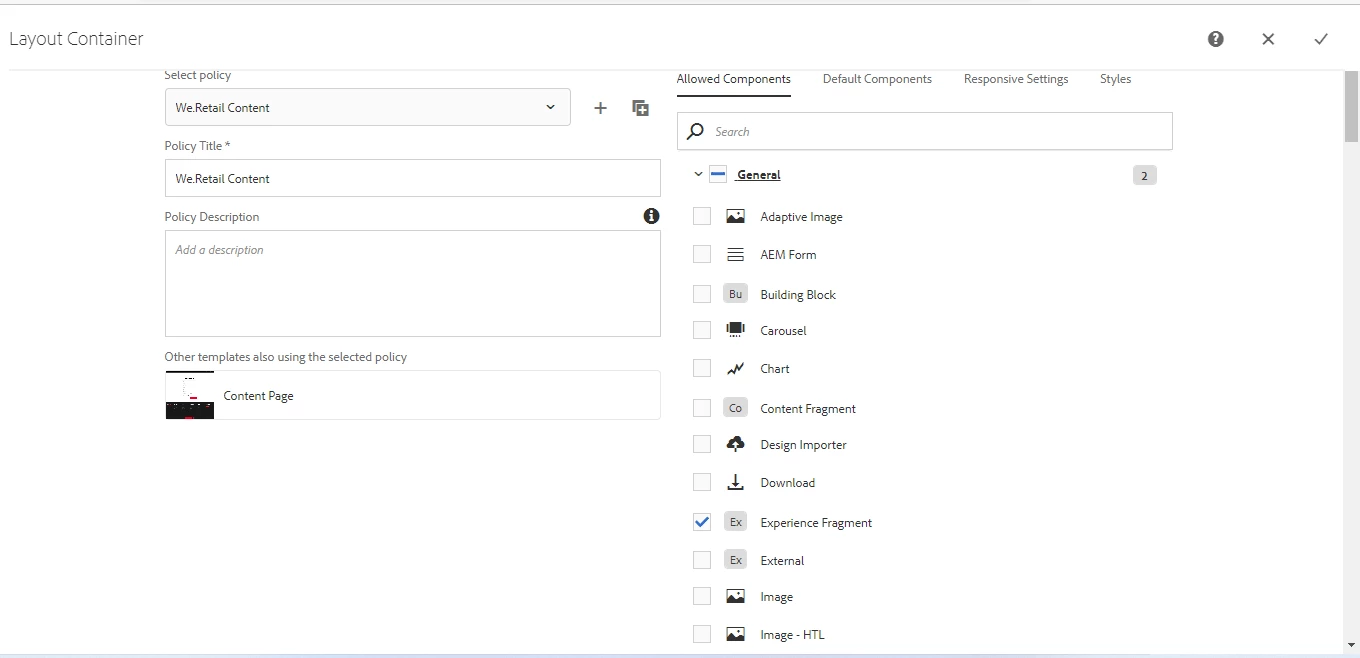
Updated jcr:title value is getting displayed in editable template layout container -

But this approach has one disadvantage , as I made this change directly in AEM instance , my change will be gone in next component package deployment, if I include this component in next release and deployment.


Approach 2:

Better to update jcr:title in .context.xml [location would be something like : \aem-projects\aem-demo\ui.apps\src\main\content\jcr_root\apps\demo\components\pdfviewer] and commit your changes.


Now the most important point component name and title[jcr:title] both are different. If we change component name it means I am interested change component node name at page level as shown below -

then it will bring disaster if we have used this component already on different pages.


I would request you please talk to your architect first , discuss about the use case and analyze the impact.


Usually we don't edit anything directly on components , those are part of General component group.

Debal Das, Senior AEM Consultant