October 5, 2021

Can't view Character counter in a field inside Multifield resource type

  • October 5, 2021
  • 2 replies
  • 1272 views

Hi All,


I would like to know how to bring up the character count for a text field or rich text field that is available inside a component which uses Multifield resource type.

Eg: the below is a component that uses a Multifield resource type
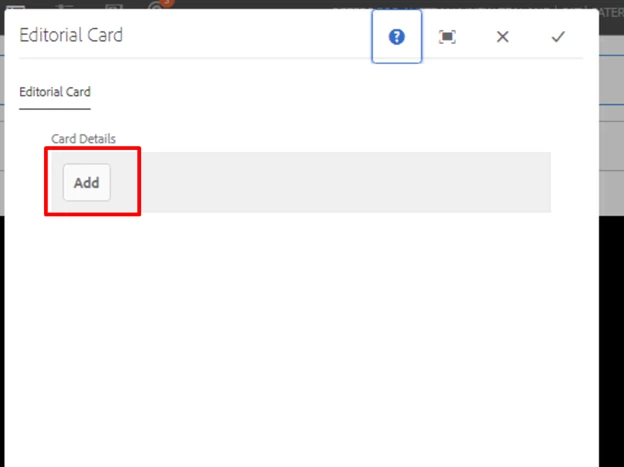
when i click on Add button, the counter should appear for the Head line field:
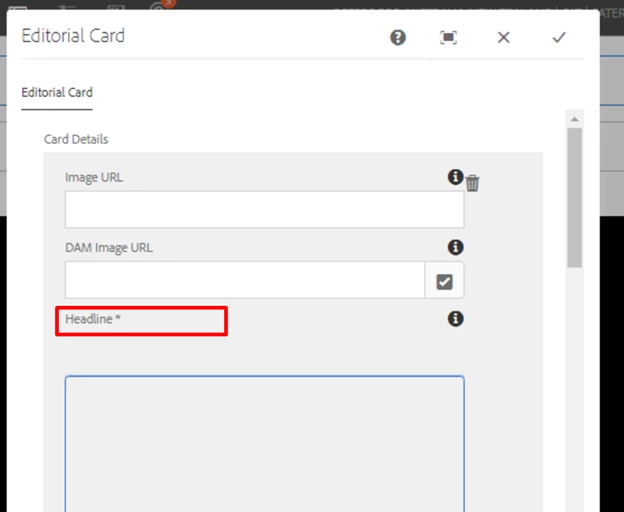
 

Actually, I have already added the

maxlength="54"

property in the XML. If i click on the add button the counter does not appear. 

But when i edit the component and save it and reopen the same, the counter appears.


PFB:
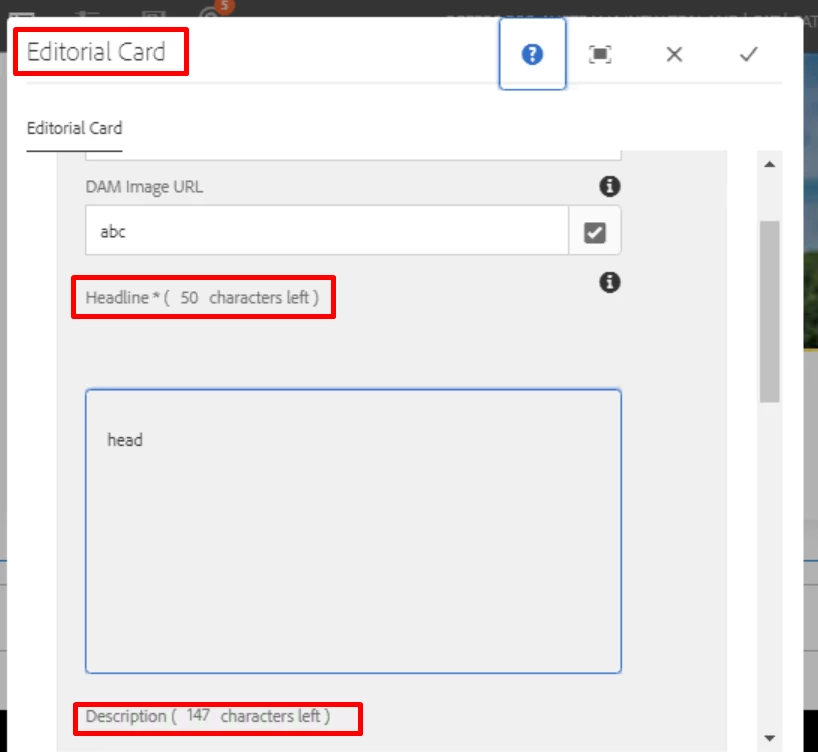
 

I want the counter to appear as soon as i click on the add button.

Please help. Thanks

This post is no longer active and is closed to new replies. Need help? Start a new post to ask your question.

2 replies

Sanjay_Bangar
Community Advisor
Community Advisor
October 5, 2021

Hi @nivedak83512396 ,

           You can add properties to the respective field.

Property name is max-char allowed.


Kr,

Sanjay

October 5, 2021

Hi Sanjay,

SHould i add the property to XML?

Actually, I have already added the

maxlength="54"

in the XML. If i click on the add button the counter does not appear. 

But when i edit the component and save it and reopen the same, the counter appears.

I want the counter to appear as soon as i click on the add button.

Please help.

Thanks. 

Kiran_Vedantam
Community Advisor
Community Advisor
October 5, 2021

Hi @nivedak83512396 


What do you mean by counter? If you want the author to know the number of characters allowed, you can add it in the field description.


Thanks,

Kiran Vedantam.

October 5, 2021

Hi Kiran, Please check my Initial query. I have updated the screen shots again now. in the XML structure i have already added the Maxlength property for the fields. That does not appear when i click on the add button only. Once i make changes and reopen the component the counter appears as shown in that figure.


thanks.