Bundle Activation Error | Adobe Higher Education
Skip to main content
neeraj_24412
Level 4
November 10, 2022
Besvarat

Bundle Activation Error

  • November 10, 2022
  • 2 svar
  • 1397 visningar

Hi all,
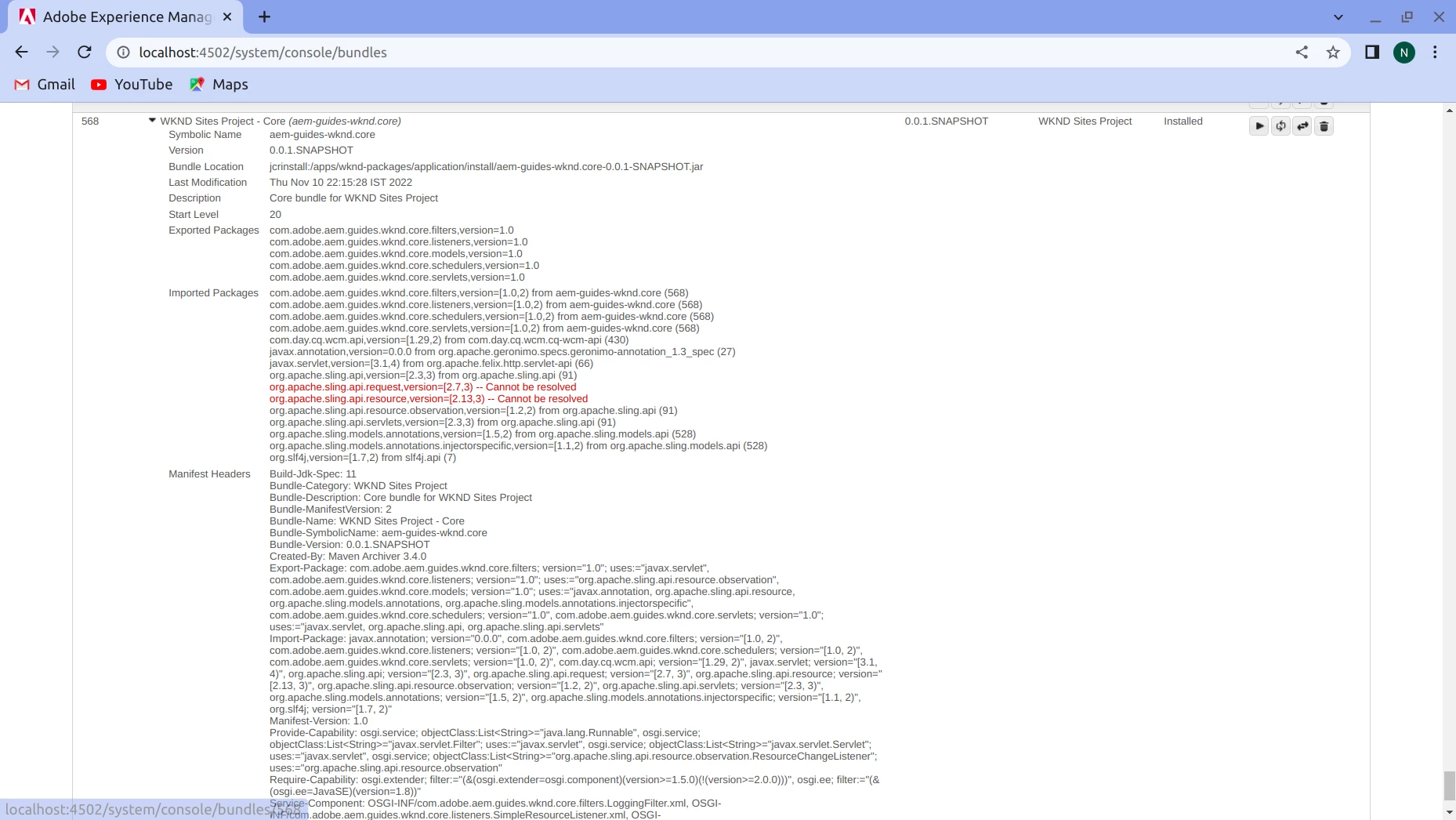
I am facing this issue in bundles 
org.apache.sling.api.request,version=[2.7,3) -- Cannot be resolved
org.apache.sling.api.resource,version=[2.13,3) -- Cannot be resolved
I am using Aem cloud version and build this project by archetype 35

Det här ämnet har stängts för svar.
Bästa svar av SantoshSai

Hi @neeraj_24412 ,
This is because aem.sdk.api dependency is downloaded on your local per your pom.xml.

  • So as per this version of cloud the org.apache.sling.api.request,version is [2.6,3). But if the local cloud version you are using is lesser than the above version, then your bundles will not resolve and will throw the above error.

Please follow the steps mentioned here [0]. as per mentioned by @saravanan_dharmaraj

[0]: https://www.linkedin.com/pulse/aem-bundles-resolving-archetype-archetypeversion35-cannot-vikraman/

Hope that helps!

Regards,

Santosh

2 svar

SantoshSai
Community Advisor
Community Advisor
November 10, 2022

Hi @neeraj_24412 ,
This is because aem.sdk.api dependency is downloaded on your local per your pom.xml.

  • So as per this version of cloud the org.apache.sling.api.request,version is [2.6,3). But if the local cloud version you are using is lesser than the above version, then your bundles will not resolve and will throw the above error.

Please follow the steps mentioned here [0]. as per mentioned by @saravanan_dharmaraj

[0]: https://www.linkedin.com/pulse/aem-bundles-resolving-archetype-archetypeversion35-cannot-vikraman/

Hope that helps!

Regards,

Santosh

Santosh Sai
neeraj_24412
neeraj_24412Skribent
Level 4
November 10, 2022