Asset uploaded in DAM are not published in Scene7. | Community
Skip to main content
Community Advisor
May 19, 2020
Solved

Asset uploaded in DAM are not published in Scene7.

  • May 19, 2020
  • 3 replies
  • 7741 views

I have configured Dynamic Media in my local and uploaded some images in DAM. DAM Asset Update workflow is triggered and all images are uploaded in Scene7 successfully. But these images are not published in Scene7. I can see dam:scene7FileStatus as PublishIncomplete. I had to login into Scene7 classic and manually publish them.


Is it always manual publish in Scene7 or am I missing something here?

Thanks in advance


@arunpatidar @kautuk_sahni @joerghoh 

Swapnil

This post is no longer active and is closed to new replies. Need help? Start a new post to ask your question.
Best answer by Ravi_Pampana

Hi,

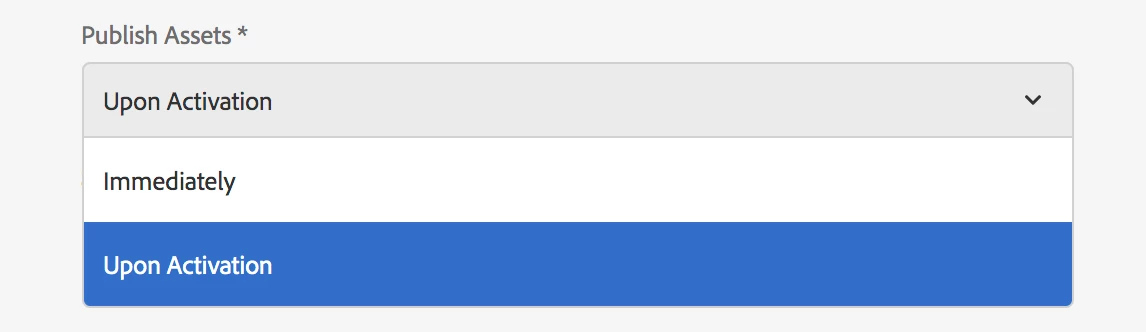
There is an option in Dynamic Media configuration when the image should be published in scene7. Whether on upload immediately or upon activation if image. If yo u select immediately the image should publish in scene7 on upload. 


If problem still exists, check your access in Scene7 (whether you have publishing permissions) and please share the version of AEM you are using.


3 replies

Level 3
May 19, 2020

Any assets that you upload into Dynamic Media Classic are automatically marked for publishing.

You have other configs to schedule publish, which you can refer in below document

https://docs.adobe.com/content/help/en/dynamic-media-classic/using/upload-publish/publishing-files.html


Ravi_Pampana
Community Advisor
Ravi_PampanaCommunity AdvisorAccepted solution
Community Advisor
May 19, 2020

Hi,

There is an option in Dynamic Media configuration when the image should be published in scene7. Whether on upload immediately or upon activation if image. If yo u select immediately the image should publish in scene7 on upload. 


If problem still exists, check your access in Scene7 (whether you have publishing permissions) and please share the version of AEM you are using.


Community Advisor
May 19, 2020

Thank you Ravi for pointing this out. Yes in my case its set to "Upon Activation". So I published an asset but I am getting below error.

19.05.2020 22:14:43.775 *ERROR* [0:0:0:0:0:0:0:1 [1589906681951] GET /assetdetails.html/content/dam/path/to/folder/asset.PNG HTTP/1.1] com.day.cq.dam.scene7.impl.Scene7ServiceImpl Unable to get Scene7 publish url

19.05.2020 22:14:45.189 *ERROR* [0:0:0:0:0:0:0:1 [1589906685175] GET /is/image/SearsTransformstage/asset HTTP/1.1] com.adobe.cq.dam.s7imaging.impl.ps.forwarder.ForwardRequestHandlerFactory Unable to forward request for root ID: [SearsTransformstage], no preview server defined for [SearsTransformstage]


I am on 6.5.

arunpatidar
Community Advisor
Community Advisor
May 19, 2020