Approver not able to move to next step in workflow | Community
Skip to main content
Level 4
August 18, 2020
Solved

Approver not able to move to next step in workflow

  • August 18, 2020
  • 1 reply
  • 1197 views

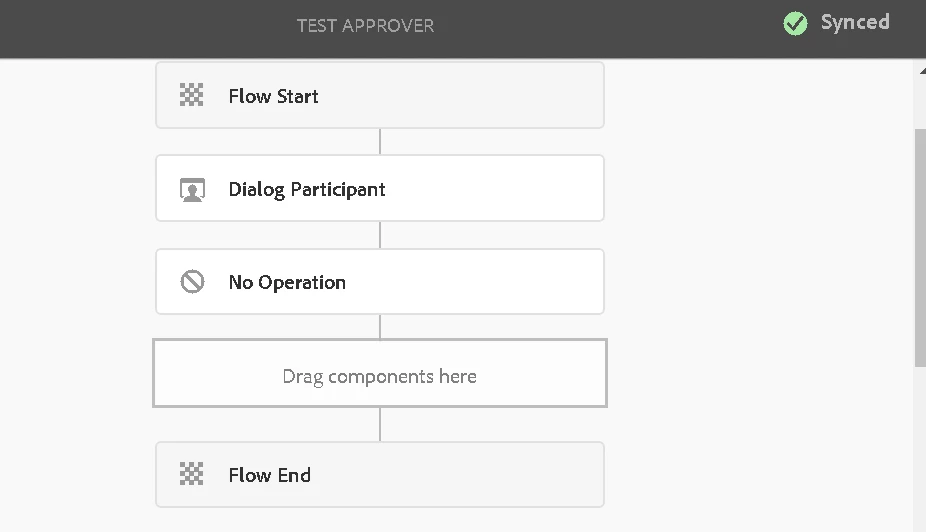
i have a group called approver inheriting permission from OOTB content-author and workflow-user. A simple workflow attached in the image. But when the admin starts the workflow on a page, the workitem is present in the inbox of approver and he is able to add annotation to the page. but he is not able to move to the next step. even after choosing the next step for completion, the approver stays in the same state of the workflow instance.

seems like an ACL issue but cant figure out what.
This post is no longer active and is closed to new replies. Need help? Start a new post to ask your question.
Best answer by AlbinIs1

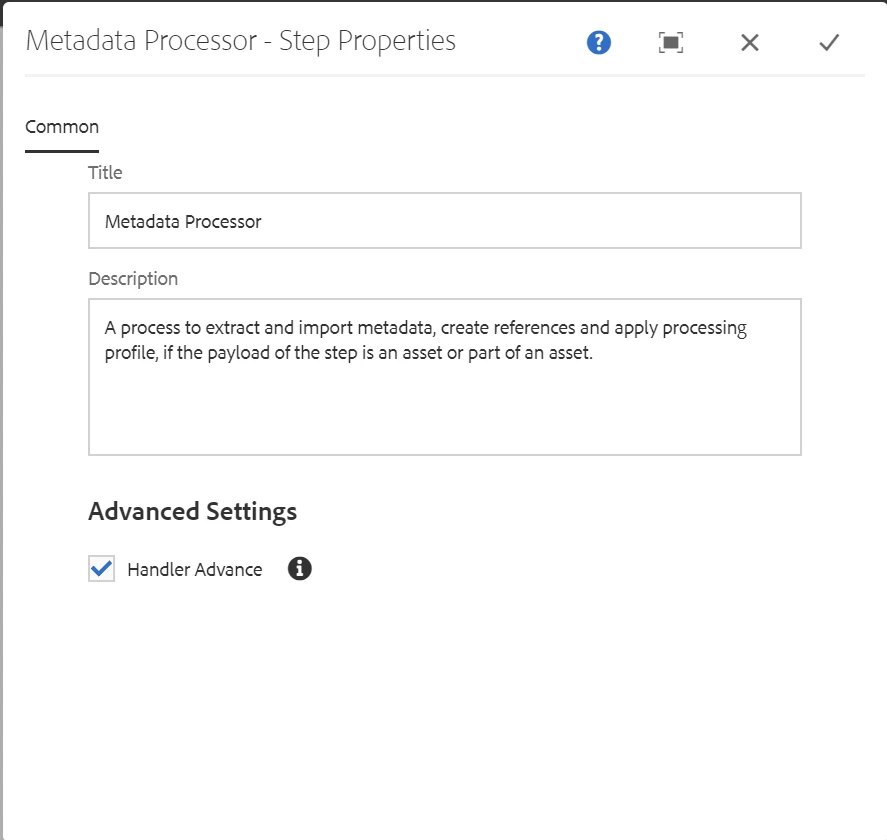
Please check "handler advance" option is selected in the step

The handler advance option when true (checked), will advance the workflow to the next step after the current process is done with its execution.

 In case the handler advance option is false (unchecked), the process script has to take care of advancing the workflow to the next step. In case the script doesn't handle this, the workflow would remain in the running state without proceeding further from the current step.


Regards

Albin I

www.albinsblog.com

1 reply

AlbinIs1Community AdvisorAccepted solution
Community Advisor
August 18, 2020

Please check "handler advance" option is selected in the step

The handler advance option when true (checked), will advance the workflow to the next step after the current process is done with its execution.

 In case the handler advance option is false (unchecked), the process script has to take care of advancing the workflow to the next step. In case the script doesn't handle this, the workflow would remain in the running state without proceeding further from the current step.


Regards

Albin I

www.albinsblog.com

Level 4
August 20, 2020
thanks for the answer. i could debug the issue. it was related to permission. the approver needs delete to instance, workflow and package level to be able to move to the next step.