Always start AEM Coral UI Datepicker with Today's date irrespective of existing value. Request for help. Thanking you
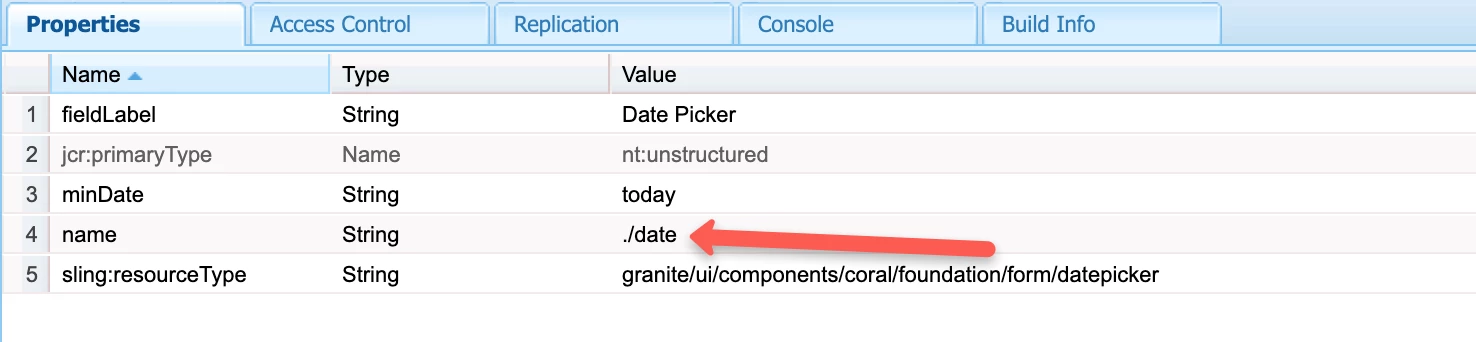
We have AEM Coral UI Datepicker on page properties.
The Datepicker field may have some existing saved value. For example 2018-01-01
So when we click on Datepicker icon, the Datepicker's Calendar starts with the already existing date (2018-01-01).
The problem here is that if the user wants to change the date, as we have the min date as today, the user needs to manually click on the Calendar's right arrow several times to reach today's date which is not a good user experience.
We checked the Coral UI docs and didn't any API method to set the Datepicker's Calendar start Date or to always start the Datepicker's Calendar with today's date when we already have some existing date value in the datepicker field.
Please note stetting the min date will only disable the past dates but the calendar will start form the existing date instead of today's date.
Or can we at least add Today's button on the calendar like other date picker, on click of which will directly takes us to today's date.
Any example / reference / sample code / demo would be for great help. Thanking you.