Level 2
Apr 17, 2025 6:45 PM UTC
Solved

After Installing AEM Service pack 22, Imported Package not resolved for AEM UI WCM Admin Bundle(com.adobe.cq.ui.admin)

Hi All,

I have recently installed AEM service pack 22 on AEM6.5 local machine.

But After installation bundle AEM UI WCM Admin Bundle(com.adobe.cq.ui.admin) is not active and remained in installed state.

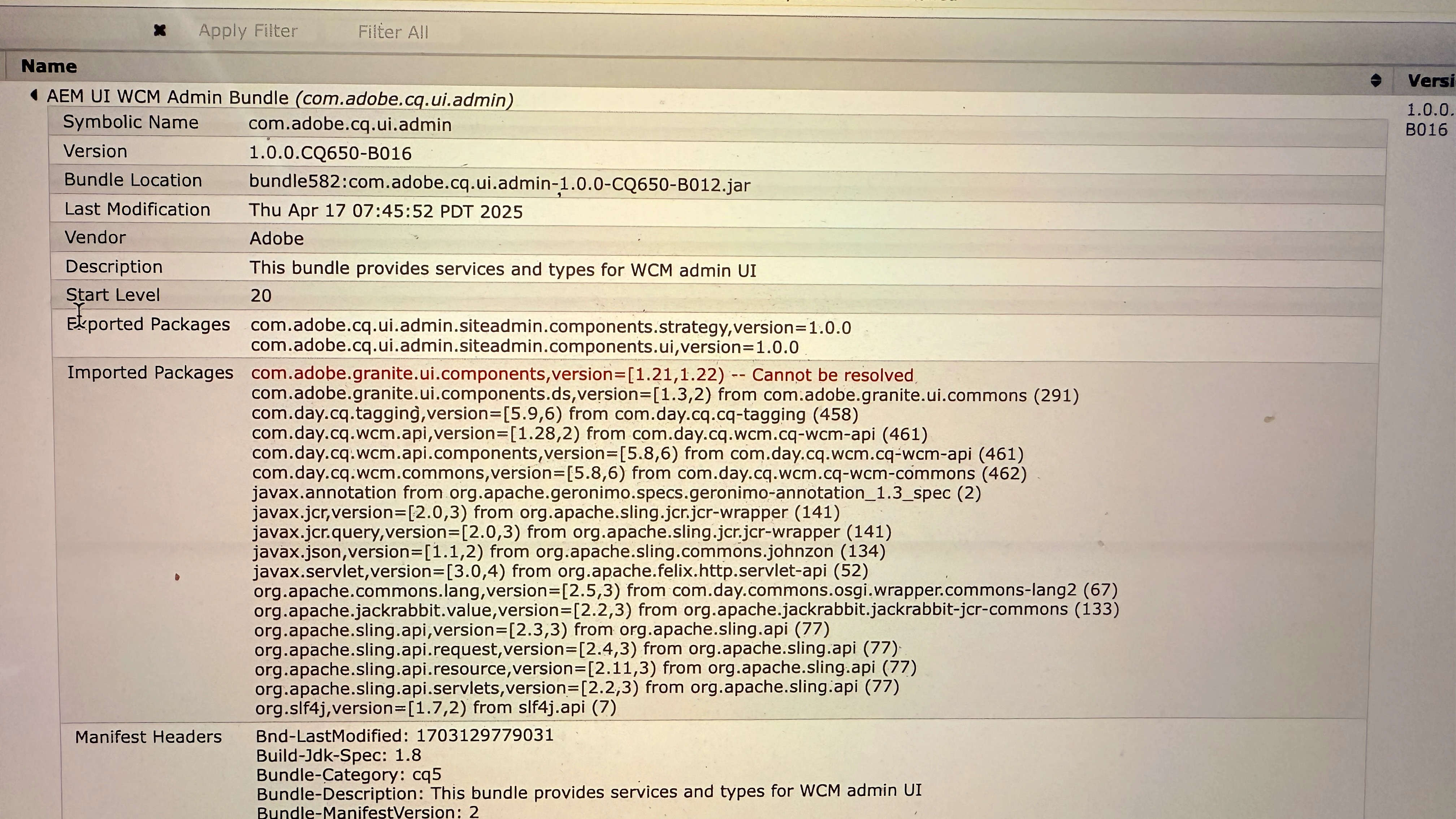
After reviewing it found that one of the Imported Packages not resolved.

com.adobe.granite.ui.components,version=[1.21,1.22) -- con not be resolved


Below is screenshot
 

AmitSi18Accepted solution
Level 2
Apr 19, 2025 7:19 PM UTC

This is fixed after restarting my local machine and  aem instance.

4 replies

SantoshSai
Community Advisor
Community Advisor
Apr 17, 2025 6:56 PM UTC

Hi @amitsi18,

Can you try below steps?

Reinstall Service Pack

Sometimes during installation, a few bundles may not deploy properly. Reinstalling the Service Pack via package manager can help resolve dependency mismatches.

Clear Bundle Cache

If all else fails, stop AEM, go to: crx-quickstart/launchpad/felix and delete the contents inside the felix folder. Then restart AEM — this clears old bundle cache.

Hope that helps!

Regards,
Santosh

Translate
Santosh Sai
Jul 28, 2025 7:14 AM UTC

removing everything under felix did not start AEM at all. 

Translate
Shashi_Mulugu
Community Advisor and User Group Leader
Apr 18, 2025 2:04 AM UTC

@amitsi18 if steps provided by @santoshsai doesn't help, can you please provide more details like whats the earlier version in your instance? Is it from 6.5.0 to 6.5.22 or is it from any intermediate version like 6.5.x to 6.5.22? Any hot fix installed already? Are you using any other third party connectors or packages? Is ACS commons installed? If yes whats version number? Etc 

Translate
AmitSi18AuthorAccepted solution
Level 2
Apr 19, 2025 7:19 PM UTC

This is fixed after restarting my local machine and  aem instance.

Translate