
AEMaaCS & AdminConsole - Users Group don't apply AEM Author Permission to users | Adobe Higher Education
Skip to main content
mirkomanga
Level 3
June 14, 2022

AEMaaCS & AdminConsole - Users Group don't apply AEM Author Permission to users

  • June 14, 2022
  • 1 respuesta
  • 986 visualizaciones

Hi everyone,

I has had a very strange behaviour profiling my users through Users Group, I'll try to explain:

1) I created a user group to manage faster permission for my Developers team,  as in the screen
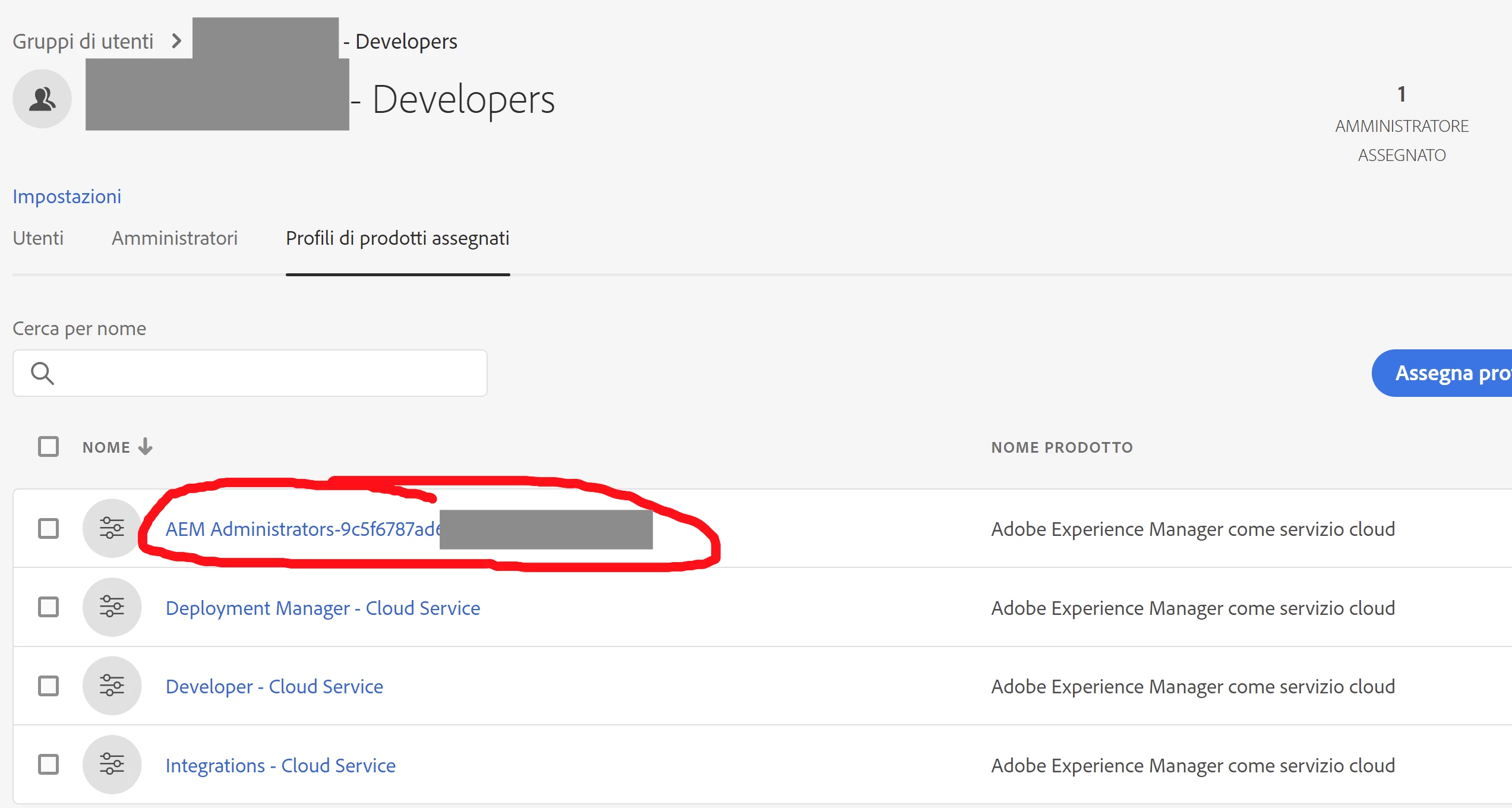
2)  All permission were inherited by users, except for Author (AEM Administrator) role !!!!! Users were not able to edit templates, for example

I solved this way:

1) Removed permission from user group

2) Assigned individually the profile/permission

It's a bit annoying map manually this permission...someone has had the same issue? I did something wrong, or it's a bug?

Thanks in advance, regards 

Este tema ha sido cerrado para respuestas.

1 respuesta

ShaileshBassi
Community Advisor
Community Advisor
June 14, 2022
mirkomanga
Level 3
June 14, 2022

Hi @shaileshbassi 

thanks for reminder, but I don't need to review official docs, I exactly know what are permissions, product profile, IMS and how to assign the right permissions, I'm able to use AdminConsole and all activities has been done on admin console! I repeat: all permission given to AdminConsole User Group has been applied except for AEM ADMIN, the Author role, that I need to map individually user by user ON THE ADMIN CONSOLE! Do you have any info on the specific issue? Thanks

Adobe Employee
June 14, 2022

Hi , I landed in a similar situation where I mapped product profiles to user groups and users and user groups were sometimes not syncing in AEM . This is a known issue confirmed by IMS Product team. As of now, recommendation is you need to assign the product profiles (AEM User/AEM Administrator) to each user and not at the group level. This may be fixed in future .