AEM6.5 upgrade issue: 'Add Items' link on the component dialog is not working after upgrade from 6.3 | Community
Skip to main content
August 23, 2021
Solved

AEM6.5 upgrade issue: 'Add Items' link on the component dialog is not working after upgrade from 6.3

  • August 23, 2021
  • 2 replies
  • 923 views

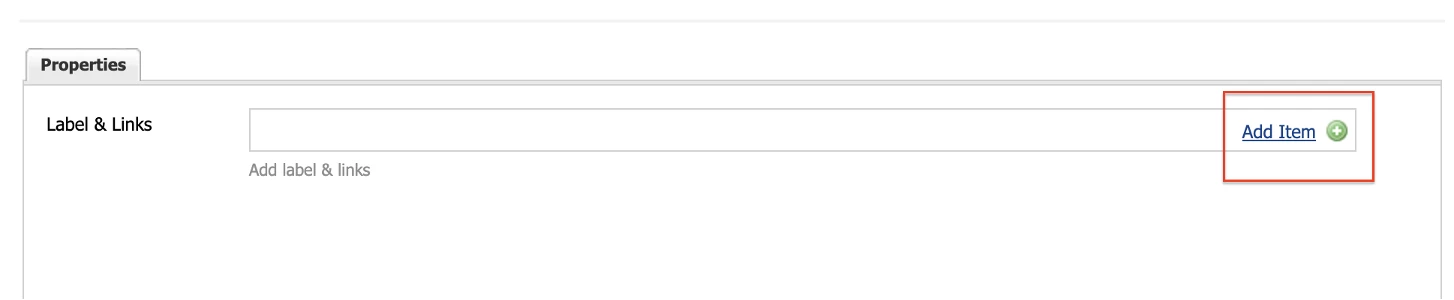
'Add Items' link on the component dialog is not working after upgrade from 6.3 to 6.5.

To add the list of items we used the 'Add Items' link to add more items. 


On clicking Add Item, it does not opening any dialog.


Can anyone please let me know how to fix the issue or any work around.
 

This post is no longer active and is closed to new replies. Need help? Start a new post to ask your question.
Best answer by Shubham_borole

Hi,

Do you see console errors when 'Add Items' is clicked or before?

If this is a custom multifield xtype make sure the js is getting included or available when the dialog is open.

Note: For custom multifield xtype the saved node structure of the data for classic vs touch ui will be different, you will have to consider that as well.


2 replies

Shubham_borole
Community Advisor
Shubham_boroleCommunity AdvisorAccepted solution
Community Advisor
August 23, 2021

Hi,

Do you see console errors when 'Add Items' is clicked or before?

If this is a custom multifield xtype make sure the js is getting included or available when the dialog is open.

Note: For custom multifield xtype the saved node structure of the data for classic vs touch ui will be different, you will have to consider that as well.


Asutosh_Jena_
Community Advisor
Community Advisor
August 24, 2021

Hi @bowyar 


Do you see any console error when you are trying to add links?