
AEM Versioning - Case sensitivity leads to multiple assets | Adobe Higher Education
Skip to main content
Rohan_Garg
Community Advisor
Community Advisor
November 28, 2023
Beantwortet

AEM Versioning - Case sensitivity leads to multiple assets

  • November 28, 2023
  • 1 Antwort
  • 957 Ansichten

Hi All,


I noticed a weird issue in AEM not sure if its a bug or not.

So when you upload an asset in AEM like below  - 
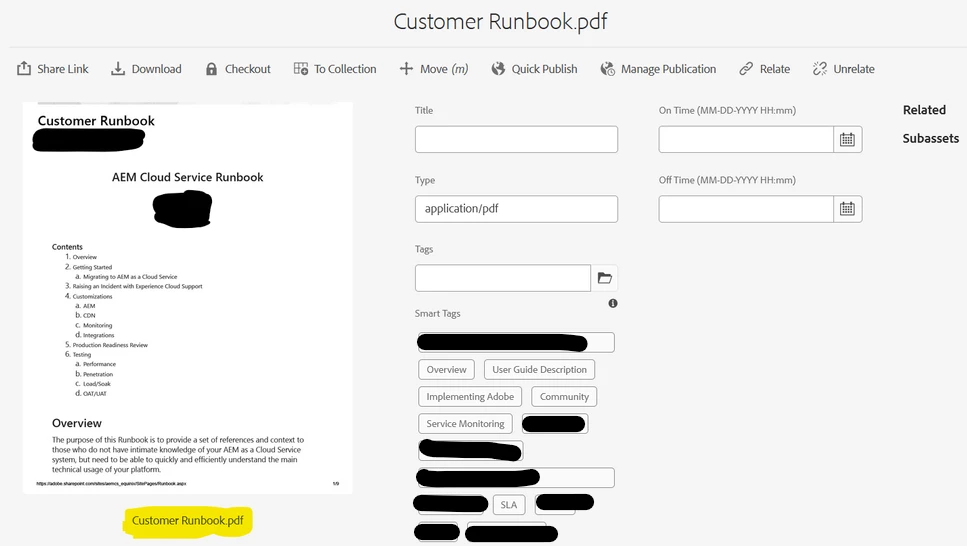


The filename is displayed as "Customer Runbook.pdf" (highlighted in yellow)
When you add a title to the asset and view it again it shows as below - 
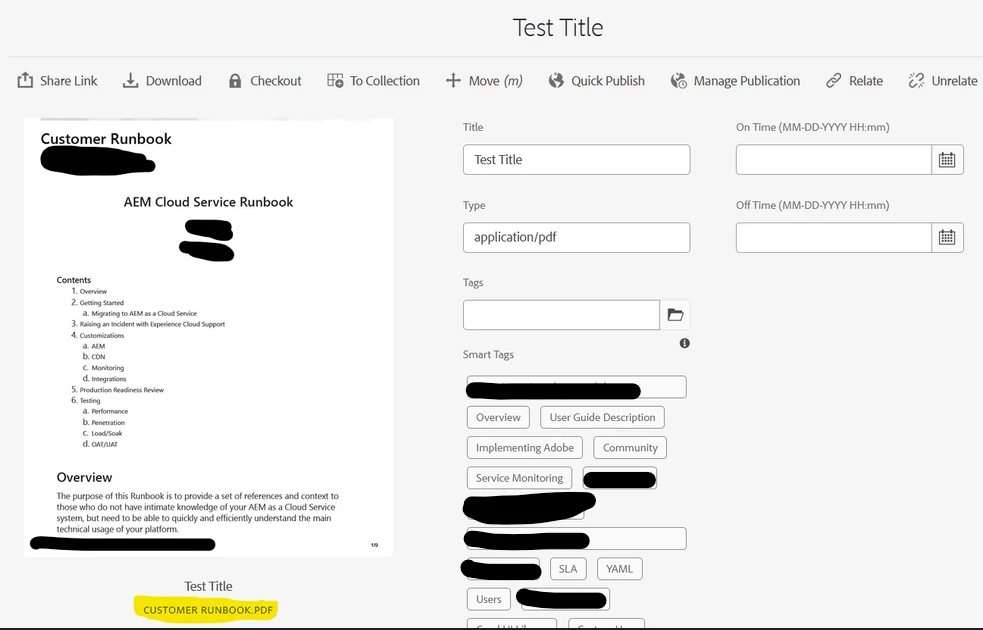


Notice how the filename has been modified to uppercase "CUSTOMER RUNBOOK.PDF"
When a user grabs this filename and tries to upload an asset with the same name, AEM creates a new asset rather than a version thus differentiating between assets (abc.pdf vs ABC.PDF - While the local machine does not do so!)
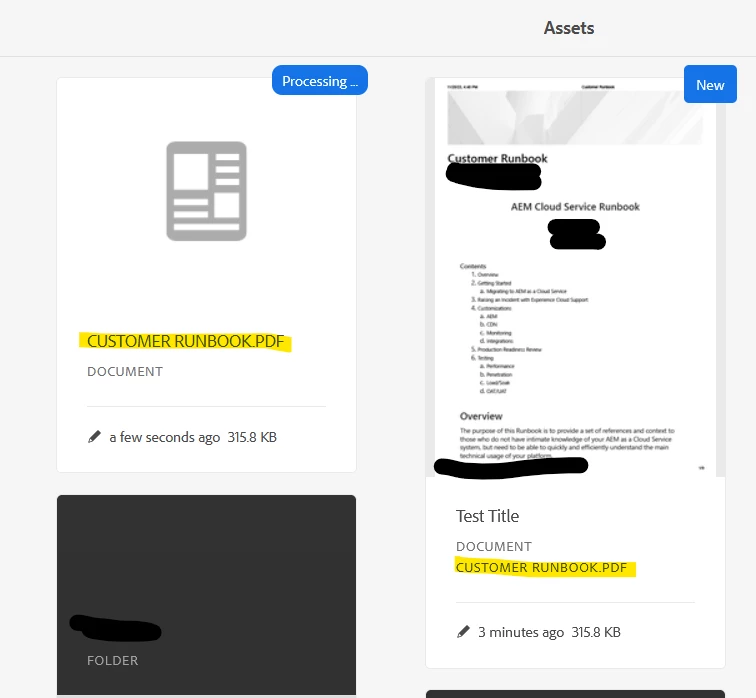


This creates an issue as the authors are creating assets with different case sensitive file names rather than versions!
You can still grab the correct filename from the URL but that becomes tricky when you have character encoding for space (%20) and other characters.

Seems like a silly question maybe but this uppercasing the filename when title is added will be a valid behavior?
If so then how should we point the authors to the correct case sensitive filename besides URL which is susceptible to character encoding?

@aanchal-sikka@arunpatidar@parthasarathy@markusbullaadobe@_manoj_kumar_@estebanbustamante@satheeskannak 

Thanks in advance, 

Rohan Garg

Dieses Thema wurde für Antworten geschlossen.
Beste Antwort von aanchal-sikka

Hello @rohan_garg 


The issue is due to a CSS class


When a title is availble, the image name is rendered via div "foundation-collection-item-subtitle". The class associated is tranformin text to upper-class.


Please raise an Adobe ticket explaining the use-case. Meanwhile, you can probably override this class.

Code samples available at: https://stackoverflow.com/questions/8675414/override-css-text-transform

1 Antwort

aanchal-sikka
Community Advisor
Community Advisor
November 29, 2023

Hello @rohan_garg 


The issue is due to a CSS class


When a title is availble, the image name is rendered via div "foundation-collection-item-subtitle". The class associated is tranformin text to upper-class.


Please raise an Adobe ticket explaining the use-case. Meanwhile, you can probably override this class.

Code samples available at: https://stackoverflow.com/questions/8675414/override-css-text-transform

Aanchal Sikka
Rohan_Garg
Community Advisor
Community Advisor
November 29, 2023

Hi @aanchal-sikka, thanks for your response on this! Overriding CSS definitely would be the easier fix!
However, We went ahead and updated our custom metadata to extract the cq:name property from JCR and display it as filename when title is present.

But I think we should also override the CSS to make sure there is consistency in terms of UI!
I have already raised an Adobe support ticket for this! Thanks for your time and support!
